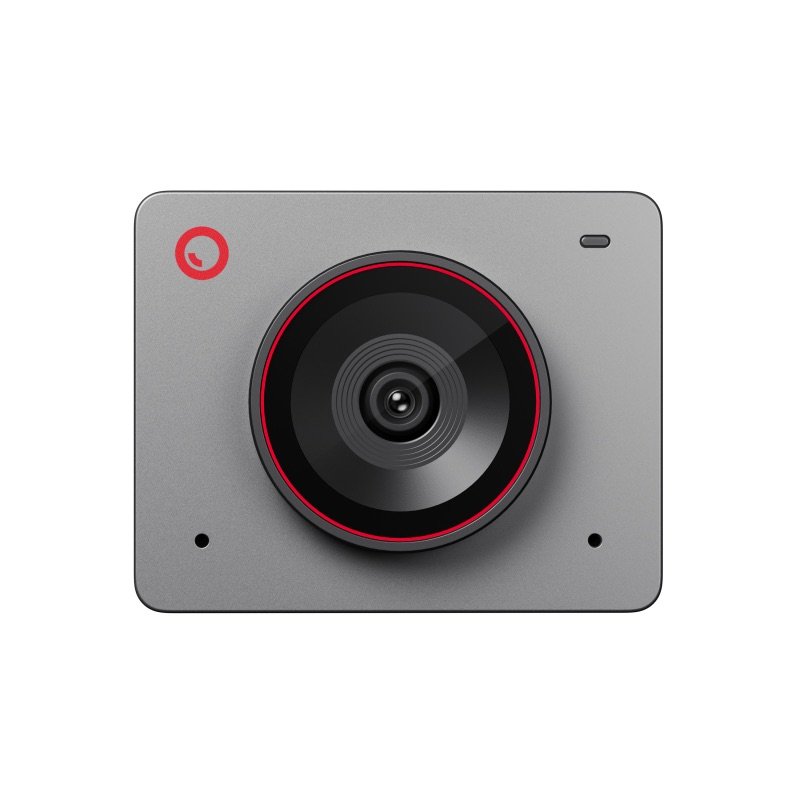
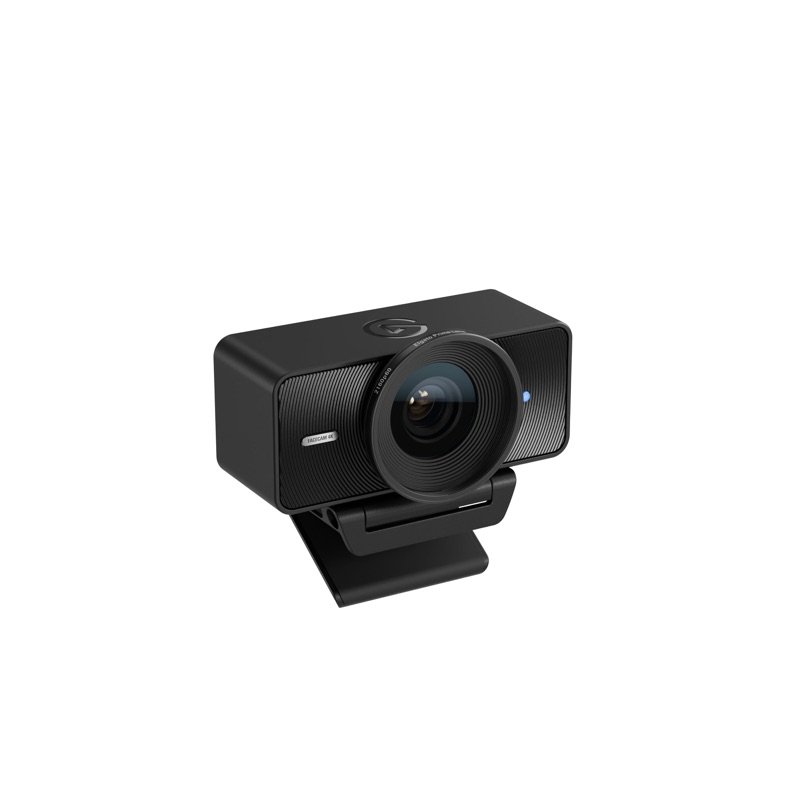
Elgato Facecam 4K webcam in black, front three-quarter view
Photo: Elgato
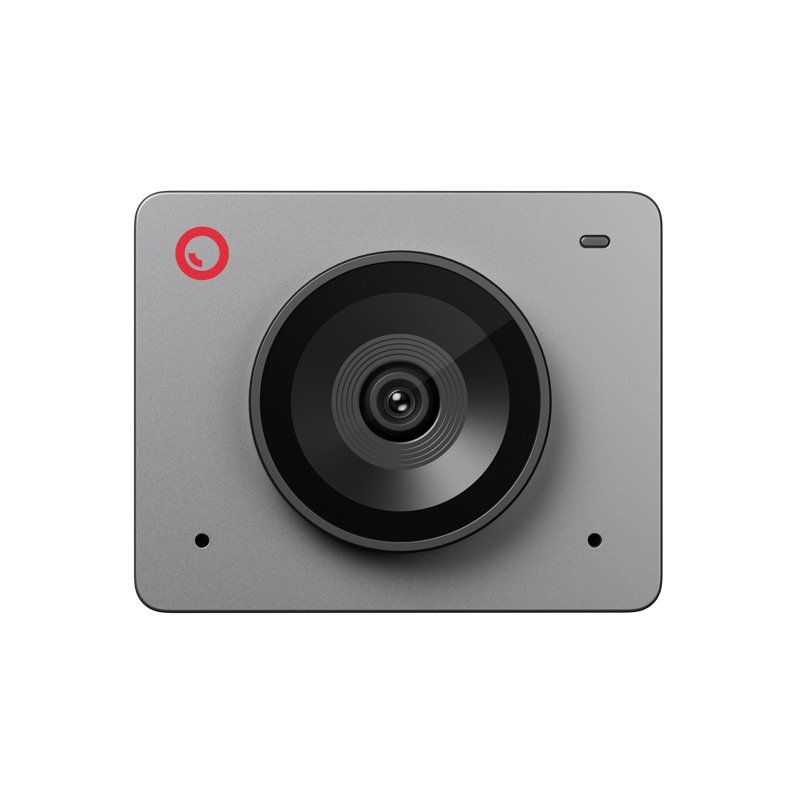
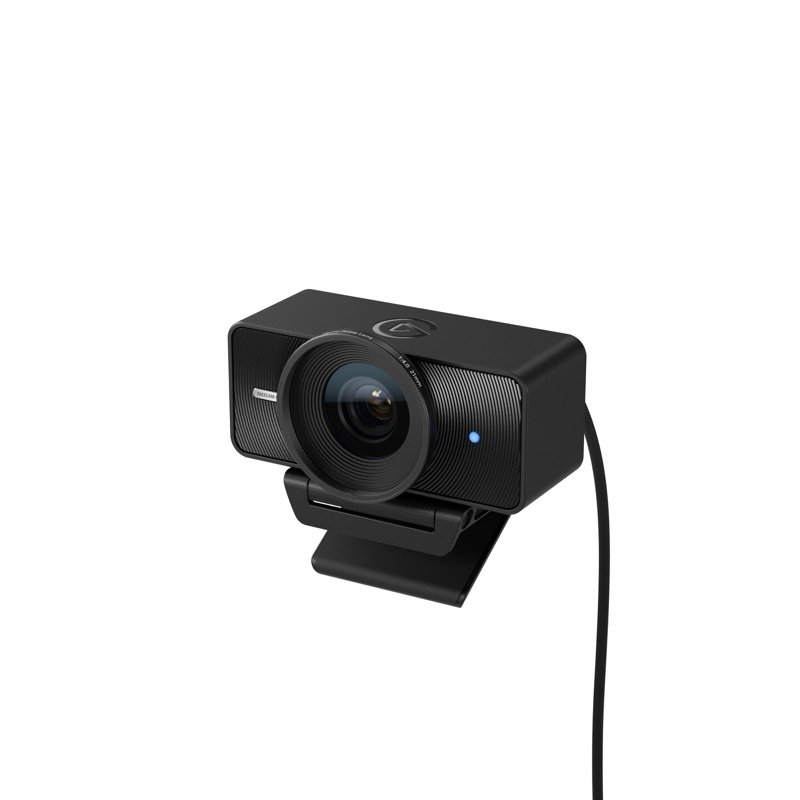
Facecam 4K from the other side, with its USB-C cable
Photo: Elgato

Pick #44 · Video Calls & Audio

Elgato Facecam 4K: Worth it for work calls on Zoom and Teams?

Good, with a catch

Zoom and Teams never send its 4K, yet it looks sharp in good light; add a mic and privacy cap.

  • 1Teams sends up to 1080p at 30 fps 8; Zoom's HD setting sends 720p 9
  • 2The 4K is crop room: zoom in on yourself with little loss of detail 1618
  • 3No mic and no built-in shutter; the privacy cap is sold separately 14

We earn a commission if you buy through links on this page. It costs you nothing extra.

Good for

  • Daily calls from one spot, with a window or lamp
  • Framing a tight shot by zooming into the 4K picture
  • People who already call with a headset or desk mic

Not for

  • You want a mic and a lens cover built in
  • Your call room is dim and stays that way

Quick facts

1080p30the most Teams sends
1/1.8 inSony STARVIS 2 sensor
f/4.0fixed-focus lens: add light
112 g0.25 lb, without the mount
All specs that matter
Sensor
1/1.8 in Sony STARVIS 2Larger than the 1/2.5 in sensor in Elgato's MK.2 6 and the 1/2.9 in sensor in its Neo 4. 1
Lens
f/4.0, 21 mm, 90° viewA small opening, so light matters 2; Notebookcheck finds 90° a bit wide for some desks 10. 1
Focus
Fixed: 30–120 cm at 4K, 25 cm to infinity at 1080pAt 4K that is 11.8–47.2 in 1, from your keyboard to about 4 ft 2. There is no autofocus. 1
Video
4K60 compressed; uncompressed up to 4K30Needs USB 3.0. On USB 2.0 it stops at 1080p, compressed 2. 1
HDR
Every resolution, up to 30 fpsThe same 30 fps that Teams sends at most 8. 1
Microphone
NoneLeft out on purpose; Elgato points you to a headset or desk mic. 1
Privacy
Lens cap, sold separatelyNo built-in shutter, unlike Elgato's MK.2 and Neo 4. 1
Size and weight
4.1 × 2.1 × 2.0 in; 112 g (0.25 lb)104 × 54 × 52 mm without the mount 1; CravingTech calls it bigger than basic webcams 17. 1

What it does well

Sharper than a laptop camera on daily calls

Next to a laptop's built-in camera, the step up is clear. CravingTech used it mostly for daily work meetings and found it far ahead of a laptop webcam 17. Notebookcheck put it beside a ZenBook 14 OLED's camera at 1080p and saw more detail with less artificial sharpening 10.

Notebookcheck found the colours accurate and measured them on a colour chart, where lower numbers mean truer colour 10:

  • average error (ΔE): 6.75 10
  • closest patch: 1.16; furthest: 12.16 10

Behind it sits a 1/1.8 in Sony STARVIS 2 sensor, larger than the 1/2.5 in sensor in Elgato's MK.2 16.
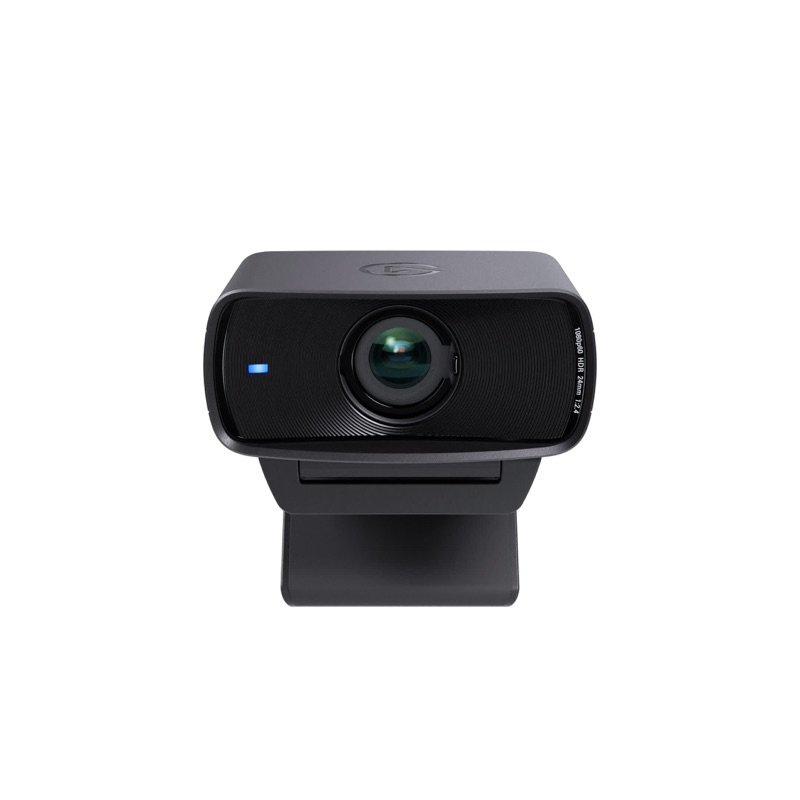
HDR for a bright window, at Teams' own frame rate

Sit with a window behind you and the HDR switch earns its place. On this camera, HDR works at every resolution up to 30 fps 1. Teams sends video at up to 30 fps anyway, so on a Teams call you give nothing up by turning it on 8.

Notebookcheck saw HDR balance a bright background with a darker face 10. CravingTech found it works well up to 4K at 30 fps 17. The Gadgeteer's work-from-home roundup names the same use: a window behind you 20.

The 4K is room to frame yourself

Your coworkers will not see 4K (see the check below). What the extra pixels buy is framing. Elgato's app pans, tilts and zooms inside the 4K picture, with four saved framing presets 1013.

Because the zoom crops a 4K image, a close-up stays sharp. Gfinity zoomed in up to 400% with little loss of detail 16. Gaming Shogun notes the frame can be cut down to a tight 1080p close-up with little loss 18, and CravingTech found the digital zoom stayed crisp 17.

A filter thread for glare off glasses

The lens takes standard 49 mm screw-on filters 1, which Elgato calls a first for a webcam 3. If you wear glasses, Elgato says a polarizing (CPL) filter cuts the reflections on your lenses 3. Gaming Shogun points to the same use 18.

Elgato names filter brands sold in camera stores, such as Hoya, Tiffen and Kenko 1. No expert source measured how much glare a filter removes on a call.

Known problems

From expert tests.

6 of 10 expert sources

Dim rooms bring grain or softness

Its f/4.0 lens takes in less light than the MK.2's f/2.4 or the Link 2C Pro's f/1.9 167, and a dim room shows it. Gaming Shogun found it poor in anything but bright, even light 18. Stream Tech calls low light its main weakness 14. Noisy Pixel saw noise rise and detail soften without a lamp 15.

Basic Tutorials, Gaming Trend and Cubed3 also say good light matters 111312, and Elgato's own guide says to avoid dim spaces 2. Still, Cubed3 and Noisy Pixel found it better than expected in dimmer rooms 1215.

TipPut a lamp or key light in front of you near eye level; Elgato's meetings guide rates that above a better sensor 4. Then fix ISO and shutter and store them on the camera 113.

8 of 10 expert sources

No mic, and no built-in lens cover

The camera has no microphone at all. Elgato's reason: a mic on top of the screen is too far from your mouth to sound good 1. Basic Tutorials, Cubed3, Gfinity and CravingTech all point it out 11121617.

There is no built-in shutter either; the privacy cap is a separate accessory 14. Notebookcheck, Gaming Trend, Stream Tech and GamingBible list that as a minus 10131419. Elgato's MK.2 and Neo have a shutter built in 4.

TipKeep the headset or desk mic you call with now. For privacy, add Elgato's lens cap, or a plain 49 mm lens cap as GamingBible's writer did 119.

5 of 10 expert sources

Auto exposure and AI extras need help

Left on auto, exposure can miss. Notebookcheck saw it expose for a bright window instead of the person, and turn too dark near an OLED screen 10. Gaming Trend also found the auto settings not always the best choice 13.

Elgato's extras ask a lot. Background blur needs an Nvidia RTX card, and most other effects need an Nvidia GPU of some kind 10. GamingBible's laptop had none, so they stayed off 19. With an AI background on, output drops to 1080p at 60 fps 1116. Gfinity found the eye-contact effect more odd than useful 16.

TipFix ISO and shutter yourself, as Notebookcheck did, then store that look in the camera's memory 101. The camera works in any call app with no Elgato software 1.

We earn a commission on these Amazon links. It costs you nothing extra.

Check price on Amazon

What will people on your calls see?

Pick where your video goes.

Pick where your video goes.

Choose one to see the answer.

Up to 1080p at 30 fpsTeams sends up to 1080p at 30 fps when your connection allows 8. HDR runs up to 30 fps here, so switch it on 1.
720p in the speaker viewZoom's HD setting sends 720p in the active speaker view, with the window full screen 9.
1080p once Zoom enables itFull HD needs Zoom Support to switch it on, an i7 quad-core CPU, and no virtual background 9.
The full 4K at 60 fpsRecording on your own computer over USB 3.0 gets 4K at 60 fps (compressed) or 4K at 30 fps uncompressed 12.

Real size

Bank card
4.1 in2.1 in
This webcam

2.1 × 4.1 × 2 inTall × wide × thick (5.3 × 10.4 × 5.1 cm), next to a bank card.

Other options

We earn a commission on these Amazon links. It costs you nothing extra.

Elgato Facecam MK.2 webcam in black, from the front, with its privacy shutter openCheaperElgato Facecam MK.2Built-in shutter, brighter f/2.4 lens; 1080p, smaller sensorCheck price on Amazon Elgato Facecam 4K webcam in black, front three-quarter viewThis oneElgato Facecam 4KA big-sensor webcam for a bright desk; Zoom and Teams never send its full 4KYou are here DrawingBetterInsta360 Link 2C Pro2 mics, privacy switch, autofocus, f/1.9; 4K at 30 fpsCheck price on Amazon
Video1080p at 60 fps4K at 60 fps4K at 30 fps
Sensor1/2.5 in1/1.8 in1/1.3 in
Lens aperturef/2.4f/4.0f/1.9
MicrophonesNoneNone2
PrivacyBuilt-in shutterCap, sold separatelyBuilt-in switch

Built-in shutter, brighter f/2.4 lens; 1080p, smaller sensor

Video
1080p at 60 fps
Sensor
1/2.5 in
Lens aperture
f/2.4
Microphones
None
Privacy
Built-in shutter
Check price on Amazon
Elgato Facecam 4K webcam in black, front three-quarter view
This one

Elgato Facecam 4K

A big-sensor webcam for a bright desk; Zoom and Teams never send its full 4K

Video
4K at 60 fps
Sensor
1/1.8 in
Lens aperture
f/4.0
Microphones
None
Privacy
Cap, sold separately
You are here
Drawing
Better

Insta360 Link 2C Pro

2 mics, privacy switch, autofocus, f/1.9; 4K at 30 fps

Video
4K at 30 fps
Sensor
1/1.3 in
Lens aperture
f/1.9
Microphones
2
Privacy
Built-in switch
Check price on Amazon

You may also need

We earn a commission on these Amazon links. It costs you nothing extra.

Sennheiser Profile USB microphone

The camera has no mic, by design 1; four expert sources point it out 11121617.

Check on Amazon

Elgato Key Light Neo, black, with monitor mount

Elgato says a small face-level light helps more than a sensor upgrade 4; this f/4.0 lens needs light 1.

Check on Amazon

A 49 mm lens cap, for privacy

There is no built-in shutter 1; GamingBible's writer put a plain 49 mm cap on the lens 19.

Value check

Premium tier

Elgato's own Facecam MK.2 costs less and suits calls well. It adds a built-in shutter and a brighter f/2.4 lens, on a smaller 1/2.5 in sensor that tops out at 1080p 64. Elgato's meetings guide picks it for most people whose main use is calls 4.

Insta360's Link 2C Pro brings what this camera leaves out for a caller: two mics, a privacy switch, autofocus and an f/1.9 lens on a bigger 1/1.3 in sensor 7. It stops at 4K at 30 fps, still more than Zoom or Teams send 789.

Prices change. See today's price on Amazon. We earn a commission on it. It costs you nothing extra.

Questions

Does the Elgato Facecam 4K have a microphone?

No, by design. Elgato's FAQ says a headset or desk mic, closer to your mouth, gives far better sound 1. Elgato's MK.2 has no mic either, while Insta360's Link 2C Pro has two 67.

Does the Facecam 4K have autofocus?

No, its focus is fixed. At 4K you stay sharp between 30 and 120 cm (11.8 and 47.2 in) from the lens 1. At 1080p, the most Teams sends, Elgato lists 25 cm (9.8 in) to infinity 18.

Gaming Shogun found it soft outside roughly 1 to 4 ft, so pick a spot and stay in it 18.

Do I need to install Elgato's app on a work computer?

No. It works straight away in any app that takes a webcam, Teams and Zoom included 12. Settings you make in Elgato's app are saved on the camera, so they follow it to another computer 1.

Camera Hub no longer gets updates. Its replacement, Elgato Studio, needs Windows 11 or macOS 15 Sequoia or later 5.

Will it work through a dock or an older USB port?

Elgato asks for a USB 3.0 port on the computer itself, not a hub 2. On USB 2.0 it still works, but only up to 1080p and compressed 2. For calls, 1080p is the most Teams sends anyway 8; 4K needs USB 3.0 1.

Power comes over the USB cable alone. Its guide carries the FCC Part 15 Class B statement, and the US recall list (CPSC) showed no recall under Elgato or Corsair on 17 Nov 2026 221.

Where should it sit, and will it hold on a laptop?

The clip sits on top of your screen, and a 1/4-inch thread underneath fits a tripod or desk stand 2. CravingTech's clip held on a monitor and on a Dell XPS 13 17.

Gfinity found it less steady on a thin laptop screen and suggests a tripod behind the screen 16. Noisy Pixel's clip covered a little of a thin bezel 15.

How we made this pick21 sources · checked Nov 17, 2026 · we have not used itRead how

We have not used this product ourselves. This brief is built from the maker's specs and manual and from expert tests. Few owner reports were open for us to read, so this page does not say how common a problem is among owners. Sources are listed below.

21sourcesTen writers who used it, a work-from-home roundup, Elgato's own pages, Zoom and Microsoft help pages, and a US recall check.
Nov 17, 2026checked
See sources
  1. 1Elgato US shop: Facecam 4K (10WAF9901)Nov 17, 2026
  2. 2Elgato Facecam 4K Quick Start Guide (web, model 20WAF9901)Nov 17, 2026
  3. 3Corsair newsroom: Facecam 4K launch (Munich, 29 Jul 2025)Nov 17, 2026
  4. 4Elgato Explorer: Best Elgato webcams for meetings (11 Jun 2026)Nov 17, 2026
  5. 5Elgato Explorer: Where did Camera Hub go? Meet Elgato Studio (4 Nov 2026)Nov 17, 2026
  6. 6Elgato US shop: Facecam MK.2 (10WAC9901) (cheaper option)Nov 17, 2026
  7. 7Insta360 store: Link 2C Pro specs and FAQ (better option)Nov 17, 2026
  8. 8Microsoft Learn: Prepare your organization's network for TeamsNov 17, 2026
  9. 9Zoom Support: Enabling HD video for Zoom MeetingsNov 17, 2026
  10. 10Notebookcheck: Elgato Facecam 4K, colour measured (Christian Hintze, 7 May 2026)Nov 17, 2026
  11. 11Basic Tutorials: Elgato Facecam 4K (Philipp Briel, 29 Jul 2025)Nov 17, 2026
  12. 12Cubed3: Elgato Facecam 4K (Adam Riley, 3 Mar 2026)Nov 17, 2026
  13. 13Gaming Trend: Elgato Facecam 4K (David Burdette, 7 Aug 2025)Nov 17, 2026
  14. 14Stream Tech: Elgato Facecam 4K (BadIntent)Nov 17, 2026
  15. 15Noisy Pixel: Elgato Facecam 4K (Mark DiMattei, 19 Sep 2025)Nov 17, 2026
  16. 16Gfinity Esports: Elgato Facecam 4K (Connor Groom, 12 Sep 2025)Nov 17, 2026
  17. 17CravingTech: Elgato Facecam 4K (Michael Aulia, 26 Sep 2025)Nov 17, 2026
  18. 18Gaming Shogun: Elgato Facecam 4K (Jerry Paxton, 10 Sep 2025)Nov 17, 2026
  19. 19GamingBible: Elgato Facecam 4K (Richard Breslin, 7 Nov 2025)Nov 17, 2026
  20. 20The Gadgeteer: Best webcams for working from home (Rei Padla, 12 Jun 2026)Nov 17, 2026
  21. 21CPSC recall search (saferproducts.gov): Elgato, Corsair, FacecamNov 17, 2026

Update log

  • Nov 17, 2026 First version of this research brief.
How we research

Do you own it?

Tell other buyers how the Elgato Facecam 4K works for you.

How long have you owned it? (if you like)

Only your words, and how long you have owned it if you say. No name, no email, no cookie. Nothing shows here until we approve it. How we handle answers.

Did this help?

Related

More picks