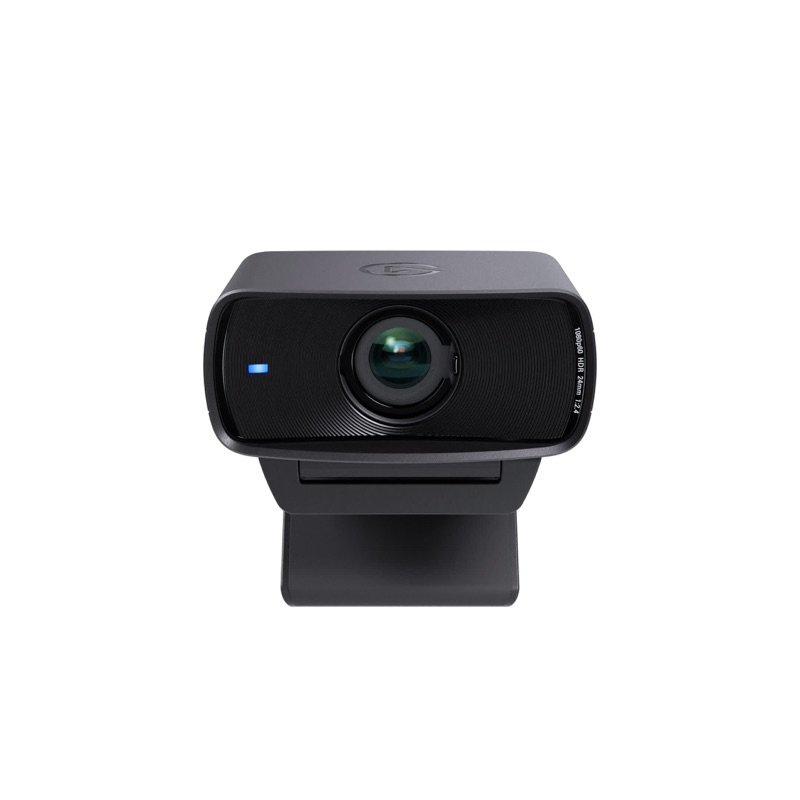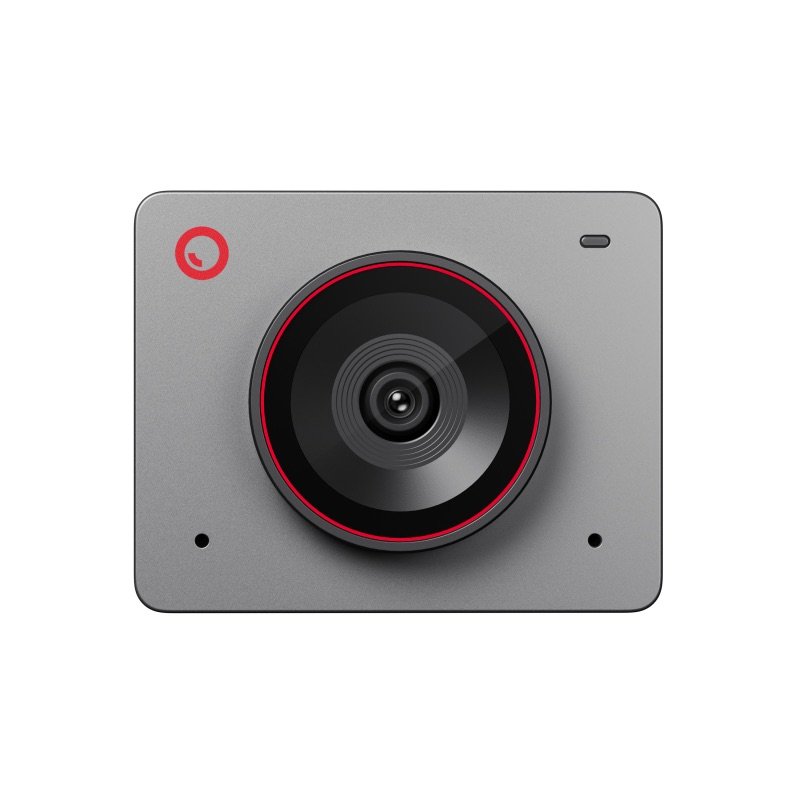
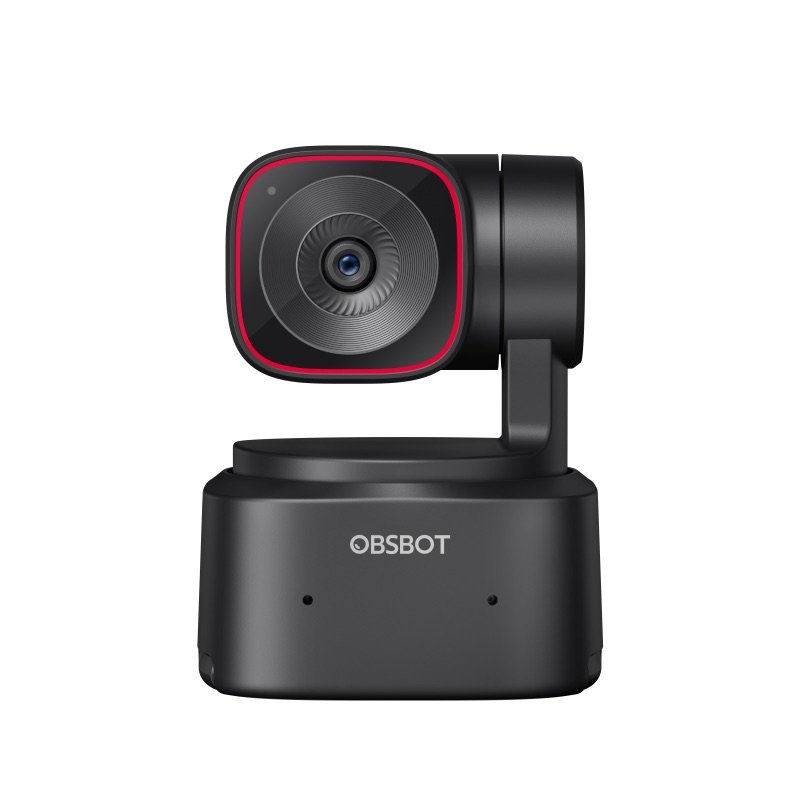
OBSBOT Meet 2 webcam in space grey, from the front
Photo: OBSBOT
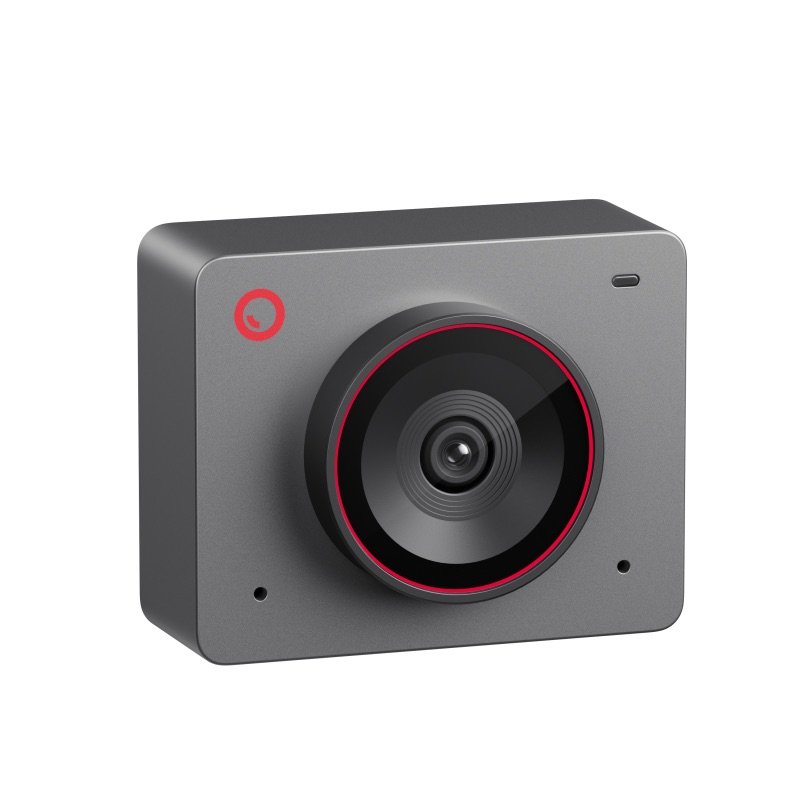
OBSBOT Meet 2 webcam in space grey, seen at an angle
Photo: OBSBOT

Pick #20 · Video Calls & Audio

OBSBOT Meet 2: Is it worth it for desk calls in 2026?

Good, with a catch

A sharp, tiny 4K webcam for desk calls; its mics are only average, and its magnetic clip can slip.

  • 1Autofocus works from 10 cm (3.9 in), so held-up products stay sharp 212
  • 2The two built-in mics are only average; a headset sounds clearer 910
  • 34K runs on a 2018 Intel Mac or 7th-gen i5 PC; the Meet Flip asks for more 222

Good for

  • Desk calls in sharp 4K from a very small camera
  • Intel Macs from 2018 and 7th-gen Intel PCs
  • Upright video: it snaps on sideways

Not for

  • You want it to follow you around the room
  • You need good sound without a separate mic

Quick facts

40.5 g1.43 oz, camera alone
1/2 insensor with an f/1.8 lens
2 omni micsnoise reduction, auto gain
1 yearOBSBOT warranty on the camera
All specs that matter
Sensor and lens
1/2 in CMOS, 48 MP, f/1.8Larger than most webcam sensors, which helps in dim rooms 12. 2
Video
4K at 30 fps; 1080p and 720p at 60 fpsOn a PC, OBSBOT suggests a 7th-gen Intel i5 and 8 GB of memory for these modes. 2
Field of view
79.4° diagonal, fixedFraming crops inside this view; nothing turns. 2
Autofocus
Phase detection, from 10 cm (3.9 in)If it pulses on your face, try the Global focus mode 15. 2
Microphones
2 omnidirectional, noise reduction, auto gainFive of the 11 expert sources call them average or muffled 910111215. 2
Connection
USB-C (USB 2.0); USB-A adapter in the boxIt takes its power from the USB-C port 2. OBSBOT says use the computer or a dock with its own power 3. 2
Mount
Magnetic clip; 1/4-20 thread on the cameraThe clip has no thread of its own 11. 2
Size and weight
1.78 × 1.4 × 0.87 in, 1.43 oz (40.5 g)45 × 36 × 22.2 mm; 2.38 oz (67.5 g) with the clip. 2
Warranty
1 year on the camera from OBSBOT (longer where local law requires it); cables 6 months.6

From the maker

Video: OBSBOT on YouTube

Introducing OBSBOT Meet 2--Mini in Size, Mighty in SightPlays in YouTube's player. Nothing loads from YouTube until you tap.

What it does well

A sharp, natural picture, fair in dim rooms

On default settings, the OBSBOT Meet 2 already looks sharp and lifelike. TrustedReviews found that picture natural, with accurate colour, and level with the Insta360 Link 2C once both were tuned 12. SlashGear called it the sharpest webcam in its price range it had used 13. PCWorld saw good colour and light in an office and a living room 8.

Dim rooms are fair, not great. The large 1/2 in sensor helps 212. But Tom's Guide had to raise the ISO (light boost) and white balance in the app first 9. PC Gamer saw grain once it got quite dark 10.
Quick autofocus, with one setting to know

Focus is quick, and one switch in the app keeps it steady on your face. Its phase-detection autofocus works from 10 cm (3.9 in) away 2. TrustedReviews found it lightning quick when holding products up to the lens 12.

Two experts saw it pulse while hunting for a face 1415. Dave Soltura cured that by switching focus from Face to Global in the OBSBOT Center app 15.

Tiny, and it can stand on its side

This is a very small camera, and it can stand on its side for upright video. OBSBOT gives these sizes 2:

  • 1.78 × 1.4 × 0.87 in (45 × 36 × 22.2 mm) 2
  • 1.43 oz (40.5 g) for the camera alone 2
  • 2.38 oz (67.5 g) on its clip 2

PC Gamer puts it at about 70% of the size of a Logitech Brio 100 10.

A magnet on its side lets it mount upright for portrait video 12. It flips to upside-down mode by itself, and to portrait in apps that support it, such as OBS 3.

AI framing that works at a desk

It keeps you in frame at a desk, as long as you do not move far. Nothing turns: AI Auto Framing crops the picture inside a fixed 79.4° view, with up to 4x digital zoom 23. It works for one person or a group, and a hand gesture switches it on 23.

Digital Camera World saw it follow a subject across a kitchen 11. But PC Gamer found it loses you if you move far left or right 10. And zooming in costs sharpness 12.

Works with no app; the app adds a lot

Your call app sees it as soon as you plug it in; the OBSBOT Center app adds more. It works over USB-C with no app, and OBSBOT names Zoom, Microsoft Teams, Skype and Google Meet 3. Fstoppers saw Zoom pick it up at once on a MacBook 14.

The app adds 13:

  • image sliders
  • HDR (off until you switch it on)
  • beauty and blur effects

PCWorld called it one of the most capable webcam apps it has used 8. OBSBOT still updates it, with new firmware on 9 October 2026 7.

The CPSC, the US product-safety agency, had no OBSBOT recall on file on 16 Nov 2026 21.

Known problems

From expert tests.

5 of 11 expert sources

The built-in mics are only average

Callers may hear you as quiet or far away. Tom's Guide heard a quiet, echoey voice at default settings 9. PC Gamer called it muffled and far away 10. Digital Camera World and TrustedReviews called the mics average, or basic at cutting noise 1112. Dave Soltura found the Insta360 Link 2C's mics much better 15.

Two experts heard it differently: PCWorld and GeekaWhat found the voice clear 818.

TipFor long calls, add a USB mic, as TrustedReviews advises 12.

3 of 6 experts who judged it

The magnetic clip can slip

On a laptop lid, or pulled by a heavy cable, it can fall off. PC Gamer's camera fell off with its clip and got a small dent 10. A thick cable could knock it off too 10. PCWorld found the grip strong on a monitor but weak on a laptop, where the cable's weight can pull it off 8.

SlashGear called the clamp cheap plastic, though it held on a moved laptop lid 13. GeekaWhat, Digital Camera World and TrustedReviews found it strong enough 181112.

TipScrew the camera onto a small tripod, arm or goose-neck: the 1/4-20 thread is on the camera, not the clip 312. Route the cable so it does not tug 10.

2 of 11 expert sources

Heat on long sessions

It can get hot on long calls, and once it had to cool before it would restart. Dave Soltura ran 1080p video for 40 minutes in a 26 °C (79 °F) room 15. After that, the camera would not switch on again until it cooled 15.

Two others saw no trouble. Basic Tutorials found it noticeably warm in long 4K recordings, with no faults 16. Mighty Gadget saw no overheating 17. OBSBOT's manual says the base warms up after long use and calls that normal 3.

TipUse the sleep mode or Auto Sleep timer in OBSBOT Center 3, or unplug it when the call ends. OBSBOT also sells a USB cable with an on/off switch 4.

Will it stay put where you mount it?

Pick where it will sit.

Pick where it will sit.

Choose one to see the answer.

Yes, the clip holds well on a monitorPCWorld found the magnetic grip strong on a monitor 8; very thick monitors may be a challenge 11.
Maybe: the cable can pull it offA heavy cable can drag it off a laptop lid 810. Keep the cable slack, or use a stand.
Yes: the thread is on the cameraThe 1/4-20 thread is on the camera, not the clip 312. TrustedReviews suggests a tripod with a ball head 12.
Carry it in a pouchDigital Camera World warns the magnetic cap is less ideal if it goes in a bag 11; at the desk it can wait on the clip's base 1.

Real size

Bank card
1.8 in1.4 in
This webcam

1.4 × 1.8 × 0.9 inTall × wide × thick (3.6 × 4.6 × 2.3 cm), next to a bank card.

Other options

DrawingCheaperOBSBOT Meet FlipNewer; folds shut over the lens and adds a directional micCheck price on Amazon OBSBOT Meet 2 webcam in space grey, from the frontThis oneOBSBOT Meet 2A tiny 4K webcam for desk calls that asks little of an older computerYou are here OBSBOT Tiny 2 Lite webcam in black, from the front, on its turning baseBetterOBSBOT Tiny 2 LiteA gimbal turns to follow you; same size sensorCheck price on Amazon
FramingCrops the viewCrops the viewTurns to follow you
Sensor1/2 in1/2 in1/2 in
MicrophonesOmni + directional2 omni2 omni
Weight37.7 g40.5 g91.4 g
Drawing
Cheaper

OBSBOT Meet Flip

Newer; folds shut over the lens and adds a directional mic

Framing
Crops the view
Sensor
1/2 in
Microphones
Omni + directional
Weight
37.7 g
Check price on Amazon
OBSBOT Meet 2 webcam in space grey, from the front
This one

OBSBOT Meet 2

A tiny 4K webcam for desk calls that asks little of an older computer

Framing
Crops the view
Sensor
1/2 in
Microphones
2 omni
Weight
40.5 g
You are here

You may also need

Sennheiser Profile USB mic (see our brief)

If you talk all day: five of the 11 expert sources call the built-in mics average or muffled 910111215.

Check on Amazon

Small tripod, arm or goose-neck

Only if the clip slips: the 1/4-20 thread is on the camera 3, and TrustedReviews suggests a ball-head tripod 12.

Value check

Mid-range tier

OBSBOT's newer Meet Flip lists for a little less. It adds a lens that folds shut and a directional mic, but it asks for a newer computer for 4K 22234.

The Tiny 2 Lite costs more. It adds a gimbal, a motor that turns the camera to follow you, and keeps the same size sensor 24. PCWorld saw it priced below launch, so waiting for a sale can pay 8.

Prices change. See today's price on Amazon.

Questions

Why is my OBSBOT Meet 2 not detected, or why does it drop out?

Start with power. OBSBOT says to use the cable from the box 3. Plug the camera straight into the computer, or into a dock with its own power supply 3. Too little power can make it misbehave 3.

On Linux, one owner found it would not work properly in the Flatpak build of OBS (one way to install it on Linux) 20. Clearing OBS's Flatpak data and reinstalling fixed it 20.

Should I get the Meet 2 or the newer Meet Flip?

On an older Intel computer, the Meet 2 asks less. For the Flip's 4K, OBSBOT suggests an M1 Mac or a 10th-gen Intel i5 PC 22. For the Meet 2, it suggests a 2018 Intel Mac or a 7th-gen i5 PC 2.

The Meet 2 came out in September 2024 5. The Meet Flip followed on 29 July 2026 2223. It has the same size sensor, 4K at 30 fps, a lens that folds shut, and an omnidirectional plus a directional mic 2223.

Will it give me 4K in Zoom, Teams or Google Meet?

Not always. It can send 4K at 30 fps, but OBSBOT says 4K needs software that supports it 3. PC Gamer notes Google Meet calls top out at 1080p 10. One owner adds that 4K only runs if the computer can handle it 19.

Does the OBSBOT Meet 2 work with a Mac?

Yes, on macOS 11 or later 2. For 1080p at 60 fps or 4K, OBSBOT suggests a 2018 MacBook Pro or Air, a 2019 iMac Retina, or newer 2. The 4K beauty and background effects need an M1 or later 2.

Digital Camera World used it on an M3 MacBook Pro, and Fstoppers on a MacBook in Zoom 1114.

How we made this pick24 sources · 2 owner comments · checked Nov 16, 2026 · we have not used itRead how

We have not used this product ourselves. This brief is built from the maker's specs and manual and from expert tests. Few owner reports were open for us to read, so this page does not say how common a problem is among owners. Sources are listed below.

24sources
2owner comments
Nov 16, 2026checked
See sources
  1. 1OBSBOT Meet 2 product pageNov 16, 2026
  2. 2OBSBOT Meet 2 Tech SpecsNov 16, 2026
  3. 3OBSBOT Meet 2 User Manual v1.1 (PDF)Nov 16, 2026
  4. 4OBSBOT US store: Meet 2 (colours, box, accessories)Nov 16, 2026
  5. 5OBSBOT news: OBSBOT launches Meet 2 (4 Sep 2024)Nov 16, 2026
  6. 6OBSBOT Warranty & Refund policyNov 16, 2026
  7. 7OBSBOT downloads: Meet 2 firmware and manualNov 16, 2026
  8. 8PCWorld: Obsbot Meet 2 (Mark Hachman, 27 Feb 2026)Nov 16, 2026
  9. 9Tom's Guide: Obsbot Meet 2 (Erin Bashford, 4 Oct 2024)Nov 16, 2026
  10. 10PC Gamer: Obsbot Meet 2 (James Bentley, 14 Jan 2025)Nov 16, 2026
  11. 11Digital Camera World: Obsbot Meet 2 (Adam Juniper, 24 Mar 2025)Nov 16, 2026
  12. 12TrustedReviews: Obsbot Meet 2 (Luke Baker, 24 Jan 2025)Nov 16, 2026
  13. 13SlashGear: Obsbot Meet 2 (Nadeem Sarwar, 4 Nov 2024)Nov 16, 2026
  14. 14Fstoppers: OBSBOT Meet 2 (Pete Coco, 19 Oct 2024)Nov 16, 2026
  15. 15Dave Soltura: OBSBOT Meet 2 vs Insta360 Link 2C (26 Dec 2025)Nov 16, 2026
  16. 16Basic Tutorials: OBSBOT Meet 2 (Philipp Briel, 4 Sep 2024)Nov 16, 2026
  17. 17Mighty Gadget: Obsbot Meet 2 AI Webcam (James Smythe, 2024, updated Oct 2026)Nov 16, 2026
  18. 18GeekaWhat: OBSBOT Meet 2 (Jay Harris, 4 Sep 2024)Nov 16, 2026
  19. 19WebcamTests.com owner post #192280: OBSBOT Meet 2 (3 Nov 2025)Nov 16, 2026
  20. 20GitHub obs-studio issue #12570: OBSBOT Meet 2 under OBS Flatpak (owner post, Sep-Oct 2025)Nov 16, 2026
  21. 21CPSC recalls search (saferproducts.gov): OBSBOT, 16 Nov 2026Nov 16, 2026
  22. 22OBSBOT Meet Flip Tech Specs (rival)Nov 16, 2026
  23. 23OBSBOT news: Meet Flip launch (29 Jul 2026, rival)Nov 16, 2026
  24. 24OBSBOT Tiny 2 Lite Tech Specs (rival)Nov 16, 2026

Update log

  • Nov 16, 2026 Rewritten to be easier to read, with the same facts and sources; added a side-by-side table of the two alternatives.
  • Nov 16, 2026 First version of this research brief.
How we research

Do you own it?

Tell other buyers how the OBSBOT Meet 2 works for you.

How long have you owned it? (if you like)

Only your words, and how long you have owned it if you say. No name, no email, no cookie. Nothing shows here until we approve it. How we handle answers.

Did this help?

Related

More picks