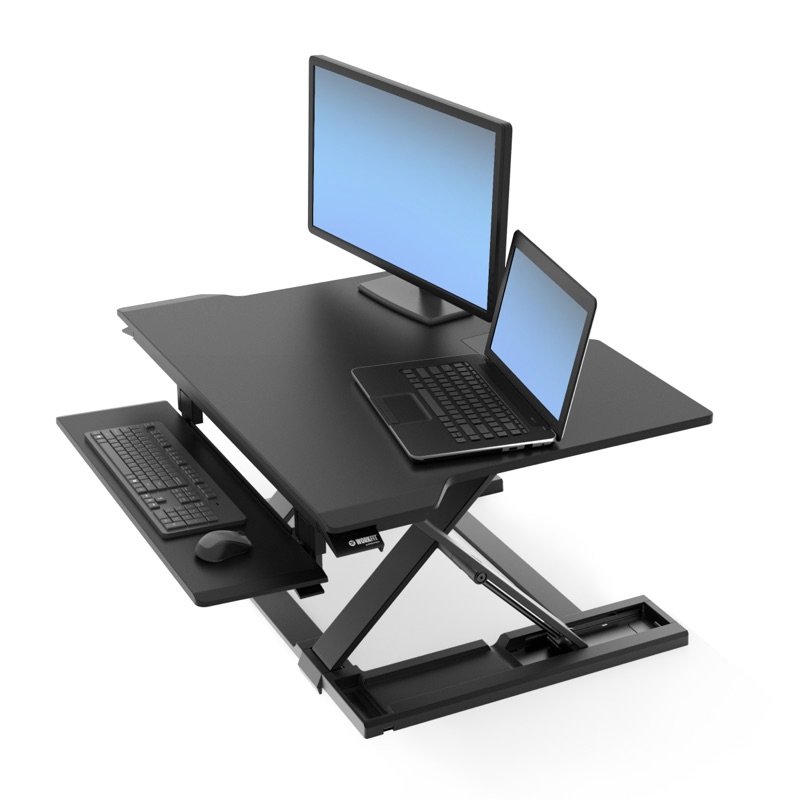

Ergotron WorkFit-TX standing desk converter in black, raised, holding two monitors, with its keyboard tray pulled out
Photo: Ergotron
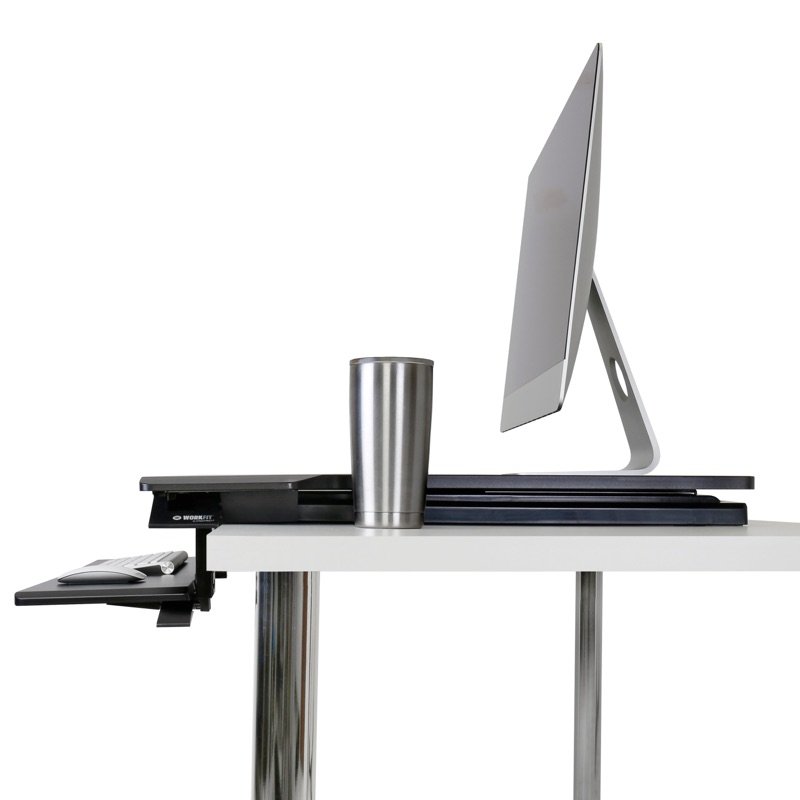
Ergotron WorkFit-TX raised, seen from the side: the X-shaped lift under the top and the keyboard tray
Photo: Ergotron
Ergotron WorkFit-TX lowered flat on a desk, seen from the side
Photo: Ergotron
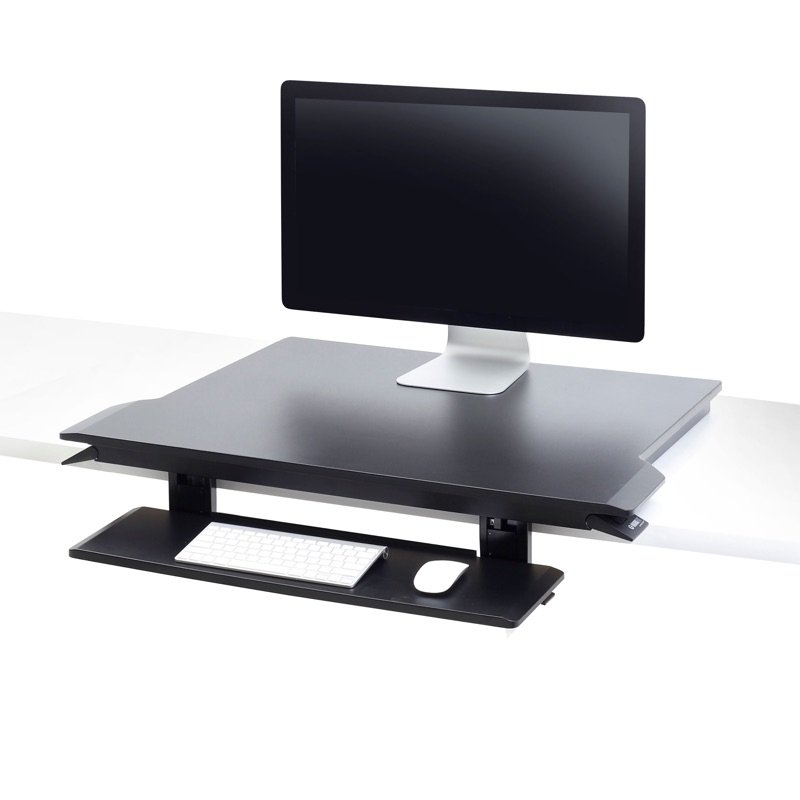
Ergotron WorkFit-TX lowered on a desk, seen from the front, with the keyboard tray below the top
Photo: Ergotron
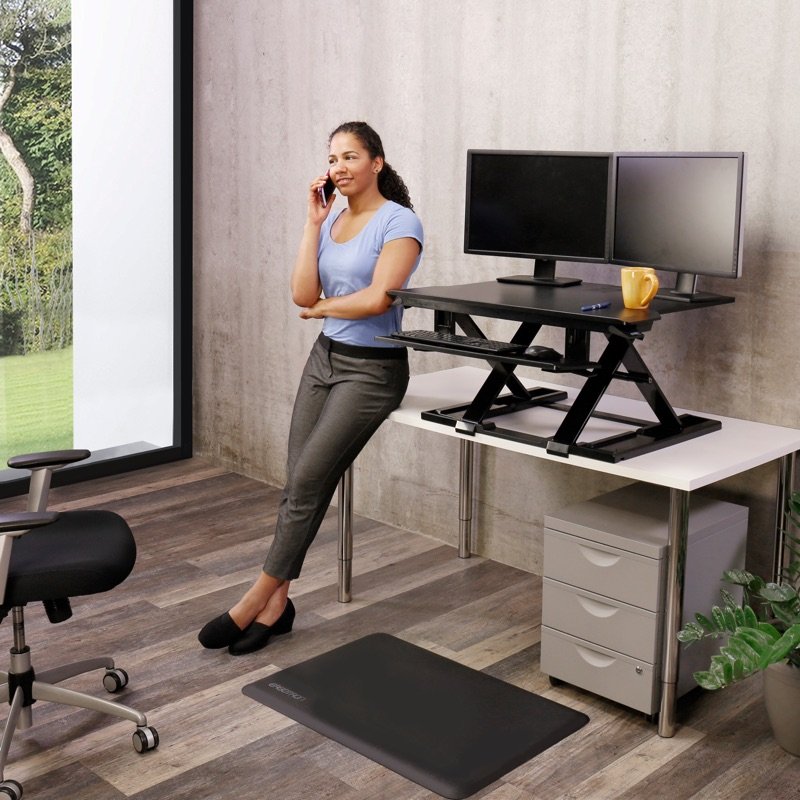
A woman standing at the raised WorkFit-TX with two monitors, on a phone call
In use · Photo: Ergotron
A woman sitting at the lowered WorkFit-TX, typing on its keyboard tray
In use · Photo: Ergotron

Pick #35 · Desk Setup & Comfort

Ergotron WorkFit-TX Standing Desk Converter: Worth it for standing at a fixed desk?

Good, with a catch

Sits low, lifts high and keeps the keyboard below the top; but it is heavy and needs a deep desk.

  • 1Your desk must be at least 31 in (77 cm) wide and 23.5 in (60 cm) deep 3
  • 2The keyboard tray has its own lever and can sit lower than the top 15
  • 3It weighs 58.5 lb (26.6 kg); the manual asks for two people to lift it 13

We earn a commission if you buy through links on this page. It costs you nothing extra.

Good for

  • Fixed desks at least 23.5 in deep and 31 in wide
  • One or two screens, 10–40 lb (4.5–18.2 kg) in all
  • Typing seated: the tray can drop below desk level

Not for

  • Your whole setup is under 10 lb or over 40 lb
  • You want push-button height changes

Quick facts

17 inLift (43.2 cm)
10–40 lbOn top (4.5–18.2 kg)
23.5 inDesk depth needed (60 cm)
5 yearsWarranty
All specs that matter
Lift
17 in (43.2 cm): top 2–19 in (5–48 cm) above the deskAdd your desk's height to see where the top ends up when you stand. 2
Weight on top
10–40 lb (4.5–18.2 kg); tray under 5 lb (2.3 kg)Under 10 lb is outside Ergotron's range too, not only over 40 lb. 3
Desk needed
At least 23.5 in (60 cm) deep, 31 in (77 cm) wideThe tray then reaches about 9.5 in (24 cm) past the desk's front edge 2. 3
Top surface
32 × 27 in (81 × 68.5 cm); 36.6 in (93 cm) at the frontErgotron's drawing shows two screens side by side. 2
Keyboard tray
28 × 8 in (71 × 20 cm); moves 3 in, tilts back 10°It sits below the top, so your hands can rest lower than the screens. 1
Converter weight
58.5 lb (26.6 kg)Ergotron's manual asks for two people to lift it onto the desk 3. 1
Power
None: you lift it by handNo outlet or cord needed, but no button either. 3
Warranty
5 yearsLonger than the 2 years on the smaller WorkFit-Z Mini 9. 1

From the maker

Video: Ergotron on YouTube

Ergotron WorkFit-TX Standing Desk ConverterPlays in YouTube's player. Nothing loads from YouTube until you tap.

What it does well

It sits low, then lifts 17 inches

Lowered, it adds very little height to your desk. Raised, it lifts a long way. Ergotron's numbers for the top:

  • lowered: 2 in (5 cm) above your desk 2
  • raised: 19 in (48 cm) above it 2
  • lift in all: 17 in (43.2 cm) 1

Work While Walking and GottaBeMobile both name the low seated height as a plus 46.

The keyboard tray hangs below the top. When you sit, it can drop 0.8–3.8 in (2–10 cm) below your desk's own surface 2. Raised, it sits 13–16 in (33–41 cm) above the desk 2.

Add your desk's height to those numbers. Then compare them with the standing height in our desk height calculator.
A keyboard tray that moves on its own

The tray adjusts apart from the screens, so your hands can sit lower. TidBITS notes the tray has its own lever for that 5. Ergotron's figures for the tray:

  • it slides 3 in (7.6 cm) up or down against the top 12
  • it tilts back 10° 12
  • it measures 28 × 8 in (71 × 20 cm) 1

TidBITS found it thick and steady, and wide enough for a mouse next to a compact keyboard 5.

Straight up, with a big top

As it rises, the top goes straight up on its X-shaped lift, not toward you 1. TidBITS liked that, because it takes no extra room in front of you 5. It stops at any height, with no click positions 1.

The top is wide: Ergotron's drawing shows two screens side by side on it 2:

  • size: 32 × 27 in (81 × 68.5 cm) 2
  • front edge: 36.6 in (93 cm) wide 2

Work While Walking and GottaBeMobile found it steady, with a little movement only near the lowest heights 46.

Arrives built, with five years of cover

There is nothing to build: it ships fully assembled 13. The only tool the manual lists is scissors, for the straps 3. Ergotron covers it for five years 1.

Search the US recall list (CPSC) for WorkFit and nothing comes up 8. The one Ergotron recall there, in 2014, covered TV wall mounts 8.

Known problems

From expert tests.

Named by all 3 experts

Heavy, and lifted by hand

Expect a heavy box, and a top you lift by hand. The converter weighs 58.5 lb (26.6 kg), and 76 lb (34.5 kg) in its box 1.

Ergotron's manual asks for two people to lift it onto a desk 3. It says to raise the converter fully before you lift it off, and never to tip it on its side 3.

There is no motor: you squeeze the handles and lift 3. GottaBeMobile found raising a fully loaded top hard work, and TidBITS calls the unit bulky and heavy 65.

TipPlan a two-person lift on delivery day 3. For push-button height changes, see the VariDesk Pro Plus 36 Electric below 13.

Named by all 3 experts

It needs a deep desk and reaches past the edge

Check your desk first: it needs a deep one, and the tray still sticks out past the edge. Ergotron asks for a desk at least 23.5 in (60 cm) deep and 31 in (77 cm) wide 3. TidBITS warns it may not fit shallow cubicle desks 5.

On a desk that deep, Ergotron's drawing puts the front of the tray about 9.5 in (24 cm) past the edge 2. Work While Walking puts it at about 9 in (23 cm) 4. GottaBeMobile notes that the tray hangs over the edge when you sit 6.

TipMeasure your desk's depth and width first. On a shallow desk, the WorkFit-Z Mini needs only 16.1 in (41 cm) of depth 10.

Named by all 3 experts

One shallow tray tilt, and arms must be Ergotron's

The tray tilts back only a little, at one fixed angle. Ergotron says 10°, while Work While Walking lists 6° 14. Both Work While Walking and GottaBeMobile call the tilt too shallow 46.

TidBITS hit a different snag. A raised lip at the back of the tray kept catching the mouse, so the writer took it off 5.

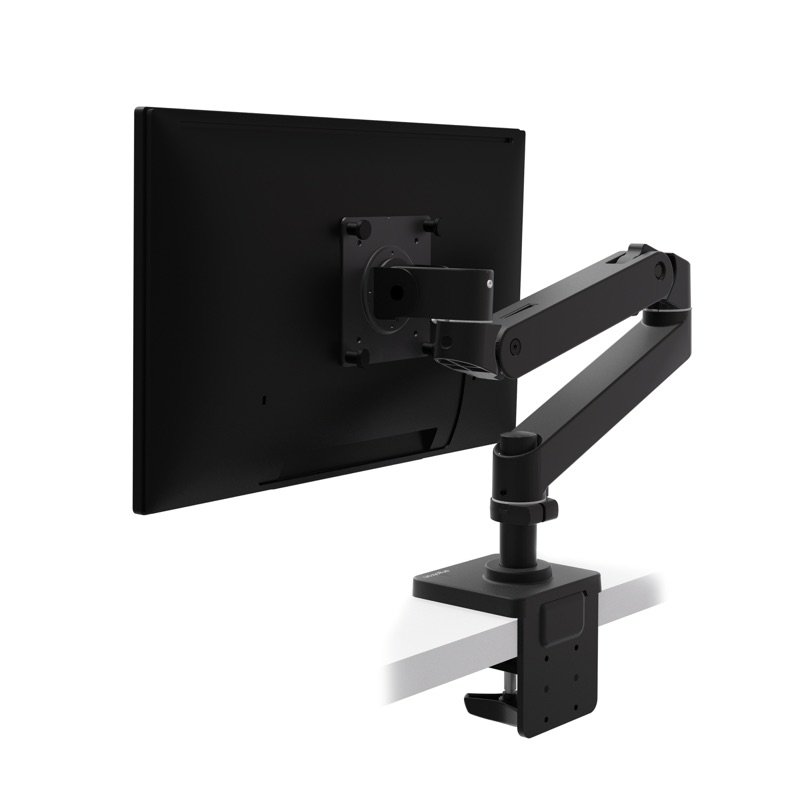
Ordinary monitor arms do not fit either. You need one of Ergotron's own WorkFit monitor kits, sold separately 461.

TipTidBITS removed the tray lip with a Phillips screwdriver 5. Ergotron sells WorkFit monitor kits as add-ons 1.

We earn a commission on these Amazon links. It costs you nothing extra.

Check price on Amazon

Does your setup suit the WorkFit-TX?

Add up what will sit on it: screens with their stands, laptop, keyboard and mouse. Which is closest?

Add up what will sit on it: screens with their stands, laptop, keyboard and mouse. Which is closest?

Choose one to see the answer.

Below Ergotron's rangeThe TX is rated for 10–40 lb in all 3. The WorkFit-Z Mini's drawing gives only a top limit, 25 lb (11.3 kg) 10.
Inside Ergotron's rangeKeep the keyboard tray's share under 5 lb (2.3 kg), and every screen stand fully on the top, as the manual asks 3.
Weigh them firstTwo fit side by side on the 32 in (81 cm) top 2, but the total must stay within 40 lb (18.2 kg) 3. Dell lists screens up to 30 in 7.
Too heavy for the TXThe manual warns never to go over the listed weight 3. The VariDesk Pro Plus 36 Electric is rated to 44 lb (20 kg) 13.

Other options

We earn a commission on these Amazon links. It costs you nothing extra.

DrawingCheaperErgotron WorkFit-Z MiniLighter and fits shallow desks; lifts 12.5 in, holds 25 lbCheck price on Amazon Ergotron WorkFit-TX standing desk converter in black, raised, holding two monitors, with its keyboard tray pulled outThis oneErgotron WorkFit-TXAdds standing to a fixed desk, and the keyboard tray drops below the topYou are here DrawingBetterVariDesk Pro Plus 36 ElectricPush-button electric lift, rated to 44 lbCheck price on Amazon
Top above desk5.4–17.9 in2–19 in6–19.25 in
Weight on topUp to 25 lb10–40 lbUp to 44 lb
Desk depth needed16.1 in23.5 inNot stated
Warranty2 years5 years5 years
Drawing
Cheaper

Ergotron WorkFit-Z Mini

Lighter and fits shallow desks; lifts 12.5 in, holds 25 lb

Top above desk
5.4–17.9 in
Weight on top
Up to 25 lb
Desk depth needed
16.1 in
Warranty
2 years
Check price on Amazon
Ergotron WorkFit-TX standing desk converter in black, raised, holding two monitors, with its keyboard tray pulled out
This one

Ergotron WorkFit-TX

Adds standing to a fixed desk, and the keyboard tray drops below the top

Top above desk
2–19 in
Weight on top
10–40 lb
Desk depth needed
23.5 in
Warranty
5 years
You are here
Drawing
Better

VariDesk Pro Plus 36 Electric

Push-button electric lift, rated to 44 lb

Top above desk
6–19.25 in
Weight on top
Up to 44 lb
Desk depth needed
Not stated
Warranty
5 years
Check price on Amazon

Value check

Premium tier

Spend much less and you get Ergotron's WorkFit-Z Mini. It lifts less, holds less, and has a 2-year warranty against 5 91.

The VariDesk Pro Plus 36 Electric also costs less and moves at a button. Its top starts 6 in (15 cm) above the desk, though, against 2 in (5 cm) here 132.

Prices change. See today's price on Amazon. We earn a commission on it. It costs you nothing extra.

Questions

Can the WorkFit-TX hold two monitors?

Yes, as long as everything on it stays within 10–40 lb (4.5–18.2 kg), with no more than 5 lb (2.3 kg) on the keyboard tray 3. Ergotron's drawing shows two screens side by side on the 32 in (81 cm) top, and Dell lists screens up to 30 in 27.

Is the WorkFit-TX electric?

No. You squeeze its handles and lift or lower the top by hand, and it stops at any height 31. If you want a button, the VariDesk Pro Plus 36 Electric has a powered lift and a power cord 13.

WorkFit-TX or WorkFit-Z Mini?

The TX lifts more, holds more and carries a five-year warranty against two 19. The Z Mini is smaller and lighter 9:

  • it weighs 32 lb (14.5 kg) 9
  • its top is 31 × 15.8 in (79 × 40 cm) 9
  • it holds up to 25 lb (11.4 kg) 9
  • it lifts 12.5 in (32 cm) 9

Its tray is fixed to the top, and Work While Walking found that it does not fold all the way down 1112.

Does the WorkFit-TX come in white?

Ergotron's product sheet lists one part, 33-467-921, in black 1. The smaller WorkFit-Z Mini has a dove grey woodgrain top on a black frame 9.

How we made this pick13 sources · checked Nov 16, 2026 · we have not used itRead how

We have not used this product ourselves. This brief is built from the maker's specs and manual and from expert tests. Few owner reports were open for us to read, so this page does not say how common a problem is among owners. Sources are listed below.

13sources
Nov 16, 2026checked
See sources
  1. 1Ergotron WorkFit-TX product sheet (PDF, dated 03.10.2020)Nov 16, 2026
  2. 2Ergotron WorkFit-TX Dimensional Illustrations (DIM-WFTX, rev. 03/02/2020)Nov 16, 2026
  3. 3Ergotron WorkFit-TX User Guide 888-33-405-W-00 rev. C (12/18)Nov 16, 2026
  4. 4Work While Walking: Ergotron WorkFit TX standing desk converter (Dec 5, 2021)Nov 16, 2026
  5. 5TidBITS: Ergotron WorkFit-TX Sit-Stand Desk Converter Works Well but Is Costly (Nov 27, 2018)Nov 16, 2026
  6. 6GottaBeMobile: Ergotron WorkFit TX, an excellent standing desk converter (Apr 25, 2019)Nov 16, 2026
  7. 7Dell: Ergotron WorkFit-TX Standing Desk Converter (33-467-921), specsNov 16, 2026
  8. 8CPSC recall API searches: 'Ergotron', 'WorkFit', 'standing desk', 'desk converter'Nov 16, 2026
  9. 9Ergotron WorkFit-Z Mini product sheet (PDF, dated 10.11.2022)Nov 16, 2026
  10. 10Ergotron WorkFit-Z Mini Dimensional Illustrations (DIM-WF-Zmini, rev. 12/11/18)Nov 16, 2026
  11. 11Work While Walking: Ergotron WorkFit-Z Mini (Jul 23, 2020)Nov 16, 2026
  12. 12The Gadgeteer: Ergotron WorkFit-Z Mini Sit-Stand Desktop (Feb 21, 2018)Nov 16, 2026
  13. 13Vari: VariDesk Pro Plus 36 Electric product pageNov 16, 2026

Update log

  • Nov 16, 2026 Rewritten to be easier to read, with the same facts and sources; added a side-by-side table of the two alternatives.
  • Nov 16, 2026 First version of this research brief.
How we research

Do you own it?

Tell other buyers how the Ergotron WorkFit-TX works for you.

How long have you owned it? (if you like)

Only your words, and how long you have owned it if you say. No name, no email, no cookie. Nothing shows here until we approve it. How we handle answers.

Did this help?

Related

More picks