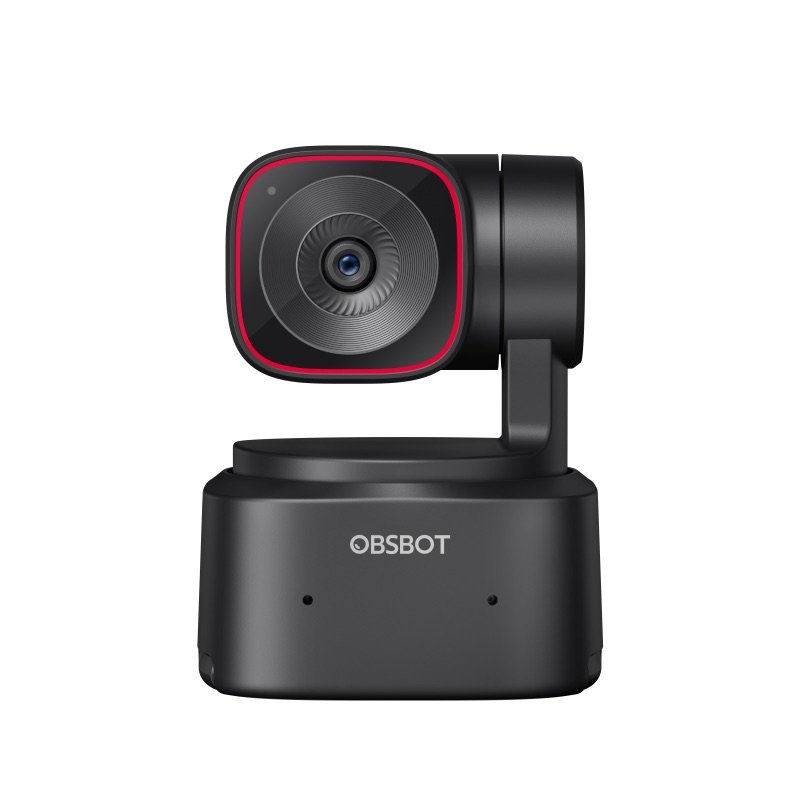

OBSBOT Tiny 2 Lite webcam in black, from the front, on its turning base
Photo: OBSBOT
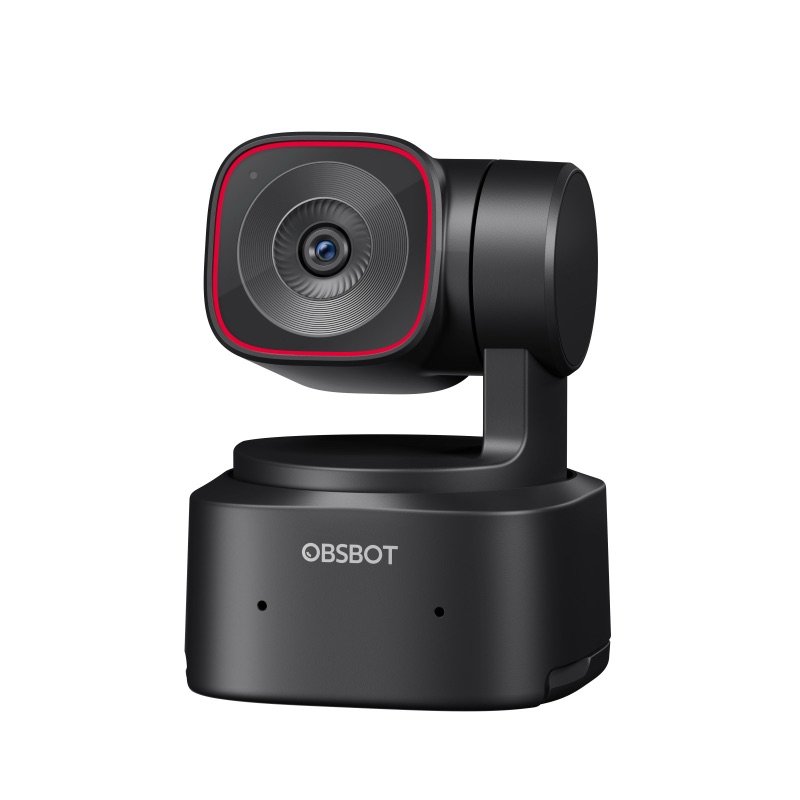
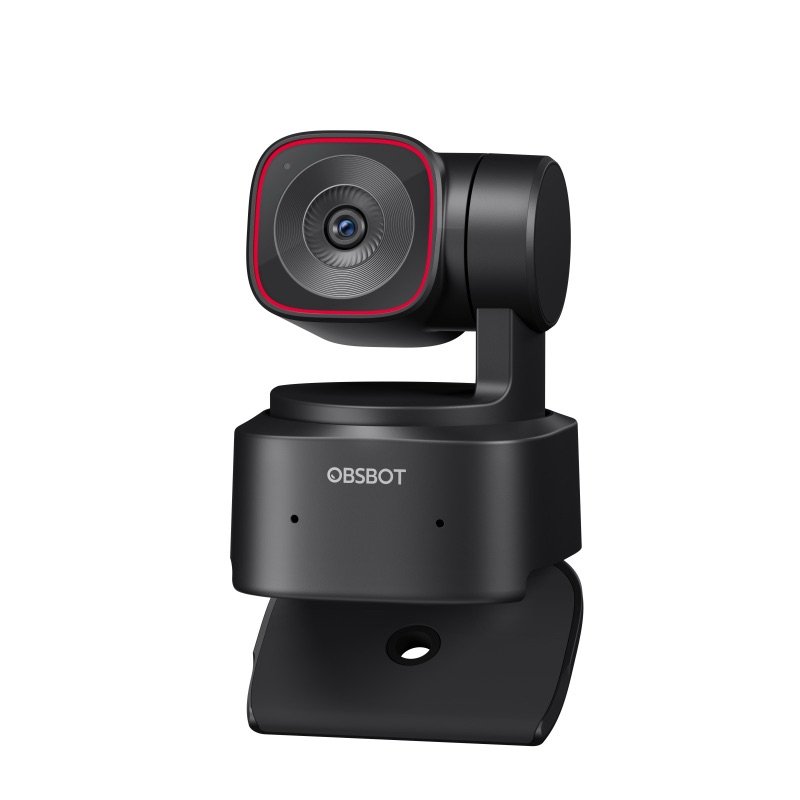
OBSBOT Tiny 2 Lite webcam in black, seen at an angle
Photo: OBSBOT
OBSBOT Tiny 2 Lite with its stand folded out, showing the tripod thread
Photo: OBSBOT
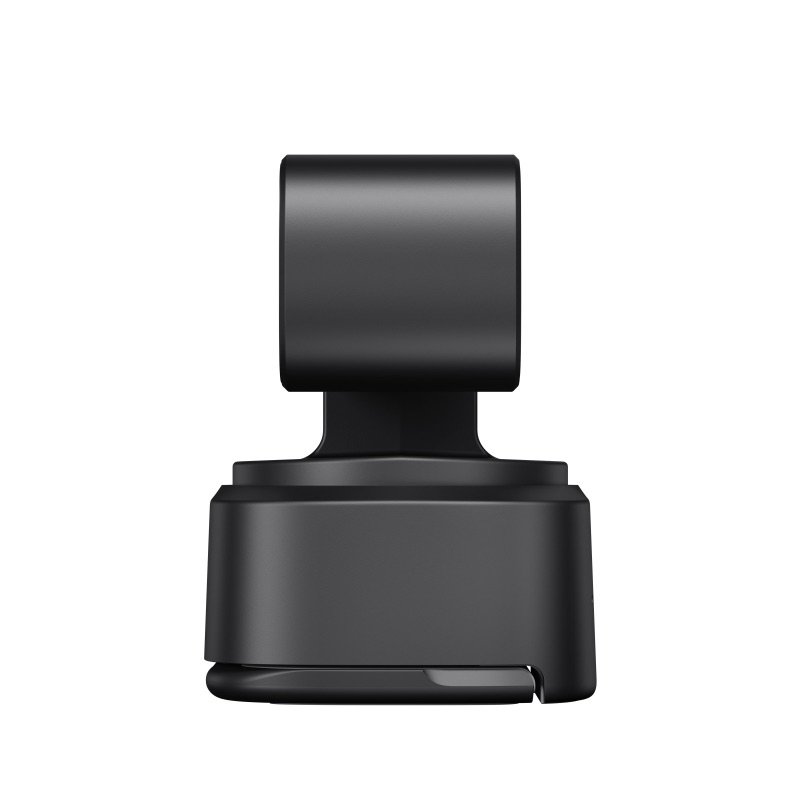
OBSBOT Tiny 2 Lite from the side
Photo: OBSBOT
OBSBOT Tiny 2 Lite clipped on the edge of a monitor
In use · Photo: OBSBOT
A woman on a video call with the Tiny 2 Lite on top of her laptop
In use · Photo: OBSBOT
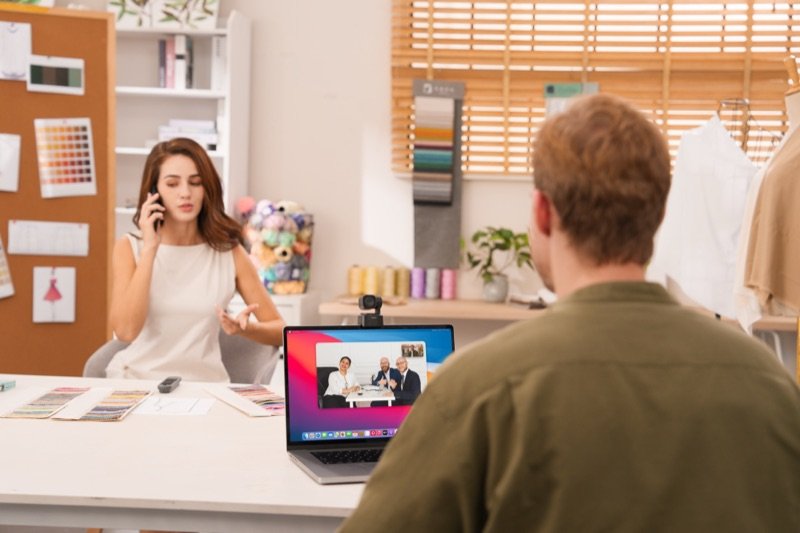
The Tiny 2 Lite on a laptop during a call, seen from behind the other person
In use · Photo: OBSBOT

Pick #21 · Video Calls & Audio

OBSBOT Tiny 2 Lite: Worth it if you move around on camera?

Good, with a catch

It turns to keep you in shot as you move; expect stray gesture triggers and a glitchier Mac app.

  • 1Save one angle for sitting and one for standing at a standing desk 213
  • 2Hand gestures can zoom or stop tracking by accident 2312
  • 3On an Apple-chip Mac, the app's effects may not work in other apps 12

Good for

  • Teaching or presenting while you walk around
  • Standing desks: one saved angle to sit, one to stand
  • Holding products up: autofocus from 3.9 in (10 cm)

Not for

  • You sit still on calls: the fixed Meet 2 costs less
  • You want 4K or app effects on an Apple-chip Mac

Quick facts

±140° pantilt 30° down to 70° up
120°/sfastest turn of the motor
1/2 insensor, f/1.8, 4K at 30 fps
91.4 g3.2 oz, stand built in
All specs that matter
Gimbal
2-axis; pan ±140°, tilt 30° down to 70° upTurns up to 120° a second; the base itself cannot tilt on a monitor 11. 1
Sensor and lens
1/2 in CMOS, 48 MP, f/1.8, 26 mm equivalentSmaller than the Tiny 2's 1/1.5 in sensor 14; give it light in dim rooms. 1
Video
4K at 30 fps; 1080p and 720p at up to 60 fpsMost call apps send 1080p at most 9; 4K also needs an app that can take it 3. 1
Field of view
79.4° diagonal, 67.2° horizontalDigital zoom up to 4x crops inside this view 3. 1
Autofocus
Phase detection, from 10 cm (3.9 in)Quick with objects held near the lens 917. 1
Microphones
2 omnidirectional; noise reduction, auto gainOpinions split: superb to RedShark 19, a little muffled to GamesRadar 21. 1
Power and cable
USB-C; C-to-C cable and USB-A adapter in boxDraws 5V/0.6A 1; OBSBOT says plug into the computer or a self-powered dock 3. 4
Size and weight
1.9 × 1.8 × 2.5 in, 3.2 oz (91.4 g)48.37 × 46.46 × 64.2 mm with the stand; Soltura's scale read 93 g 22. 1
Warranty
OBSBOT covers the camera for 1 year, or longer if local law says so, and cables for 6 months. Bought through another store, OBSBOT still repairs it under warranty, but returns go through that store.6

What it does well

A camera head that turns to follow you

If you move around while you talk, the camera turns to keep you in shot. The OBSBOT Tiny 2 Lite sits on a motor that moves its head side to side and up and down 1:

  • 140° each way, side to side 1
  • from 30° down to 70° up 1
  • at up to 120° a second 1

Because it turns rather than crops, the picture keeps its full size 12.

PC Gamer walked around a whole room, and the head kept up smoothly 9. TrustedReviews found it about as dependable as the pricier Insta360 Link, if slightly slower 10.
Saved angles for a standing desk or a whiteboard

At a standing desk, one click can swing the camera between your sitting and standing heights. A preset saves where the camera points, how far it zooms, the tracking mode and the picture settings 2.

The Gadgeteer kept one preset for sitting and one for standing, and recalled each with one click 13. GamingTrend found the swing between them smooth 15. Zone tracking keeps the camera inside an area you set 2.

Autofocus that keeps up with things you hold up

Hold something up close, and the picture stays sharp. Its phase-detection autofocus can focus as close as 10 cm (3.9 in) 1. PC Gamer saw it lock onto a box held in front of the lens almost at once 9. Capture Guide found it quicker and surer up close than the pricier Tiny 2 17.

Focus also shifts gently. Next to the Insta360 Link 2, Dave Soltura liked its smooth, gradual focus changes 22.

A natural picture in a well-lit room

Give it good light, and the picture is detailed, with true skin tones. TrustedReviews found it as detailed as the Insta360 Link, with more natural skin 10. Its HDR, a mode that evens out bright and dark areas, tamed heavily backlit scenes, even at 4K 10. XDA saw sharp, nearly grain-free video in good light 11.

Dim rooms are its weak side. Lit only by a laptop screen, the XDA writer's face almost vanished 11. Two more write-ups found the costlier Tiny 2 cleaner in the dark 1720.

A stand that grips, and a lens that looks away

The built-in stand holds firm on a monitor, and the lens turns away when you are done. The stand hooks over a monitor. PC Gamer found it held even while the head spun 9, and Dave Soltura called the hinge rock solid 22.

The base cannot tilt once mounted, but the head tilts on its own 11. A 1/4-20 tripod thread sits underneath 3.

There is no lens cover. To sleep, the lens points straight down and the light goes off 3.

It runs on USB power (5V/0.6A) 1. No OBSBOT product was on the CPSC's US recall list on 16 Nov 2026 26.

Known problems

From expert tests.

4 of 14 expert sources

Hand gestures can fire when you don't mean them

Talking with your hands can zoom the camera in, or stop it following you. An open palm turns tracking on or off, and an L shape made with thumb and finger zooms 2312.

Both happen by accident. The XDA writer, who talks with their hands, got zoomed in mid-meeting 11. RedShark's writer switched tracking off with a wave more than once 19. GamesRadar got a sudden close-up on a call 21.

PC Gamer found the gestures slow, about two seconds 9. TrustedReviews, MakeUseOf and GeekaWhat had no trouble 101216.

TipTurn gestures off, or change them, in OBSBOT Center 1812. OBSBOT says they work best in a room neither too dark nor too bright 8.

5 of 14 expert sources

Tracking slips now and then

Now and then it loses you, or moves more than you want. GamesRadar's camera twice lost the writer crossing a room and followed an office chair instead 21. One viewer of GamesRadar's stream felt a little queasy at its quick moves 21. XDA saw it lag when the writer sat down fast near the lens 11.

Close-up framing kept zooming in and out for GamingTrend and Capture Guide 1517. RedShark found Standard mode a little laggy and Motion mode hyperactive 19. Most of the others found tracking smooth 9101316.

TipUse Upper Body framing, not Close-up 15. A yellow light means it lost you; a wave usually brings it back 315. Speed has two modes only, Standard and Motion 521.

3 of 14 expert sources

Macs see more software snags

Plain calls run fine on a Mac, but 4K, effects and updates can give trouble. On an Apple-chip Mac, MakeUseOf could not get the virtual camera working 12. The app's effects need it to show up in other apps, so MakeUseOf suggests the camera more for Windows 12.

The Gadgeteer found Mac firmware updates so fiddly that it used a Windows PC 13. Dave Soltura saw most 4K footage stutter on an M2 MacBook Air 22. RedShark, though, ran Zoom calls on an M1 iMac for over a month without a fault 19.

These reports date from 2024 to January 2026, and OBSBOT has updated its app since, on 10 November 2026 7.

TipPlain calls need no app: it is plug and play 311. If a firmware update fails on a Mac, run it from a Windows PC, as The Gadgeteer did 13.

Will the motor earn its keep for you?

Pick how you are on camera.

Pick how you are on camera.

Choose one to see the answer.

Probably not: it stays still anywayPC Gamer calls the gimbal wasted in a confined setup 9. OBSBOT's Meet 2 has the same size sensor and no motor 2731.
Yes: save a preset for each heightPresets store a pan, tilt and zoom position 2; The Gadgeteer kept one for sitting and one for standing 13.
Yes, with a slip now and thenIt pans 140° each way at up to 120° a second 1. GamesRadar lost track twice crossing a room 21.
Calls fine; 4K and effects shakyMakeUseOf's virtual camera failed and Soltura's 4K stuttered 1222; RedShark's M1 iMac ran Zoom calls fine 19.

Real size

Bank card
1.9 in2.5 in
This webcam

2.5 × 1.9 × 1.8 inTall × wide × thick (6.4 × 4.8 × 4.6 cm), next to a bank card.

Other options

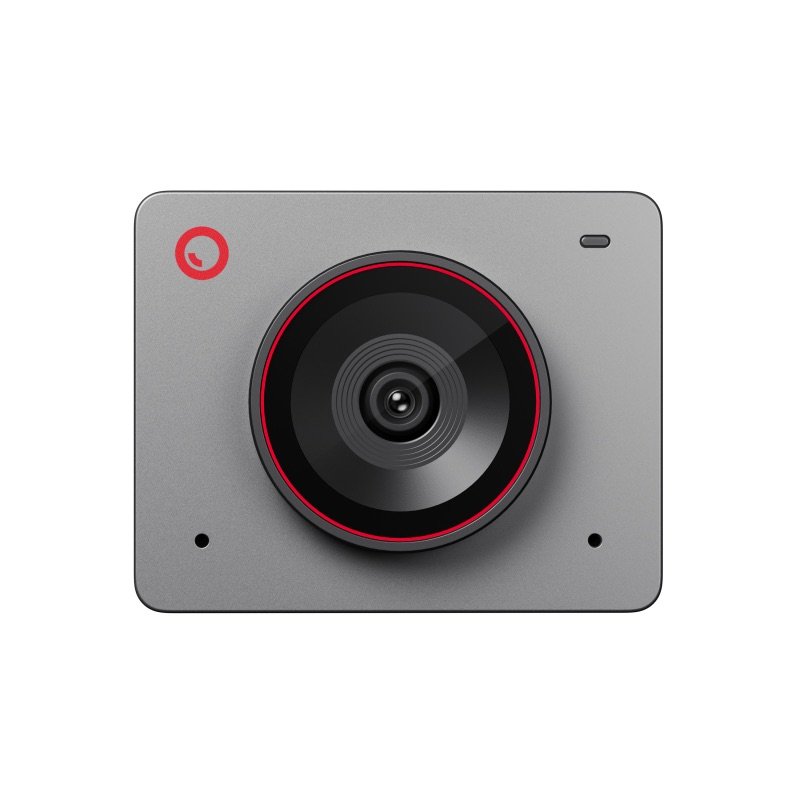
OBSBOT Meet 2 webcam in space grey, from the frontCheaperOBSBOT Meet 2Same 1/2 in sensor in a tiny fixed body; no motorCheck price on Amazon OBSBOT Tiny 2 Lite webcam in black, from the front, on its turning baseThis oneOBSBOT Tiny 2 LiteA webcam on a motor that turns to keep you in shot as you moveYou are here DrawingBetterOBSBOT Tiny 3 LiteNewer; three mics with directional modes, 1080p at 120 fpsCheck price on Amazon
Follows youNo, crops the viewYes, pans ±140°Yes, pans ±130°
Microphones2 omni2 omni1 omni + 2 directional
Fastest 1080p60 fps60 fps120 fps
Weight40.5 g91.4 g73 g

Same 1/2 in sensor in a tiny fixed body; no motor

Follows you
No, crops the view
Microphones
2 omni
Fastest 1080p
60 fps
Weight
40.5 g
Check price on Amazon
OBSBOT Tiny 2 Lite webcam in black, from the front, on its turning base
This one

OBSBOT Tiny 2 Lite

A webcam on a motor that turns to keep you in shot as you move

Follows you
Yes, pans ±140°
Microphones
2 omni
Fastest 1080p
60 fps
Weight
91.4 g
You are here
Drawing
Better

OBSBOT Tiny 3 Lite

Newer; three mics with directional modes, 1080p at 120 fps

Follows you
Yes, pans ±130°
Microphones
1 omni + 2 directional
Fastest 1080p
120 fps
Weight
73 g
Check price on Amazon

You may also need

A tripod with a 1/4-20 screw, for room views

Only if it should not sit on a monitor: the thread is in the base 3; TrustedReviews moved it round a room on one 10.

A clip-on wireless mic, if you walk and talk

Views on the built-in mics are mixed 1921; GameRevolution suggests a wireless lavalier for moving around 20.

A light at face height, for dim rooms

Lit only by a laptop screen, XDA's picture almost lost the face 11; gestures also need decent light 8.

Value check

Mid-range tier

The Meet 2, also from OBSBOT, costs less and has the same size sensor. But it frames you with digital zoom inside one fixed view, instead of turning 2728314.

The Tiny 3 Lite launched in January 2026 for a little more, with three mics and 1080p at up to 120 fps 2930. But for its 4K, OBSBOT lists Apple's M1 or later, or a 10th-gen Core i5 2930.

Prices change. See today's price on Amazon.

Questions

Should I buy the Tiny 2 Lite or the newer Tiny 3 Lite?

The Tiny 3 Lite adds mics, but asks more of your computer for 4K. It arrived on 28 January 2026, at a launch price a little above the Tiny 2 Lite's list price 304. It has the same sensor size, three mics with directional modes, 1080p at up to 120 fps and a 73 g body 3029.

It pans a little less (±130° against ±140°) 291. For 4K it wants Apple's M1 or later, or a 10th-gen Core i5, where the Tiny 2 Lite lists 2018 Intel Macs 291. Both points come from OBSBOT's specs.

Why is my Tiny 2 Lite not moving or not tracking me?

Check the small light by the lens first 3. Green means no one is selected, and blue means it is tracking 3. Yellow means it lost you, and steady red means a fault, such as with the gimbal 3.

An open palm turns tracking on or off, so a stray wave can switch it off, as RedShark's writer found 319. Power matters too: the manual asks for the box cable, in a direct port or a self-powered dock 3.

Does the Tiny 2 Lite have a privacy cover?

No. Asleep, the lens points straight down into the base and the light goes out 318. Point it down yourself, or set an Auto Sleep timer and a custom sleep picture in OBSBOT Center 38.

Tiny 2 Lite or Insta360 Link 2?

Dave Soltura put them side by side and called the picture a draw 22. The Tiny 2 Lite was lighter on his scale (93 g against 101 g) and focused more smoothly 22. The Link 2 was smoother at 4K on a Mac, better on mics and more reliable overall 22.

TrustedReviews adds one more difference. The Tiny 2 Lite has no roll axis, so it cannot turn itself sideways for upright video, as the first Insta360 Link can 10.

How we made this pick31 sources · 3 owner comments · checked Nov 16, 2026 · we have not used itRead how

We have not used this product ourselves. This brief is built from the maker's specs and manual and from expert tests. Few owner reports were open for us to read, so this page does not say how common a problem is among owners. Sources are listed below.

31sources
3owner comments
Nov 16, 2026checked
See sources
  1. 1OBSBOT Tiny 2 Lite Tech SpecsNov 16, 2026
  2. 2OBSBOT Tiny 2 Lite product pageNov 16, 2026
  3. 3OBSBOT Tiny 2 Lite User Manual v1.1 (PDF)Nov 16, 2026
  4. 4OBSBOT US store: Tiny 2 Lite (box contents)Nov 16, 2026
  5. 5OBSBOT news: OBSBOT unveils Tiny 2 Lite (26 Jun 2024)Nov 16, 2026
  6. 6OBSBOT Warranty & Refund policyNov 16, 2026
  7. 7OBSBOT downloads: Tiny 2 Lite app and firmwareNov 16, 2026
  8. 8OBSBOT Tiny 2 Lite FAQNov 16, 2026
  9. 9PC Gamer: Obsbot Tiny 2 Lite (James Bentley, 20 Jan 2025)Nov 16, 2026
  10. 10TrustedReviews: Obsbot Tiny 2 Lite (Luke Baker, 26 Jun 2024)Nov 16, 2026
  11. 11XDA: Obsbot Tiny 2 Lite (Joao Carrasqueira, 26 Jun 2024)Nov 16, 2026
  12. 12MakeUseOf: OBSBOT Tiny 2 Lite (Andy Cormier, 23 Aug 2024)Nov 16, 2026
  13. 13The Gadgeteer: Obsbot Tiny 2 Lite webcam (Alex Birch, 22 Jul 2024)Nov 16, 2026
  14. 14Mighty Gadget: Obsbot Tiny 2 Lite vs Tiny 2 (James Smythe, 2024, updated Mar 2026)Nov 16, 2026
  15. 15GamingTrend: OBSBot Tiny 2 Lite camera (Ron Burke, 8 Jul 2024)Nov 16, 2026
  16. 16GeekaWhat: OBSBOT Tiny 2 Lite (Jay Harris, 29 Jul 2024)Nov 16, 2026
  17. 17Capture Guide: OBSBOT Tiny 2 Lite (Max Hayman, 9 Feb 2025)Nov 16, 2026
  18. 18StreamTech: OBSBOT Tiny 2 vs Tiny 2 Lite (BadIntent, 19 Mar 2025)Nov 16, 2026
  19. 19RedShark News: Obsbot Tiny 2 Lite and the speed of progress (Andy Stout, 26 Jun 2024)Nov 16, 2026
  20. 20GameRevolution via Yahoo Tech: OBSBOT Tiny 2 Lite (Mack Ashworth, 9 Jul 2024)Nov 16, 2026
  21. 21GamesRadar+: OBSBOT Tiny 2 Lite 4K (Fraser Porter, 26 Jun 2024)Nov 16, 2026
  22. 22Dave Soltura: Insta360 Link 2 vs Obsbot Tiny 2 Lite (29 Jan 2026; weighed both)Nov 16, 2026
  23. 23WebcamTests.com owner post #179814: OBSBOT Tiny 2 Lite (23 Apr 2025)Nov 16, 2026
  24. 24OBS Forums thread 186595: OBSBot remote and OBS Studio (owner post, Jun 2025)Nov 16, 2026
  25. 25GitHub cameractrls issue #81: Tiny 2 Lite on Linux (owner post, May 2025)Nov 16, 2026
  26. 26CPSC recalls search (saferproducts.gov): OBSBOT, 16 Nov 2026Nov 16, 2026
  27. 27OBSBOT Meet 2 Tech Specs (cheaper option)Nov 16, 2026
  28. 28OBSBOT US store: Meet 2 (cheaper option)Nov 16, 2026
  29. 29OBSBOT Tiny 3 Series Tech Specs (better option)Nov 16, 2026
  30. 30Digital Camera World: Obsbot Tiny 3 and Tiny 3 Lite launch (Adam Juniper, 28 Jan 2026)Nov 16, 2026
  31. 31OBSBOT Meet 2 User Manual v1.1 (PDF, cheaper option)Nov 16, 2026

Update log

  • Nov 16, 2026 Rewritten to be easier to read, with the same facts and sources; added a side-by-side table of the two alternatives.
  • Nov 16, 2026 First version of this research brief.
How we research

Do you own it?

Tell other buyers how the OBSBOT Tiny 2 Lite works for you.

How long have you owned it? (if you like)

Only your words, and how long you have owned it if you say. No name, no email, no cookie. Nothing shows here until we approve it. How we handle answers.

Did this help?

Related

More picks