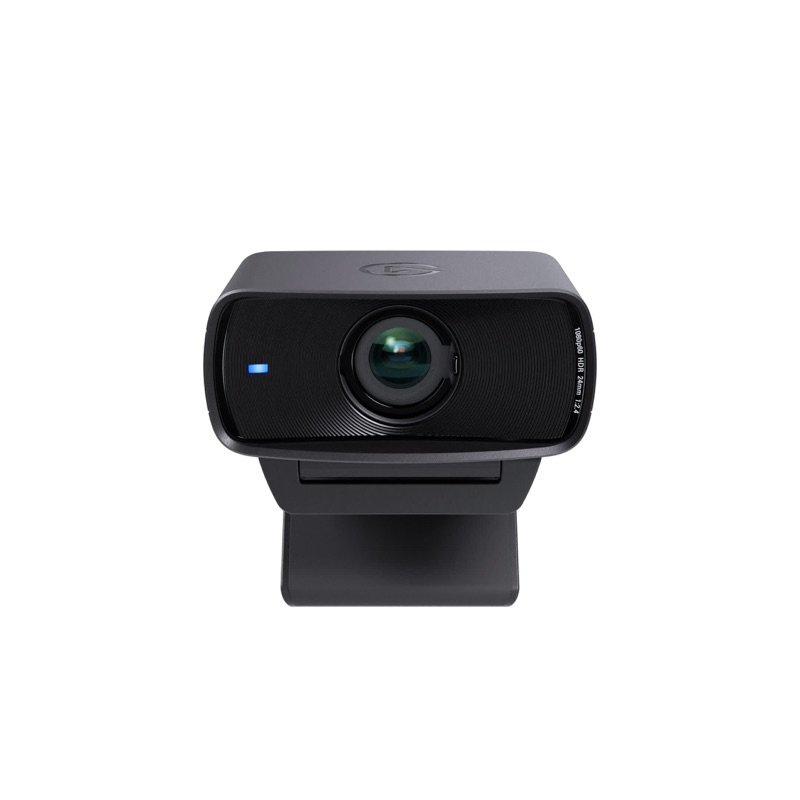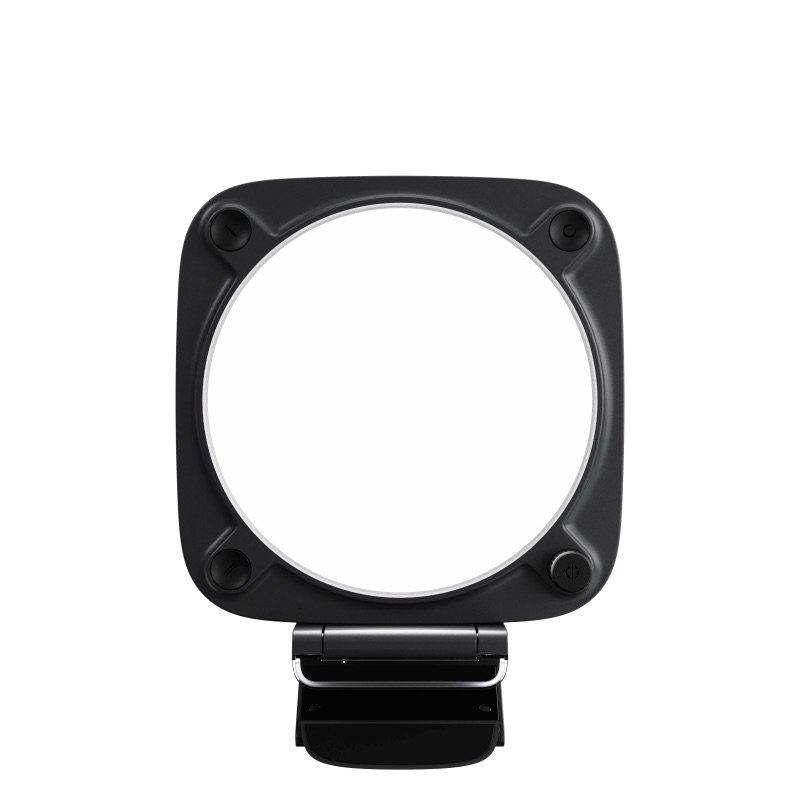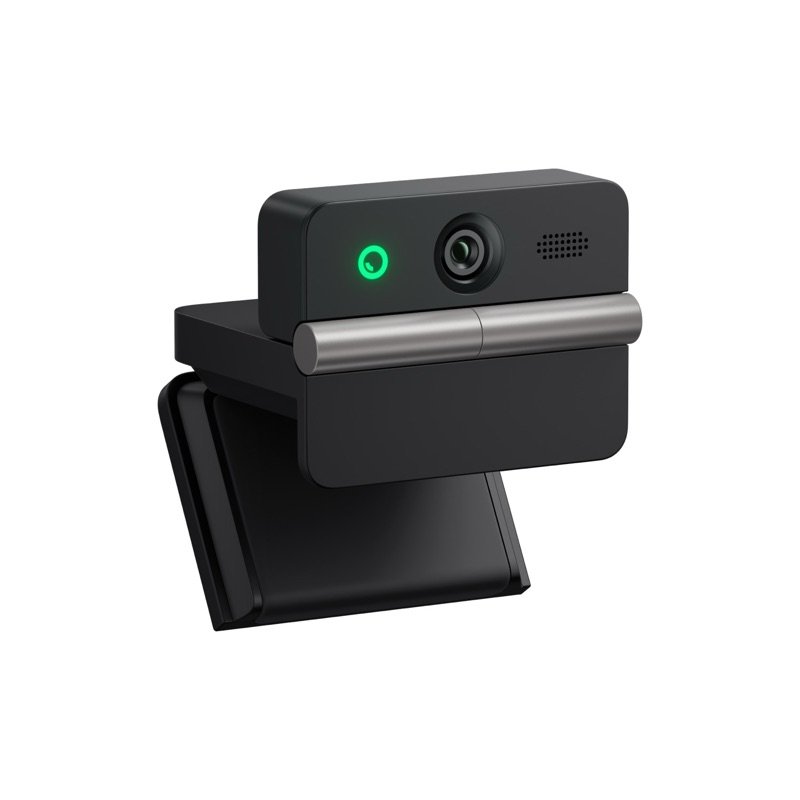
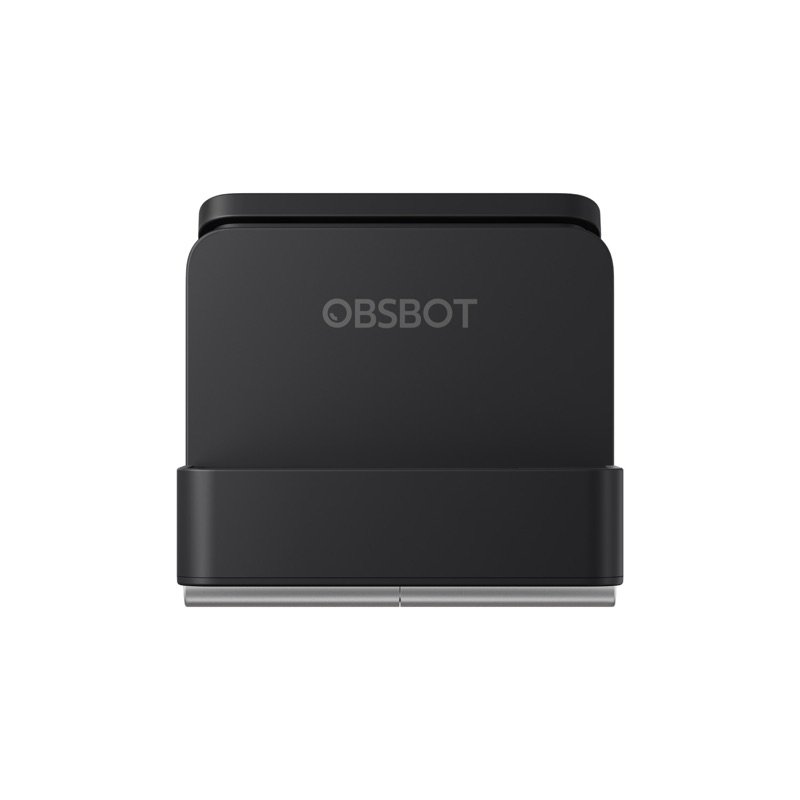
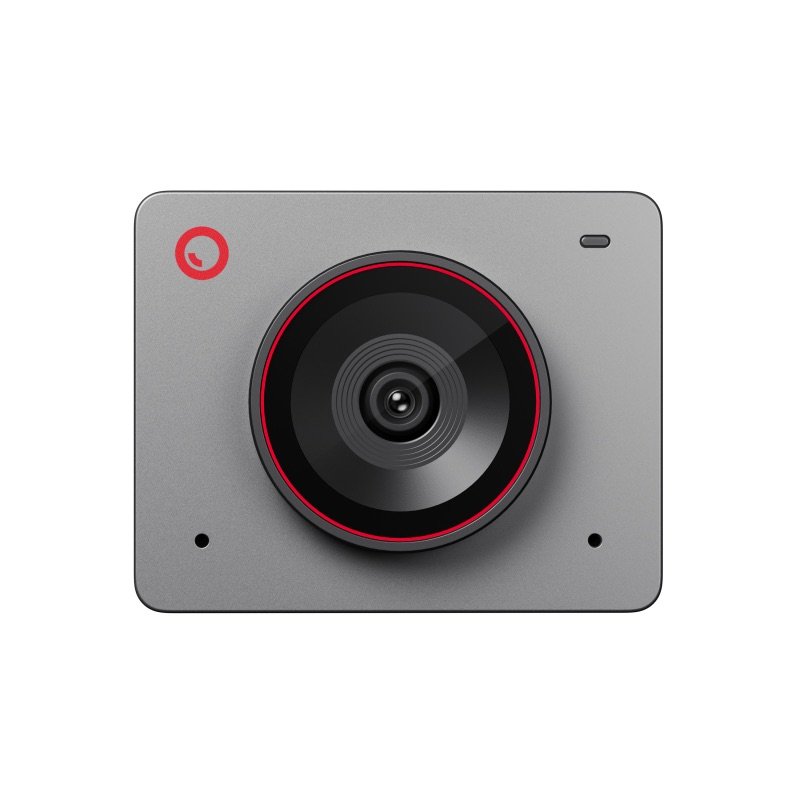
OBSBOT Meet Flip webcam in black, open, seen from the front at an angle
Photo: OBSBOT
OBSBOT Meet Flip folded shut over its lens
Photo: OBSBOT
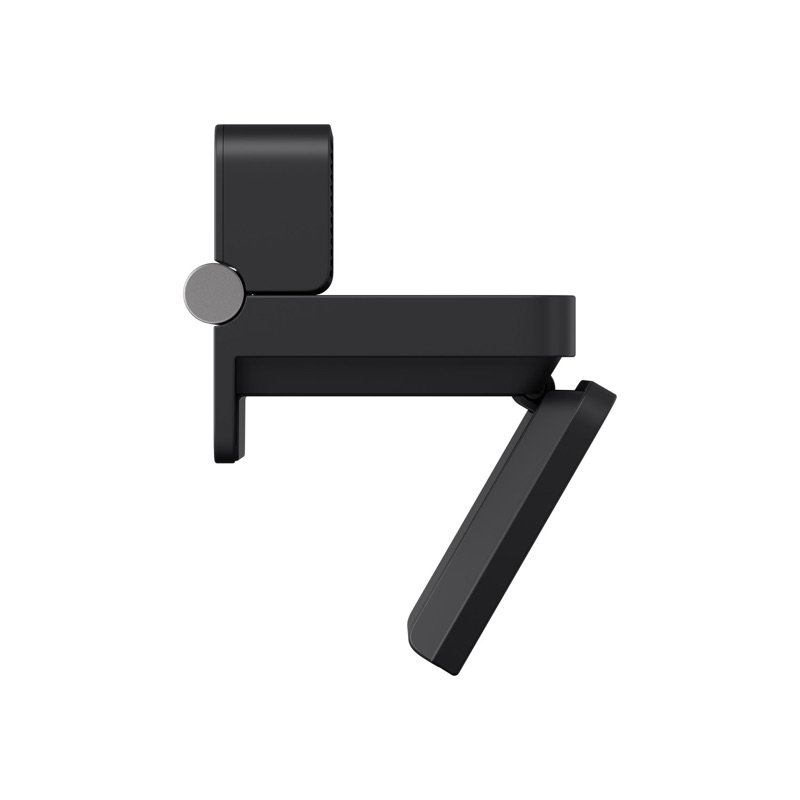
OBSBOT Meet Flip from the side, with its stand open
Photo: OBSBOT
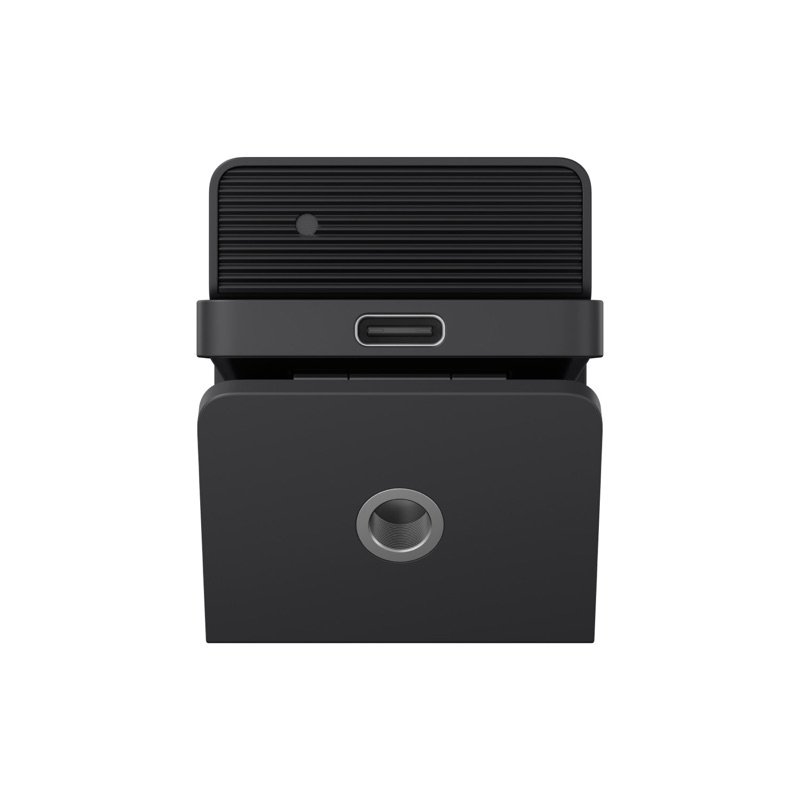
Back of the OBSBOT Meet Flip, with its USB-C port and tripod thread
Photo: OBSBOT
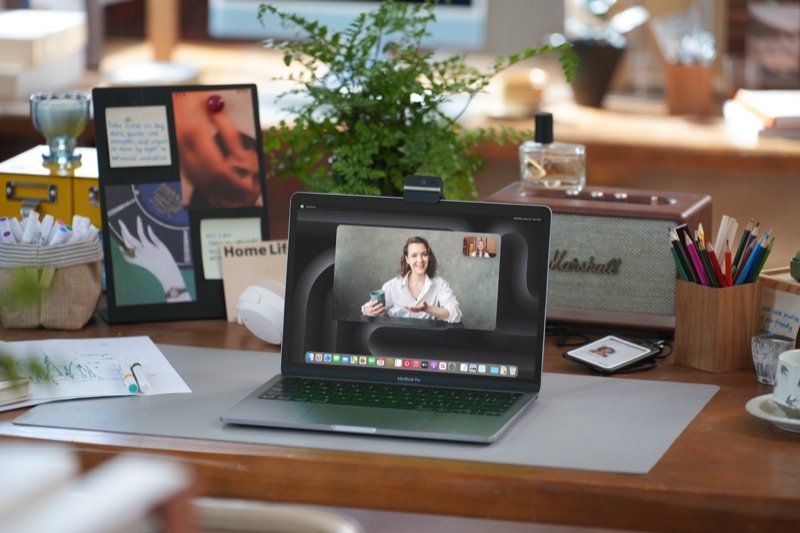
The Meet Flip on top of a laptop during a video call, on a home desk
In use · Photo: OBSBOT

Pick #37 · Video Calls & Audio

OBSBOT Meet Flip: Worth it as a travel webcam for a laptop?

Smart buy

Folds shut over its lens, mutes its mic and fits a pocket; its 4K needs a recent laptop.

  • 1Folded, the lens is covered and the mic stops 31014
  • 2Shows up as a plain webcam on Windows 11 and macOS, with no driver 1015
  • 3Sound is the weak spot for 6 of 12 expert sources 91320

We earn a commission if you buy through links on this page. It costs you nothing extra.

Good for

  • Laptop travel: 1.33 oz, folds to 0.7 in (1.9 cm) thick
  • Privacy you can see: folded, camera and mic are off
  • Apple-chip Macs and 10th-gen Intel PCs or newer

Not for

  • Your laptop already has a recent, good webcam
  • Your computer is older than OBSBOT's 4K list

Quick facts

37.7 g1.33 oz; 0.7 in thick folded
20.5 mmthickest screen (0.81 in)
M1 / 10th-genMac or Intel PC for its 4K
120 minfree AI notes, then subscribe
All specs that matter
Sensor and lens
1/2 in CMOS, 48 MP, f/1.8The same size of sensor as the Meet 2 22; RedShark puts the picture near OBSBOT's pricier Tiny 3 19. 1
Video
4K at 30 fps; 1080p and 720p at 60 fpsFor 4K and 1080p60, OBSBOT suggests an M1 Mac or a 10th-gen Intel i5 PC with 8 GB. 1
Screens it clips on
Up to 20.5 mm (0.81 in) thick; 0–77° tiltCheck your monitor's top edge; thicker screens need a tripod or mount 1213. 2
Microphones
1 omni + 1 directional, 4 audio modesOff while folded 3; half the expert write-ups rank them below the picture 91113141920. 1
Field of view
72° (16:9), 79.1° (4:3), diagonalA little narrower than the Meet 2's 79.4° 22; framing crops inside it. 1
Connection
USB-C (USB 2.0), 5V/0.4A; USB-A adapter in boxLow power from a hub can cause faults, the manual warns; use the computer's own port or a powered dock 3. 1
Size and weight
Folded 1.6 × 1.8 × 0.7 in; 37.7 g (1.33 oz)41.6 × 44.9 × 18.8 mm folded; 1.6 × 1.5 × 1.3 in (41.6 × 36.9 × 31.9 mm) open. 1
Warranty
One year on the camera from OBSBOT (more if your local law demands it); six months on the USB-C cable.7

What it does well

The fold is the privacy switch, for lens and mic

Folded shut, it can neither see nor hear you. Fold the OBSBOT Meet Flip down and its lens turns in against the stand 31014. The camera sleeps, and its microphone stops too 31014. Unfold it and it wakes 5.

RedShark News, whose writer has used it for months, confirms the mic is off while folded 19. The Gadgeteer liked a privacy step you can see, with no lens cap to misplace 16.

The same hinge sets the angle. Tom's Guide tilted it to stay in frame as the laptop sat at different heights 9.
Built to live in a laptop bag

It takes up almost no room in a bag. OBSBOT's figures 1:

  • weight: 37.7 g (1.33 oz) 1
  • folded: 1.6 × 1.8 × 0.7 in (41.6 × 44.9 × 18.8 mm) 1

OBSBOT says that is small enough for a pocket 2. PCWorld points out that a Logitech Brio 4K is more than twice as wide 10.

The stand is part of the camera, so there is no separate clip to pack 2. Tom's Guide notes the folded lens is safe from scratches in a bag 9. It can also stand on a desk, or go on a tripod, since its base has a 1/4-20 thread 311.

One gap for travellers: there is no carrying case in the box 10.

A sharp, slightly warm 4K picture with quick focus

The picture is sharp, a little warm, and quick to focus. PCWorld found the image sharp in daylight and room light, with autofocus that locks on without hunting 10. The Cosmic Circus agreed 18. Tom's Guide calls it clear but warm-toned 9. GameRevolution, whose writer uses the Meet 2 daily, found the two broadly alike 14.

OBSBOT's specs for the picture 1:

  • sensor: 1/2 in, 48 MP 1
  • lens: f/1.8 1
  • video: 4K at 30 fps, or 1080p at 60 fps 1

Dim rooms split opinion. Basic Tutorials saw hardly any noise 12. CNET and PCWorld saw noise in the shadows, and PCWorld says a desk lamp helps 1310.

Plug-and-play, with meeting tools in the app

Computers treat it as an ordinary webcam, with no driver to install. On Windows 11, Teams found it at once for PCWorld 10. On macOS, so did MacSources 15.

The free OBSBOT Center app for Windows and Mac 20 adds 2:

  • background blur
  • picture-in-picture
  • a teleprompter
  • eye tracking, which needs NVIDIA's AR SDK, Digital Production notes 11
  • loop recording

AI Magic Notes writes transcripts and summaries across Zoom, Teams and Google Meet 6. CNET found they come with time codes 13.

Updates keep coming: firmware dated 9 October 2026, and an app release on 10 November 2026 8.

AI framing for one person or a small group

It can frame one person or a small group by itself. Framing is done in software: the camera crops its 72° view (16:9) 14. It zooms up to 4x and stores three presets 14. GameRevolution found it rarely lost track 14.

There are limits. Tom's Guide says you must stay inside the camera's view, and found it less smooth than the Insta360 Link 2C Pro 9. PCWorld saw limits with fast or wide moves, and found the image usable only up to 2x zoom 10. RedShark found the hand gestures fire too easily 19.

Known problems

From expert tests.

6 of 12 expert sources

Sound is the weak spot

The built-in mics lag behind the picture. Tom's Guide heard little difference between the four audio modes 9. Its writer preferred a MacBook Pro's own mic, though the voice was still audible on work calls 9. CNET found the noise-reduced modes a bit tinny 13.

ProVideo Coalition, GameRevolution, RedShark and Digital Production rank the mics below the camera 20141911. Loud keyboards can come through 1014.

Three experts disagree: MacSources, The Gadgeteer and Basic Tutorials liked the sound 151612.

TipFor recordings or long talks, use a USB mic or headset. OBSBOT Center can switch the built-in mics off; that change needs a restart of the camera 2011.

4 of 12 expert sources

AI notes need a subscription after 120 minutes

The AI meeting notes are free only at first. AI Magic Notes is free for the first 120 minutes; after that, OBSBOT requires a subscription 56.

Four experts are not won over. GameRevolution thinks the subscription may limit its appeal 14. The Gadgeteer would not buy the camera for it 16. CNET and RedShark see no big step up from other AI note tools 1319.

TipUse the 120 free minutes to decide 56. The camera works with no app at all, and OBSBOT Center itself is a free download 1120.

3 of 12 expert sources

Thick monitors, and a stiff cable

On a thick or curved monitor, the clip may not hold. OBSBOT rates the built-in stand for screens up to 20.5 mm (0.81 in) thick 24. Basic Tutorials explains why. The USB-C port sits at the back, so the stand opens only to 90° 12. Bezels deeper than about 2.5 cm (1 in) are a struggle 12.

PCWorld found it does not fit every thick or curved monitor 10. CNET used a separate webcam mount on a desktop screen 13. GameRevolution's clip stayed secure on both a laptop and a desktop monitor 14.

The cable is the other snag. PCWorld, Basic Tutorials and CNET found it stiff or prone to kinking, and two of them saw it shift the light camera 101213.

TipUse the 1/4-20 thread in its base with a small tripod or a webcam mount 313. Basic Tutorials says it also sits on an OBSBOT Meet-series magnetic mount 12.

We earn a commission on these Amazon links. It costs you nothing extra.

Check price on Amazon

Will your computer get its 4K?

Choose the machine it will plug into.

Choose the machine it will plug into.

Choose one to see the answer.

Yes: on OBSBOT's list for 4KOBSBOT lists M1 MacBooks and Mac minis from 2020, and M1 iMacs from 2021, for 4K and 1080p at 60 fps 1.
Not on OBSBOT's 4K listIt runs on macOS 11 or later, but OBSBOT lists only M1 or newer Macs for 4K and 1080p60 1. The Meet 2 lists 2018 Intel MacBooks 22.
Yes, with 8 GB of memoryOBSBOT asks for a 10th-gen Intel Core i5 or higher and 8 GB 1. Add an RTX 2060 or better for 4K beauty and background effects 1.
Below OBSBOT's 4K listOBSBOT does not list these PCs for the Flip's 4K or 1080p60 1. The Meet 2 lists a 7th-gen i5 for its 4K 22.

Real size

Bank card
1.6 in1.5 in
This webcam

1.5 × 1.6 × 1.3 inTall × wide × thick (3.8 × 4.1 × 3.3 cm), next to a bank card.

Other options

We earn a commission on these Amazon links. It costs you nothing extra.

DrawingCheaperOBSBOT Meet SE1080p only, smaller sensor; suits older computersCheck price on Amazon OBSBOT Meet Flip webcam in black, open, seen from the front at an angleThis oneOBSBOT Meet FlipA webcam that folds shut over its lens and slips into a laptop bagYou are here DrawingBetterInsta360 Link 2C ProBigger 1/1.3 in sensor; smoother framing for Tom's GuideCheck price on Amazon
Top video1080p at 100 fps4K at 30 fps–
Sensor1/2.8 in1/2 in1/1.3 in
PrivacySeparate coverfold shutSwitch
Mac for 1080p602018 IntelM1 or newer–
Weight with mount–37.7 g113.5 g
Drawing
Cheaper

OBSBOT Meet SE

1080p only, smaller sensor; suits older computers

Top video
1080p at 100 fps
Sensor
1/2.8 in
Privacy
Separate cover
Mac for 1080p60
2018 Intel
Weight with mount
–
Check price on Amazon
OBSBOT Meet Flip webcam in black, open, seen from the front at an angle
This one

OBSBOT Meet Flip

A webcam that folds shut over its lens and slips into a laptop bag

Top video
4K at 30 fps
Sensor
1/2 in
Privacy
fold shut
Mac for 1080p60
M1 or newer
Weight with mount
37.7 g
You are here
Drawing
Better

Insta360 Link 2C Pro

Bigger 1/1.3 in sensor; smoother framing for Tom's Guide

Top video
–
Sensor
1/1.3 in
Privacy
Switch
Mac for 1080p60
–
Weight with mount
113.5 g
Check price on Amazon

You may also need

Small tripod or webcam mount, for thick monitors

Only if your screen is thicker than 0.81 in (20.5 mm): the 1/4-20 thread is in the base 23, and CNET used it that way 13.

A USB mic or headset, for recordings

For recordings, PCWorld, Digital Production and Tech4Gamers would add a separate mic 101117.

Value check

Mid-range tier

On a budget, OBSBOT's Meet SE tops out at 1080p, on a smaller 1/2.8 in sensor 23. It guards its lens with a separate cover, where the Flip simply folds shut 223.

One step up, Insta360's Link 2C Pro has a much bigger sensor, at 1/1.3 in 24. Tom's Guide also found its framing smoother 9. With its mount, though, it weighs about three times as much 24.

Prices change. See today's price on Amazon. We earn a commission on it. It costs you nothing extra.

Questions

Do I have to pay for the AI meeting notes?

After a while, yes. Every Meet Flip comes with 120 free minutes of AI Magic Notes, and then OBSBOT requires a subscription 56. The camera itself and the free OBSBOT Center app work without one 1120.

Is it worth adding if my laptop already has a webcam?

It depends on the laptop. CNET found that next to a recent premium laptop with an up-to-date webcam, it probably will not look or sound better 13. The Gadgeteer says it earns its place on a monitor with no camera, or with the laptop closed 16, and GameRevolution found it far better than an older Windows laptop's camera 14.

Does the Meet Flip get hot?

It gets warm. MacSources measured about 122 °F (50 °C) near the hinge after a long session, with no problems 15. OBSBOT's manual calls a warm base after long use normal 3.

Fold it when the call ends, or set Auto Sleep in OBSBOT Center 32. A search of US recalls (CPSC) on 16 Nov 2026 turned up none for OBSBOT 21.

Will it work with an iPad or a Linux PC?

On Linux it works as a standard plug-and-play webcam, but OBSBOT Center does not run there 4. CNET got it working on a 12.9 in iPad Pro in FaceTime and WebEx, though creative apps did not see it 13. It does not support Windows Hello face login 4.

How we made this pick24 sources · checked Nov 16, 2026 · we have not used itRead how

We have not used this product ourselves. This brief is built from the maker's specs and manual and from expert tests. Few owner reports were open for us to read, so this page does not say how common a problem is among owners. Sources are listed below.

24sources
Nov 16, 2026checked
See sources
  1. 1OBSBOT Meet Flip Tech SpecsNov 16, 2026
  2. 2OBSBOT Meet Flip product pageNov 16, 2026
  3. 3OBSBOT Meet Flip User Manual v1.0 (PDF)Nov 16, 2026
  4. 4OBSBOT Meet Flip FAQNov 16, 2026
  5. 5OBSBOT US store: Meet Flip (box, warranty, AI notes terms)Nov 16, 2026
  6. 6OBSBOT news: Meet Flip launch (29 Jul 2026)Nov 16, 2026
  7. 7OBSBOT Warranty & Refund policyNov 16, 2026
  8. 8OBSBOT downloads: Meet Flip firmware and appNov 16, 2026
  9. 9Tom's Guide: Obsbot Meet Flip (Ashley Thieme, 27 Aug 2026)Nov 16, 2026
  10. 10PCWorld: Obsbot Meet Flip (Christoph Hoffmann, 5 Oct 2026)Nov 16, 2026
  11. 11Digital Production: OBSBOT Meet Flip (Bela Beier, 10 Sep 2026)Nov 16, 2026
  12. 12Basic Tutorials: OBSBOT Meet Flip (Philipp Briel, 30 Jul 2026)Nov 16, 2026
  13. 13CNET via Yahoo Tech: Obsbot Meet Flip (Lori Grunin, 29 Jul 2026)Nov 16, 2026
  14. 14GameRevolution via Yahoo Tech: OBSBOT Meet Flip (Mack Ashworth, 13 Aug 2026)Nov 16, 2026
  15. 15MacSources: OBSBOT Meet Flip, hinge heat measured (Robyn, 27 Aug 2026)Nov 16, 2026
  16. 16The Gadgeteer: OBSBOT Meet Flip (Vincent Nguyen, 7 Aug 2026)Nov 16, 2026
  17. 17Tech4Gamers: Obsbot Meet Flip (Abdul Hannan, 7 Nov 2026)Nov 16, 2026
  18. 18The Cosmic Circus: OBSBOT Meet Flip (Brian Kitson, 4 Aug 2026)Nov 16, 2026
  19. 19RedShark News: OBSBOT Meet Flip after months of use (Andy Stout, 6 Nov 2026)Nov 16, 2026
  20. 20ProVideo Coalition: OBSBOT Meet Flip (Allan Tépper, 29 Jul 2026)Nov 16, 2026
  21. 21CPSC recalls search (saferproducts.gov): OBSBOT, 16 Nov 2026Nov 16, 2026
  22. 22OBSBOT Meet 2 Tech Specs (sister)Nov 16, 2026
  23. 23OBSBOT Meet SE Tech Specs (cheaper option)Nov 16, 2026
  24. 24Insta360 store: Link 2C Pro specs (better option)Nov 16, 2026

Update log

  • Nov 16, 2026 First version of this research brief.
How we research

Do you own it?

Tell other buyers how the OBSBOT Meet Flip works for you.

How long have you owned it? (if you like)

Only your words, and how long you have owned it if you say. No name, no email, no cookie. Nothing shows here until we approve it. How we handle answers.

Did this help?

More picks