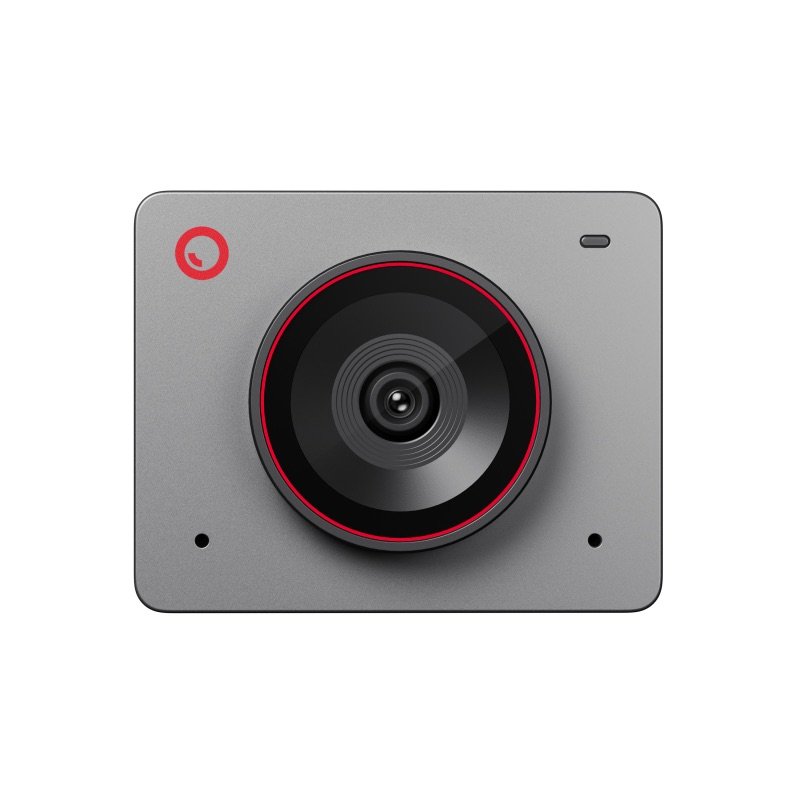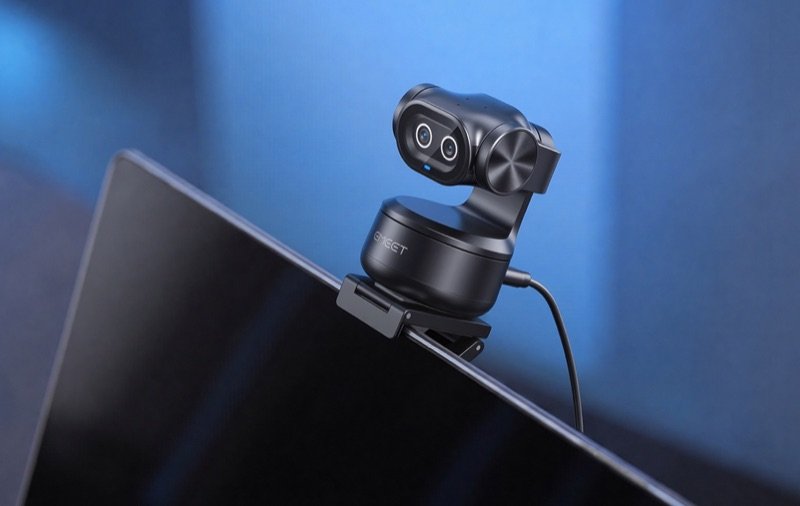

The black EMEET PIXY clipped to the top of a laptop screen
Photo: EMEET
The PIXY on a laptop during a group video call at a cafe table
In use · Photo: EMEET

Pick #53 · Video Calls & Audio

EMEET PIXY: Is the second lens what makes it worth it?

Good, with a catch

Clear 4K that turns to follow you, at a fair price; its app is shaky and privacy mode can fail.

  • 1Only one lens films; the second steers focus and tracking 156
  • 2Stand up, and it took about 3 seconds to tilt and find the face again 1
  • 3No lens shutter; its face-down privacy mode failed for two experts 56

We earn a commission if you buy through links on this page. It costs you nothing extra.

Good for

  • Calls where you lean, stand or step away
  • Teaching at a whiteboard, with saved camera spots
  • Macs without Center Stage

Not for

  • You want a lens cover you can see and trust
  • Buggy apps and failed updates wear you out

Quick facts

310° / 180°pan and tilt
1/2.55 inSony sensor; 4K at 30 fps
120 g4.2 oz; 198 g on its mount
1.5xzoom, in 1080p only
All specs that matter
Sensor and lens
Sony 1/2.55 in, 12 MP, f/1.8Only one of the two lenses films; the other steers focus and tracking 15. 5
Video
Up to 4K at 30 fps, or 1080p at 60 fpsWindows Central found it at its best in 1080p, where zoom also works 5. 1
Zoom
1.5x digital, in 1080p only; none in 4KIt crops the picture; in 4K there is no zoom at all 81. 8
Pan, tilt and range
310° pan, 180° tilt; tracks up to 6 m (19.7 ft)Enough to follow you from the desk to a whiteboard 13. 1
Field of view
73° diagonalA little narrower than OBSBOT's Tiny 2, TechNuovo found 7. 1
Microphones
3 mics; Live, Noise Cancelling, OriginalFine for meetings, thin for recordings 21. 1
Connection
USB-C, USB 2.0; USB-A adapter in the boxOne cable powers it and carries video; a 1.5 m cable comes with it 15. 5
Size and weight
2.2 × 1.7 × 0.9 in; 120 g (4.2 oz)56 × 43 × 22 mm; 198 g (7.0 oz) on its mount, heavy for a laptop lid 12. 1

What it does well

It turns and tilts after you, with a short lag

If you shift, stand or wander off during a call, the EMEET PIXY turns to keep you in the picture. Its head sits on a small motor 13:

  • pan: 310° 1
  • tilt: 180° 1
  • tracking range: up to 6 m (19.7 ft) 1

Raise a palm and it switches between a still camera and tracking. A light under the lenses turns blue while it follows you 12.

It is quick, but not instant. Digital Camera World saw a lag of just under a second when the writer leaned, and about 3 seconds to find the face after a sudden stand-up 1. TechNuovo's writer left the room and came back, and it picked them up again 7.
Two lenses, but only one films

The two "eyes" do different jobs. One lens sends the picture to a Sony 1/2.55 in sensor 1. The other is an AI camera that reads your face to steer focus, exposure and tracking 1538.

EMEET claims it focuses in 0.2 s, 2.5 times faster than the industry average 8. That is the maker's figure, not a measurement.

What the second lens adds is hard to see. Windows Central and Mediaberry could not say how much difference it makes 56. PC Gamer ran it beside OBSBOT's one-lens Tiny 2 Lite and found focus and aim about as accurate 2.

A clear picture in good light, a bit bright in harsh light

With decent light, the picture is a big step up from a laptop camera. Digital Camera World found faces detailed and skin tones clear, even against a light behind the writer. It beat the writer's MacBook Air camera 1.

Fstoppers saw natural skin and balanced highlights when backlit 3. Windows Central found it at its best in 1080p, and solid in low light 5.

The limits:

  • highlights clip in harsh light, Fstoppers found 3
  • PC Gamer saw lights overexposed and colours a bit strong 2
  • Mediaberry saw noise and softness as daylight faded 6

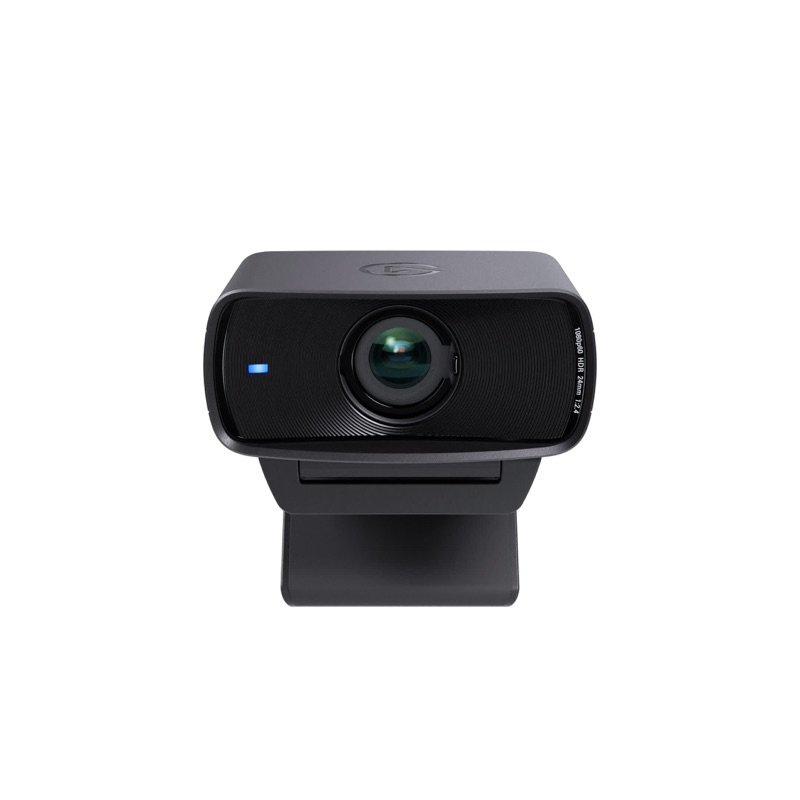
Mediaberry still placed it above Elgato's Facecam MK.2 at default settings 6.

Three mics that are fine for meetings

For everyday calls, the built-in mics do the job. There are three, with three sound modes 1:

  • Live: evens out your level and removes steady noise, like a fan 1
  • Noise Cancelling: keeps your voice and drops the room around it 1
  • Original: no processing, for a quiet room 1

PC Gamer calls them surprisingly solid in meetings 2. In a busy office with fans, Fstoppers found the noise-cancelling mode picked out the voice 3. Windows Central and Mediaberry call them fair to decent for calls 56.

For recordings, they fall short. Digital Camera World found them thin and over-sharp next to a real mic 1.

One cable, no driver, and modes for teaching

Setup is plug and play. One USB-C cable powers it and carries the video, and USB 2.0 is enough; a USB-A adapter is in the box 156. Zoom and QuickTime see it with no driver 16.

The free EMEET Studio app adds more 18:

  • three saved camera positions, one click each 1
  • a whiteboard mode, which PC Gamer found tracked a board reliably 2
  • upside-down and 9:16 vertical modes 8

Fstoppers moved between board and desk presets while teaching online 3. The mount screws into a standard 1/4 in thread, so a tripod works too 54. USB power alone runs it; there is no battery inside 1. The CPSC recall list showed no EMEET recall on 18 Nov 2026 15.

Known problems

From expert tests.

4 of 7 expert sources

The app and firmware are shaky

The camera is solid; the software around it is not, yet. Windows Central had stutters, freezes and a handful of crashes in EMEET Studio. Firmware updates often failed, even with every camera app closed 5. Mediaberry hit the same, and needed several tries per update 6.

Mediaberry's camera also stopped responding several times. It needed unplugging, and once a full restart of the PC 6. Windows Central saw it lose them and drift to the side 5.

The Gadgeteer disliked the app 4. PC Gamer found it hard to tell which EMEET app is the PIXY's 2.

TipPlain calls need no app: it works as a standard webcam 16. If it freezes, unplug it and plug it back in, as Mediaberry did 6.

5 of 7 expert sources

No shutter, and privacy mode can fail

There is no lens cover or privacy switch 32. Instead, the head turns its lenses away, face-down 387. Push it down by hand, use the app, or set a timer of 10 s, 1 min or 15 min 3. TechNuovo would still have liked a privacy door 7.

It does not always work. A couple of times, Mediaberry found it facing forward when it should have been off 6. Windows Central saw it refuse privacy mode 5.

After one failed firmware update, Windows Central's camera kept sending video with its light off. It stopped only when unplugged and the PC restarted. The writer concludes the light is not wired to the camera itself 5.

TipIf you need to be sure, unplug it when the call ends; that is what stopped Windows Central's camera 5.

4 of 7 expert sources

Heavy, and top-heavy on a thin screen

It is heavy for a webcam: 120 g (4.2 oz), and 198 g (7.0 oz) on its mount 1. It perches above the clip rather than inside it 2.

PC Gamer found it fine on a big monitor, but it made a 16-inch laptop's screen wobble 2. Mediaberry found it sits high and top-heavy, and warns that thin monitors may need another mount 6. TechNuovo calls it a bit of a chunk on a monitor 7.

Digital Camera World closed a MacBook Air lid with the camera still on it. It fell onto the desk, then worked again once put back 1.

TipScrew it onto a small tripod or arm with a 1/4 in thread 54, and take it off before you close a laptop lid 1.

We earn a commission on these Amazon links. It costs you nothing extra.

Check price on Amazon

Will EMEET's app run where you work?

Pick your system.

Pick your system.

Choose one to see the answer.

Yes, EMEET Studio runs thereStudio runs on Windows 10 and 11 3. Windows Central saw some crashes and failed firmware updates 5.
Yes, from macOS 10.14Studio supports macOS 10.14 or later 3. Digital Camera World and Fstoppers used it on MacBooks 13.
Video yes; app features noIt works as a standard webcam, but Studio is Windows and macOS only 5. Owners wrote their own tools for tracking and privacy 1011.
Calls work; extras need the appZoom and QuickTime see it with no driver 16. Presets, sound modes and the privacy timer are set in EMEET Studio 12.

Real size

Bank card
2.2 in1.7 in
This webcam

1.7 × 2.2 × 0.9 inTall × wide × thick (4.3 × 5.6 × 2.3 cm), next to a bank card.

Other options

We earn a commission on these Amazon links. It costs you nothing extra.

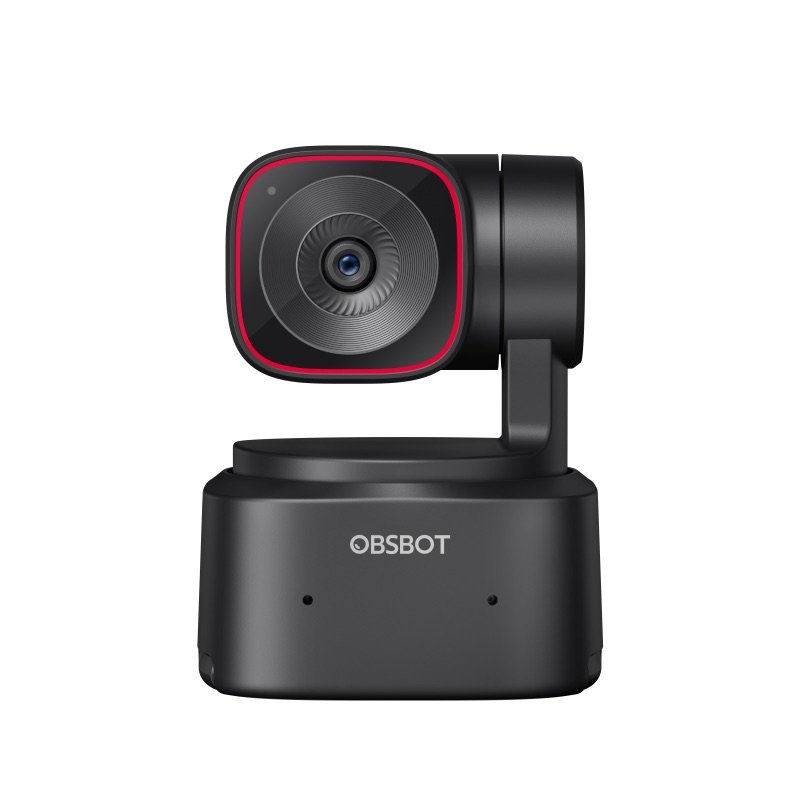
DrawingCheaperOBSBOT Tiny SEAlso turns to follow you; 1080p only, one micCheck price on Amazon The black EMEET PIXY clipped to the top of a laptop screenThis oneEMEET PIXYTwo lenses on a turning head: one films you, one helps it find your faceYou are here OBSBOT Tiny 2 Lite webcam in black, from the front, on its turning baseBetterOBSBOT Tiny 2 LitePC Gamer preferred its warmer, more natural pictureCheck price on Amazon
Top video1080p only4K at 30 fps4K at 30 fps
Sensor1/2.8 in1/2.55 in1/2 in
Field of view78°73°79.4°
Microphones132
Drawing
Cheaper

OBSBOT Tiny SE

Also turns to follow you; 1080p only, one mic

Top video
1080p only
Sensor
1/2.8 in
Field of view
78°
Microphones
1
Check price on Amazon
The black EMEET PIXY clipped to the top of a laptop screen
This one

EMEET PIXY

Two lenses on a turning head: one films you, one helps it find your face

Top video
4K at 30 fps
Sensor
1/2.55 in
Field of view
73°
Microphones
3
You are here

You may also need

A small tripod or arm, for a thin laptop lid

Only if it wobbles: the mount uses a 1/4 in thread 5, and PC Gamer saw a 16-inch laptop screen shake with it on top 2.

A USB mic or headset, for recordings

Calls are fine, but Digital Camera World found the mics thin next to a real mic 1.

Value check

Mid-range tier

OBSBOT's Tiny SE lists for less and also turns to follow you. It films 1080p only, on a smaller 1/2.8 in sensor with one mic 12. Windows Central, which also covered the PIXY, would recommend no other webcam at that price 125.

OBSBOT's Tiny 2 Lite lists for a little more 2. PC Gamer set the two side by side and would pay that for its warmer, more natural picture and smaller frame 2. It is lighter, at 91.4 g against 120 g, but has two mics to the PIXY's three 131.

Prices change. See today's price on Amazon. We earn a commission on it. It costs you nothing extra.

Questions

Will it do what Center Stage does on an older Mac?

In its own way: it turns instead of cropping. Digital Camera World's 2023 MacBook Air has no Center Stage, Apple's software framing 1. The PIXY moves its whole head, so it can tilt up when you stand and pan much further, which Center Stage cannot do 1. EMEET Studio runs on macOS 10.14 or later 3.

PIXY or PIXY Wireless?

For desk calls, the wired PIXY does the job: one USB-C cable powers it and carries the video 1. EMEET's site lists both models 16.

EMEET announced the PIXY Wireless in April 2026 for filming away from a computer 9. It adds Wi-Fi or hotspot streaming, a 5200 mAh battery rated for up to 8 hours, and control of up to 3 cameras from a phone 9.

Can it zoom in on me?

Only a little. It has a 1.5x digital zoom, and only below 4K; in 4K there is none 85. Digital Camera World expected it to zoom in when the writer leaned back, but zoom is a manual slider in the app 1. TechNuovo called the zoom not great 7.

PIXY or OBSBOT Tiny 2?

The Tiny 2 has a much bigger sensor: 1/1.5 in, against the PIXY's 1/2.55 in 141. Windows Central's writer calls it the peak of turning webcams, and it costs much more 512. TechNuovo, who came from a Tiny 2, found the PIXY's view a little narrower 7.

Can I log in to Windows with it?

No. It has no infrared sensor, so Windows Hello face login will not work with it, Windows Central notes 5. Keep using your laptop's own camera or a PIN for that.

How we made this pick16 sources · 2 owner comments · checked Nov 18, 2026 · we have not used itRead how

We have not used this product ourselves. This brief is built from the maker's specs and manual and from expert tests. Few owner reports were open for us to read, so this page does not say how common a problem is among owners. Sources are listed below.

16sourcesSeven writers who used it, launch news, two owners on GitHub, rival specs and the CPSC recall list.
2owner comments
Nov 18, 2026checked
See sources
  1. 1Digital Camera World: Emeet Pixy Dual-Camera PTZ 4K Webcam (George Cairns, 13 Jul 2025)Nov 18, 2026
  2. 2PC Gamer: Emeet Pixy, side by side with the Tiny 2 Lite (James Bentley, 15 Aug 2025)Nov 18, 2026
  3. 3Fstoppers: EMEET's dual-camera PTZ webcam, the PIXY (Kim Simpson, 18 Sep 2025)Nov 18, 2026
  4. 4The Gadgeteer: EMEET PIXY PTZ 4K webcam with a dual camera (Julian Perry, 23 Jun 2025)Nov 18, 2026
  5. 5Windows Central: EMEET PIXY webcam (Zachary Boddy, 30 Jun 2025)Nov 18, 2026
  6. 6Mediaberry: EMEET Pixy 4K webcam (Alex Berry, 18 Oct 2025)Nov 18, 2026
  7. 7TechNuovo: EMEET PIXY dual-camera PTZ 4K webcam (3 Aug 2025)Nov 18, 2026
  8. 8Forbes: Emeet's Pixy dual-camera 4K PTZ webcam at launch (Mark Sparrow, 23 Jun 2025)Nov 18, 2026
  9. 9EMEET's release on the Manila Times newswire: PIXY Wireless launch (29 May 2026)Nov 18, 2026
  10. 10GitHub: an owner's PIXY daemon for Linux (LarsArtmann/emeet-pixyd)Nov 18, 2026
  11. 11GitHub: an owner's PIXY control panel for Linux (nille/omarchy-emeet-pixy)Nov 18, 2026
  12. 12Windows Central: OBSBOT Tiny SE webcam (cheaper option, 20 Apr 2025)Nov 18, 2026
  13. 13OBSBOT Tiny 2 Lite Tech Specs (better option)Nov 16, 2026
  14. 14OBSBOT Tiny 2 Tech SpecsNov 17, 2026
  15. 15CPSC recalls search (saferproducts.gov): EMEET, 18 Nov 2026Nov 18, 2026
  16. 16EMEET contact page (site menu lists PIXY and PIXY Wireless)Nov 17, 2026

Update log

  • Nov 18, 2026 First version of this research brief.
How we research

Do you own it?

Tell other buyers how the EMEET PIXY works for you.

How long have you owned it? (if you like)

Only your words, and how long you have owned it if you say. No name, no email, no cookie. Nothing shows here until we approve it. How we handle answers.

Did this help?

Related

More picks