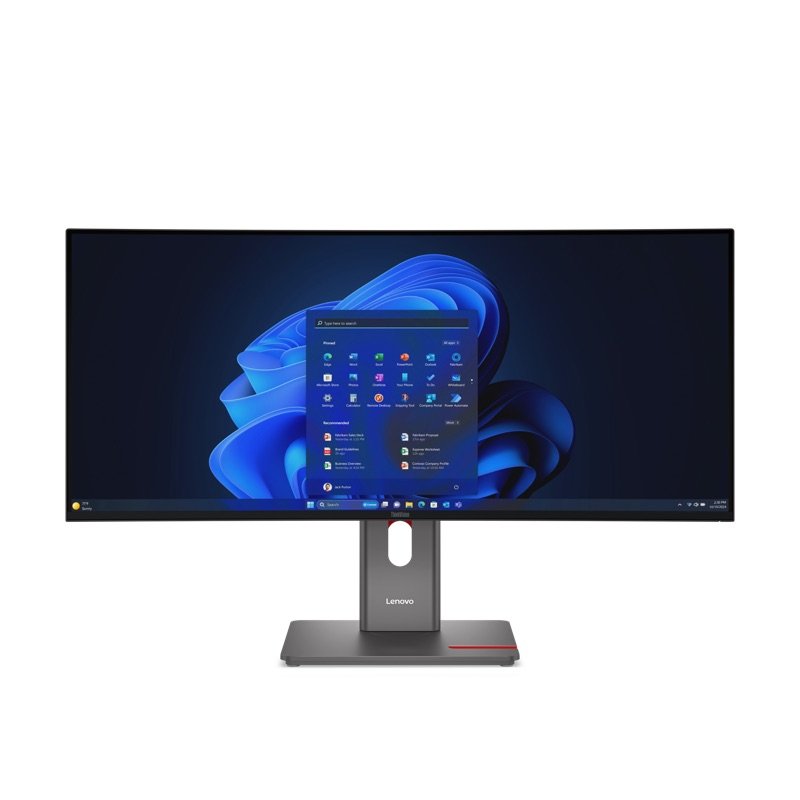
Lenovo ThinkVision P34WD-40 curved monitor, front, on its stand
Photo: Lenovo
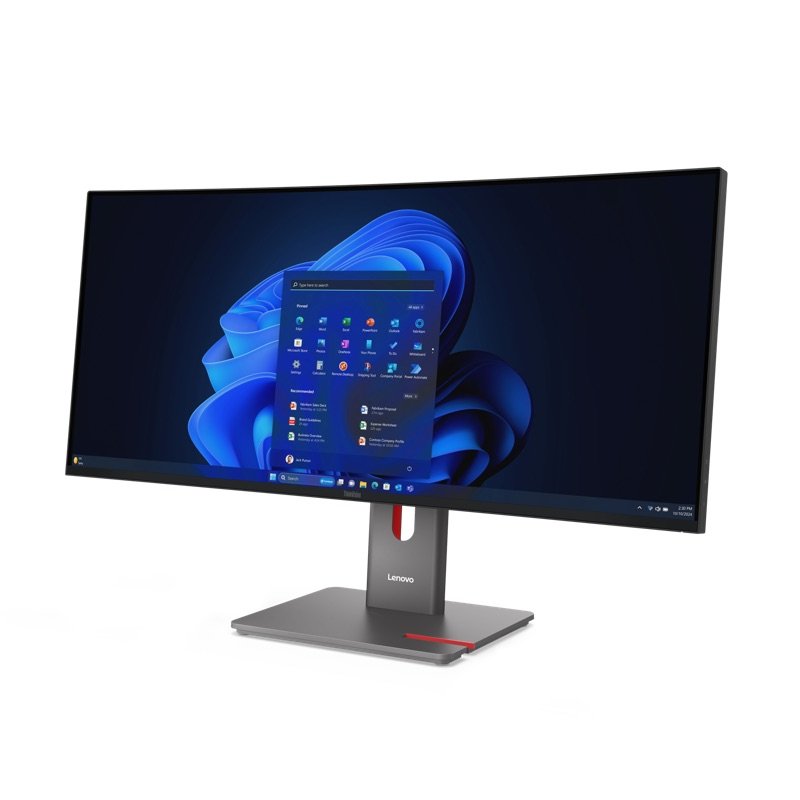
The P34WD-40 from the left, showing the curve and stand
Photo: Lenovo
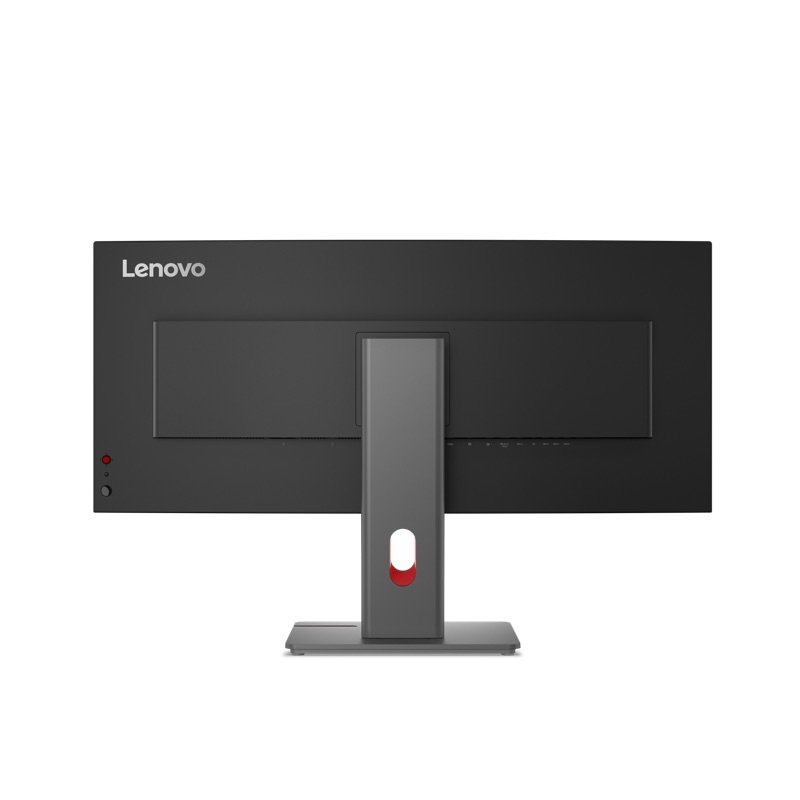
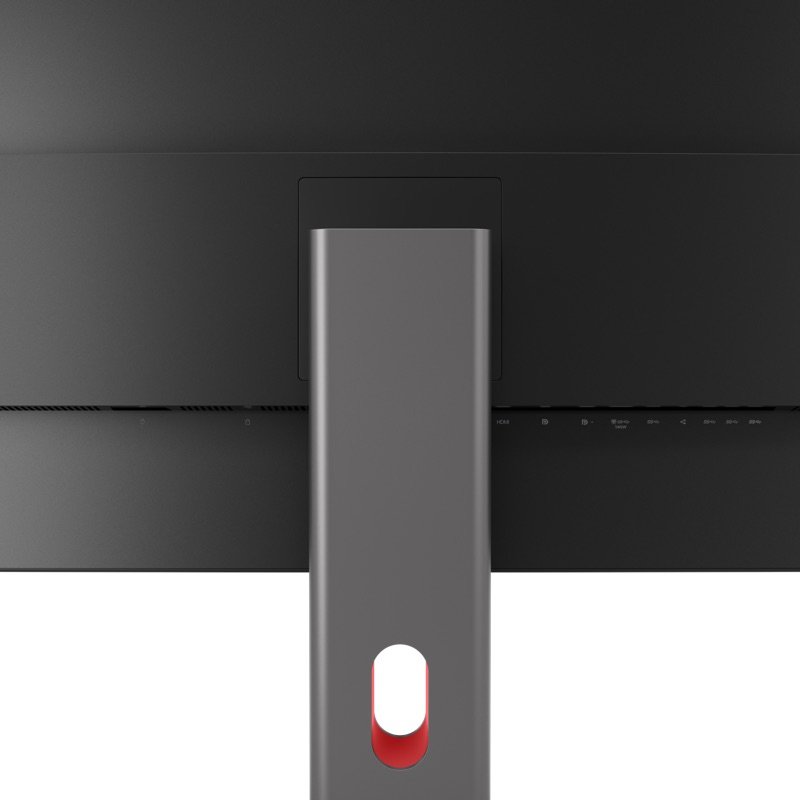
Back of the P34WD-40 with its stand and cable hole
Photo: Lenovo
Close-up of the rear ports and the stand
Photo: Lenovo

Pick #52 · Monitors & Lighting

Lenovo ThinkVision P34WD-40: Worth it as one wide screen for two computers?

Good, with a catch

A 34-inch screen and laptop dock in one; if one HDMI cable is enough, you pay for ports you skip.

  • 1A laptop gets picture, up to 140W and wired 2.5GbE over one USB-C cable 1
  • 2Its KVM switch shares one keyboard and mouse between two computers 1
  • 3Two colour labs split: average Delta E 1.6 in one, 3.3 in the other 45

We earn a commission if you buy through links on this page. It costs you nothing extra.

Good for

  • One USB-C cable for picture, charging and network
  • A work laptop and a second computer on one screen
  • Office work on a wide, curved 120 Hz screen

Not for

  • One HDMI cable is all you need
  • You want bright HDR for films and games

Quick facts

3440 × 144034 in curved, 110 ppi
140WUSB-C laptop charging, max
342.6 nitspeak, TrustedReviews' meter
22.0 lbwith stand (10.0 kg)
All specs that matter
Screen
34 in curved IPS Black, 3440 × 1440, 110 ppiSit 31.5 in (80 cm) or farther and 20/20 eyes no longer pick out single pixels 113. One lab found the curve odd in spreadsheets 5. 1
Refresh rate
Variable, 24 to 120 HzThree experts noticed smoother scrolling 347; HDMI 2.1 also carries 120 Hz at full resolution 1. 1
Brightness, measured
342.6 nits; 1890:1 contrastTrustedReviews' colorimeter, against Lenovo's 350 nits and 2000:1 31. 3
Laptop link
USB-C: DisplayPort 1.4, 10Gbps USB, up to 140WLenovo's own footnote: busy USB ports or a high brightness setting can cut the 140W 2. 1
Hub and network
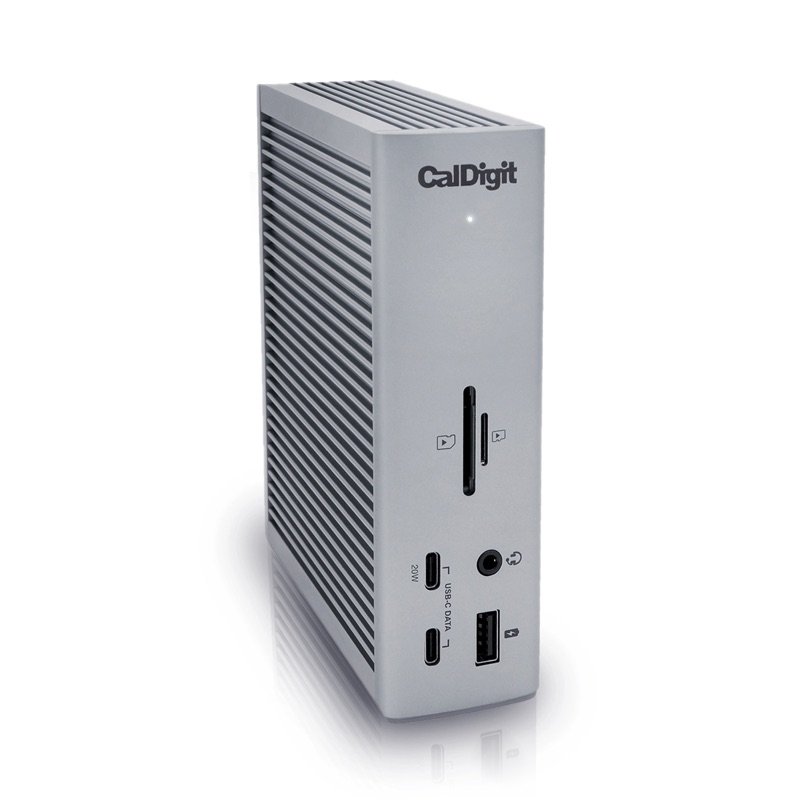
2.5GbE, 5 USB-A, 2 USB-C (15W), DisplayPort outDock ports without a separate dock; DisplayPort out feeds a second screen 1. 1
Stand and mount
Lifts 6.1 in (155 mm), tilts, swivels; VESA 100 mountNo turn to portrait, as TrustedReviews notes 3. The screen alone weighs 15.9 lb (7.2 kg) 1. 1
Speakers
2 × 3W, built inThin for TrustedReviews and Lyd & Bilde; ITdaily calls them enough for office calls 364. 1
Safety and energy marks
TCO Certified generation 10, EPEAT GoldTCO's generation 10 rules require IEC 62368-1 safety certification 15. The CPSC lists no Lenovo monitor recall 1617. 1
Warranty
3 years, limited, from Lenovo.1

What it does well

A dock built into the screen

Plug a laptop into the USB-C input and the monitor takes the laptop's picture over DisplayPort 1.4 Alt Mode, links USB at 10Gbps and feeds the laptop up to 140W (USB PD 3.1), Lenovo's sheet says 1. The same cable then reaches the monitor's 2.5GbE jack, its five USB-A ports and two 15W USB-C ports 1.

Two of those USB-C ports and one USB-A drop down from a small panel under the ThinkVision logo, so a phone cable is within reach 37. Lyd & Bilde sums it up as a docking station dressed as a monitor 6.
Made for two computers

Its KVM switch shares one keyboard and mouse between two computers 16. A laptop can take the USB-C input while a desktop uses HDMI 2.1 or DisplayPort 1.4 plus the USB-B cable 1. Lenovo says HDMI 2.1 carries the full 3440 × 1440 at 120 Hz 1.

Picture-by-picture shows both machines side by side 16. True Split makes Windows treat the wide screen as two monitors, which TechnologyInsider found handy 51. A DisplayPort out port can feed a second screen 1.

Deep blacks for an IPS screen, measured

Lenovo uses an IPS Black panel and rates it at 2000:1 contrast 1. Two labs came close:

  • 1890:1, with a black level of 0.11 that rose only to 0.18 at full brightness (TrustedReviews) 3
  • 1977:1 (ITdaily) 4

TrustedReviews also measured 99% of sRGB, 97% of DCI-P3 and 87% of Adobe RGB, with a 6500K white 3. It judged that enough for some colour-sensitive work 3.

120 Hz on a work screen

TrustedReviews calls 120 Hz rare on a work-first monitor 3. This one varies from 24 to 120 Hz to match what is on screen 12. TrustedReviews, ITdaily and TuttoTech all found scrolling and window dragging smoother than on a 60 Hz screen 347.

Two limits: Lenovo names no FreeSync or G-Sync support, and TuttoTech found the response a little slow for fast games 37.

Known problems

From expert tests.

2 of 6 expert sources

Colour out of the box: the labs split

Lenovo promises an average colour error (Delta E) under 2, with a factory calibration sheet packed with each unit 1. Lower is better. The labs got different answers:

  • ITdaily: 1.6, errors barely visible 4
  • TechnologyInsider: 3.3, with 95% of sRGB 5
  • TrustedReviews: 99% of sRGB 3

TheReviewRewind's writer found the default preset flat until switching to another 8. TuttoTech, by contrast, liked the factory colours 7.

TipCompare the factory calibration sheet with what you see, and try other picture presets before judging the colour 18.

4 of 6 expert sources

Fine for office light, too dim for HDR

Lenovo rates it at 350 nits, and two labs came close 1:

  • 342.6 nits peak (TrustedReviews) 3
  • about 325 nits (ITdaily) 4

That is plenty for documents and spreadsheets 36. HDR is the weak spot. ITdaily found it too dim for real HDR, with 66.8% of DCI-P3 and 45.1% of BT.2020 in that mode 4. Lyd & Bilde calls it too dim for films and games, and TuttoTech warns against expecting miracles in a very bright room 67.

TipFor office work, nothing to fix. If HDR films or games matter most, TrustedReviews points to OLED ultrawides as the stronger picture 3.

4 of 6 expert sources

You pay for the dock

TrustedReviews calls it quite expensive for an IPS screen 3. TechnologyInsider lists the cost as its first minus, and TheReviewRewind puts it first among its gripes 58.

Lyd & Bilde draws the useful line. If you only want a good wide screen, a plainer one costs less. It makes sense when this one also replaces a separate dock 6.

TipIf one HDMI cable is enough and the laptop charges on its own, compare plainer ultrawides, such as Lenovo's own T34WD-40 69.

We earn a commission on these Amazon links. It costs you nothing extra.

Check price on Amazon

Can it run both of your computers?

Pick the pair you plan to plug in.

Pick the pair you plan to plug in.

Choose one to see the answer.

Yes: one keyboard and mouse for bothLaptop on USB-C (picture, power, data); PC on DisplayPort or HDMI plus the USB-B cable. The KVM switch moves keyboard and mouse 1.
Yes, but only one chargesOnly one input takes USB-C video and 140W 1. The second laptop needs HDMI or DisplayPort, the USB-B cable and its own charger.
Yes: picture-by-picturePicture-by-picture splits the screen between both machines; picture-in-picture puts one in a corner window 16.

Other options

We earn a commission on these Amazon links. It costs you nothing extra.

DrawingCheaperLenovo ThinkVision T34WD-40Same size and 120 Hz; VA panel, 100W, no KVM listedCheck price on Amazon Lenovo ThinkVision P34WD-40 curved monitor, front, on its standThis oneLenovo ThinkVision P34WD-40A wide curved screen that doubles as a laptop dock for two computersYou are here DrawingBetterDell UltraSharp U3425WEThunderbolt 4 and a very accurate sRGB mode; 90W chargingCheck price on Amazon
PanelVA, 1500R curveIPS Black, 3800R curveIPS Black, curved
Refresh rate48–120 Hz24–120 HzUp to 120 Hz
Laptop charging100W over USB-C140W over USB-C90W over Thunderbolt 4
KVM switchNot listedYesYes
HDRHDR10HDR10No HDR
Drawing
Cheaper

Lenovo ThinkVision T34WD-40

Same size and 120 Hz; VA panel, 100W, no KVM listed

Panel
VA, 1500R curve
Refresh rate
48–120 Hz
Laptop charging
100W over USB-C
KVM switch
Not listed
HDR
HDR10
Check price on Amazon
Lenovo ThinkVision P34WD-40 curved monitor, front, on its stand
This one

Lenovo ThinkVision P34WD-40

A wide curved screen that doubles as a laptop dock for two computers

Panel
IPS Black, 3800R curve
Refresh rate
24–120 Hz
Laptop charging
140W over USB-C
KVM switch
Yes
HDR
HDR10
You are here
Drawing
Better

Dell UltraSharp U3425WE

Thunderbolt 4 and a very accurate sRGB mode; 90W charging

Panel
IPS Black, curved
Refresh rate
Up to 120 Hz
Laptop charging
90W over Thunderbolt 4
KVM switch
Yes
HDR
No HDR
Check price on Amazon

You may also need

We earn a commission on these Amazon links. It costs you nothing extra.

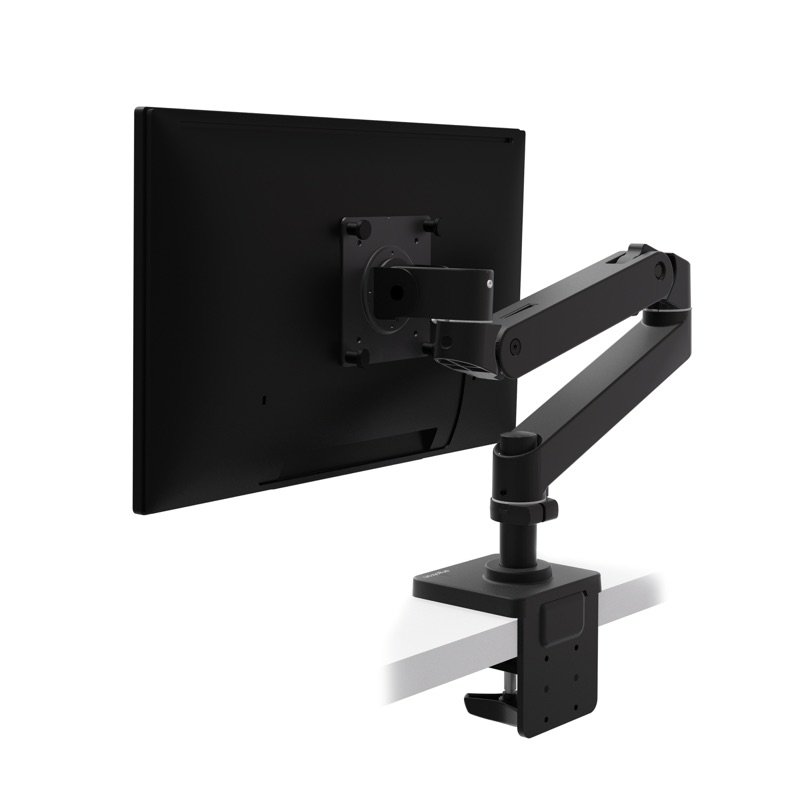
Ergotron LX Pro arm, to free the desk

Without its stand the screen weighs 15.9 lb (7.2 kg) and has 100 × 100 mm VESA holes 1; the LX Pro holds 4–22 lb screens up to 34 in 18.

Check on Amazon

An Ethernet cable for the network jack

Lenovo packs DisplayPort, USB-C, USB-B and power leads; an Ethernet cable is not among them 1.

Value check

Premium tier

Lenovo's T34WD-40 keeps the size, the resolution and up to 120 Hz, but swaps in a VA panel with a tighter 1500R curve 9. Its USB-C gives 100W, its network port 1GbE, and Lenovo lists no KVM switch or speakers for it 9.

Dell's UltraSharp U3425WE adds Thunderbolt 4, and RTINGS found its sRGB mode very accurate 10. It charges a laptop at 90W against 140W here, and it has no HDR at all 101.

Prices change. See today's price on Amazon. We earn a commission on it. It costs you nothing extra.

Questions

How is it different from the older P34w-20?

The P34w-20 runs at 60 Hz, with 300 nits, 1000:1 contrast and 100W over USB-C 11. The P34WD-40 reaches 120 Hz, 350 nits and 2000:1, charges at up to 140W and adds a 2.5GbE port 1.

Both keep the gentle 3800R curve and a KVM switch 111.

Will text look sharp on a MacBook?

The screen packs 110 pixels per inch 1. Bjango's guide to Mac displays says macOS is laid out for about 110 ppi on non-Retina screens, so the default setting fits with no blurry scaling, at half the density of a Retina screen 12.

Officially, Lenovo supports Windows 11 and 10. Its ThinkColour settings app has a Mac version, though some functions differ there 1.

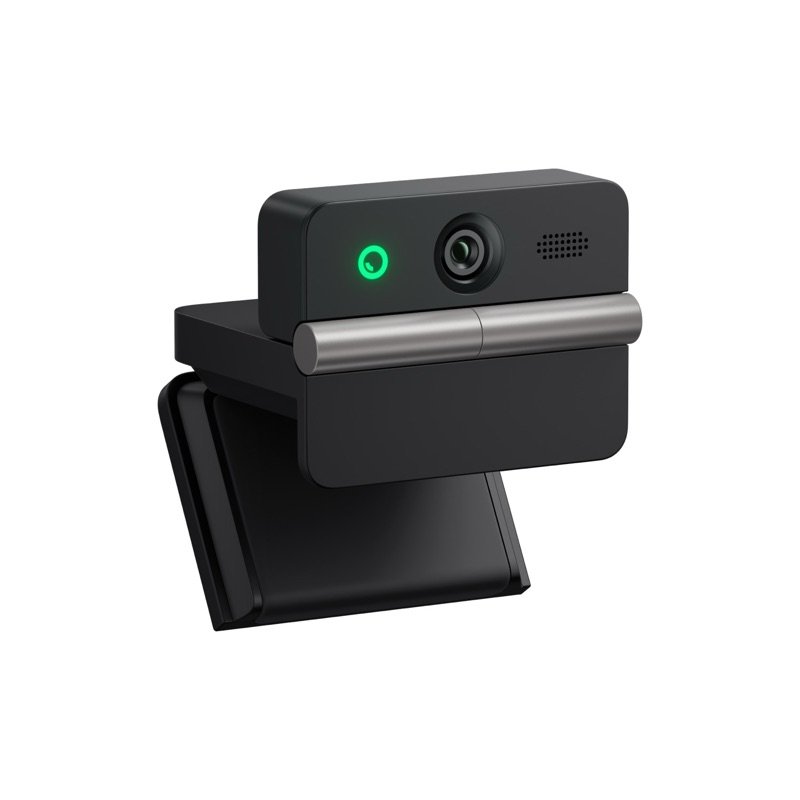
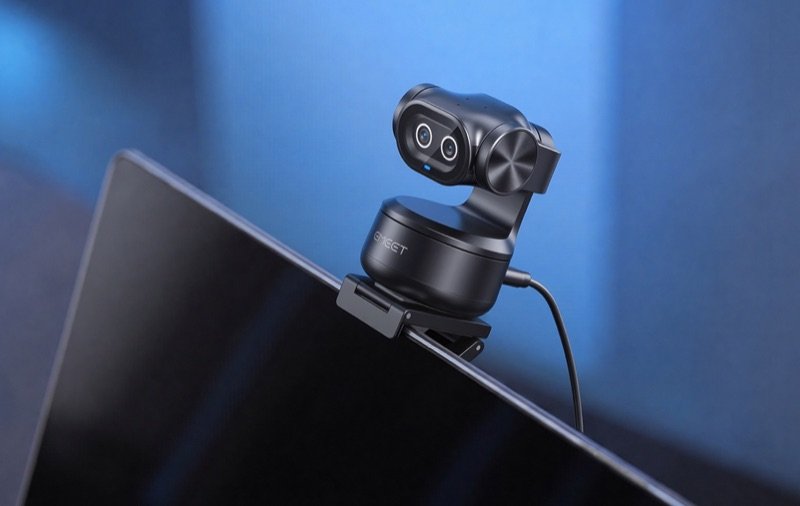
Does it come with a webcam?

Usually not. Lenovo puts its MC60 webcam in the box only with parts 64ADZAR1 and 64ADZAT1; other versions have no camera and no microphone 1. The MC60 is sold on its own and plugs into a USB port made for it on top of the screen 15.

Is a newer 34-inch ThinkVision on the way?

Lenovo announced the ThinkVision P34WD-4v in September 2026, for January 2027 14. It keeps a curved 34-inch WQHD screen and adds Thunderbolt 4 docking and Microsoft-certified VoIP features 14. Lenovo has not said it replaces the P34WD-40 14.

How we made this pick18 sources · checked Nov 17, 2026 · we have not used itRead how

We have not used this product ourselves. This brief is built from the maker's specs and manual and from expert tests. Few owner reports were open for us to read, so this page does not say how common a problem is among owners. Sources are listed below.

18sourcesThree lab tests and three writers who used it, five of them in Europe, plus Lenovo's own sheets and a CPSC recall search.
Nov 17, 2026checked
See sources
  1. 1Lenovo PSREF: ThinkVision P34WD-40 specifications (PDF, 24 Nov 2025)Nov 17, 2026
  2. 2Lenovo datasheet: ThinkVision P34WD-40 MonitorNov 17, 2026
  3. 3TrustedReviews: Lenovo ThinkVision P34WD-40 (Reece Bithrey, 30 Mar 2026)Nov 17, 2026
  4. 4ITdaily (Belgium, in Dutch): Lenovo ThinkVision P34WD-40 (Joachim Cruysberghs, 14 Oct 2025)Nov 17, 2026
  5. 5TechnologyInsider (Netherlands): Lenovo ThinkVision P34WD-40, results page (Frank Everaardt, 14 Jan 2026)Nov 17, 2026
  6. 6Lyd & Bilde (Norway): Lenovo ThinkVision P34WD (John Alex Hvidlykke, 3 Dec 2025)Nov 17, 2026
  7. 7TuttoTech (Italy): Lenovo ThinkVision P34WD-40 (Salvatore Gallo, 15 Mar 2026)Nov 17, 2026
  8. 8TheReviewRewind: Lenovo ThinkVision P34WD-40 (Daniel Strongin, 15 Aug 2026)Nov 17, 2026
  9. 9Lenovo PSREF: ThinkVision T34WD-40 specifications (PDF, 24 Nov 2025)Nov 17, 2026
  10. 10RTINGS: Dell U3425WE lab testNov 17, 2026
  11. 11Lenovo PSREF: ThinkVision P34w-20 specifications (PDF, 18 Apr 2025)Nov 17, 2026
  12. 12Bjango: Mac external displays for designers and developers (Marc Edwards)Nov 17, 2026
  13. 13Webvision: Visual Acuity (Kalloniatis and Luu)Nov 17, 2026
  14. 14Lenovo StoryHub: new Think-family devices and displays (Berlin, 3 Sep 2026)Nov 17, 2026
  15. 15TCO Certified, generation 10, for displays (criteria, 2024)Nov 16, 2026
  16. 16CPSC recall search: LenovoNov 17, 2026
  17. 17CPSC recall search: ThinkVisionNov 17, 2026
  18. 18Ergotron LX Pro product specification sheet (05.06.2026)Nov 16, 2026

Update log

  • Nov 17, 2026 First version of this research brief.
How we research

Do you own it?

Tell other buyers how the Lenovo ThinkVision P34WD-40 works for you.

How long have you owned it? (if you like)

Only your words, and how long you have owned it if you say. No name, no email, no cookie. Nothing shows here until we approve it. How we handle answers.

Did this help?

Related

More picks