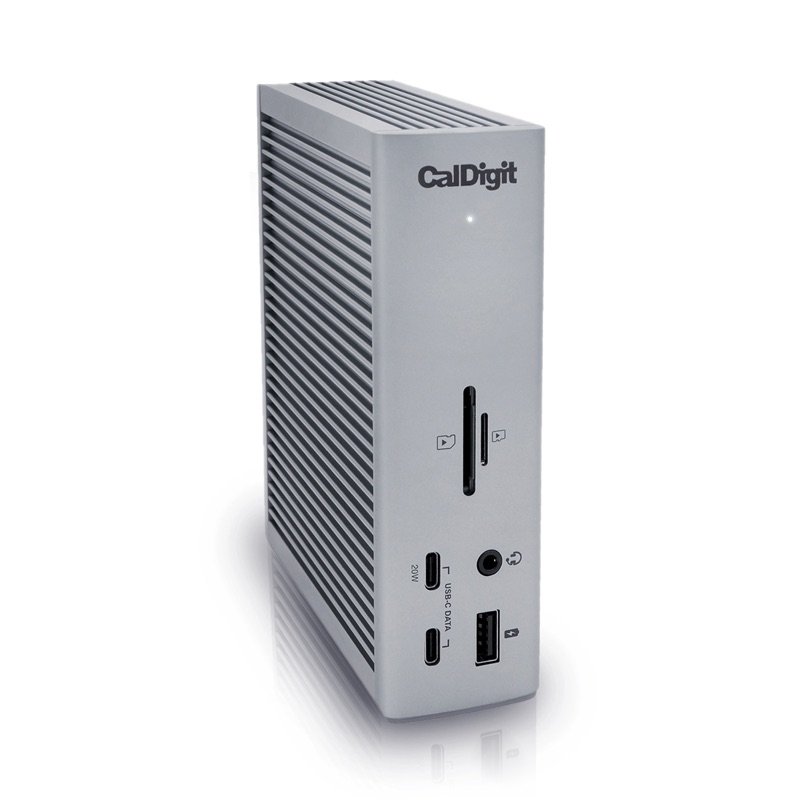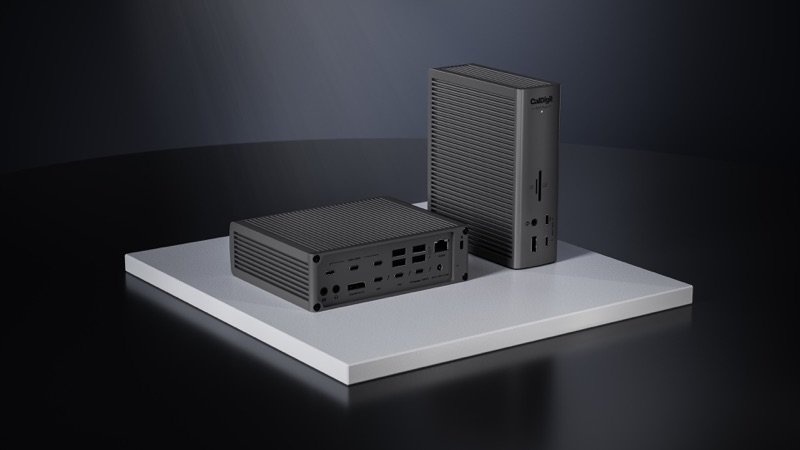

Two CalDigit TS5 Plus docks in space black on a white plinth, one showing its back ports and one its front
Photo: CalDigit
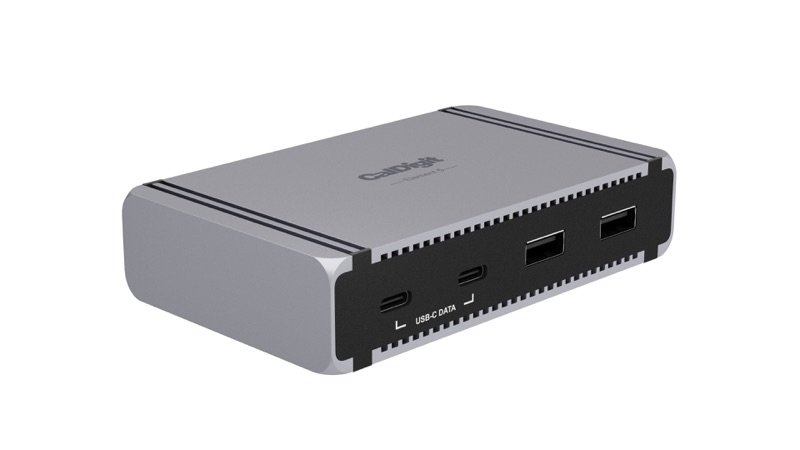
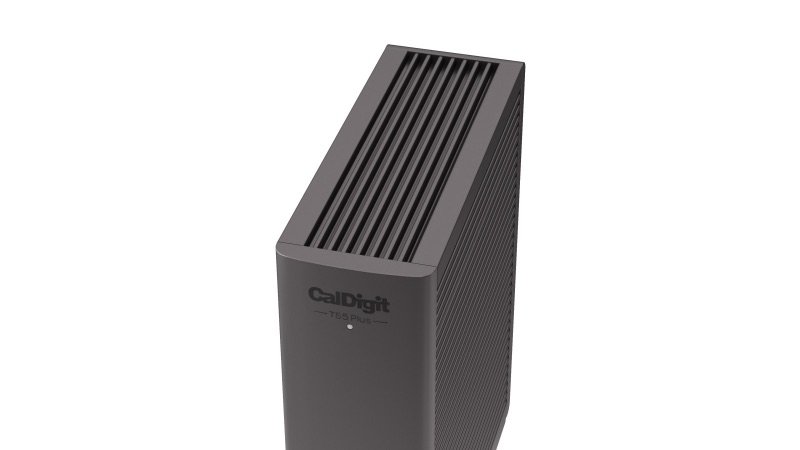
Close view of the CalDigit TS5 Plus top, with its cooling fins
Photo: CalDigit
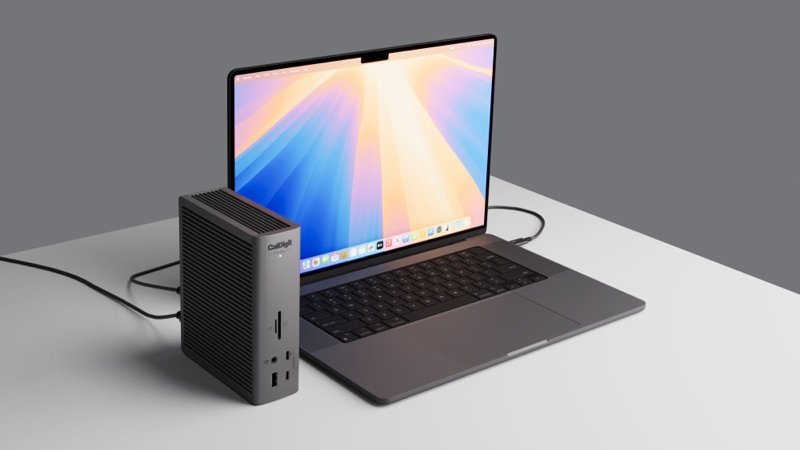
CalDigit TS5 Plus standing next to an open laptop on a desk
In use · Photo: CalDigit
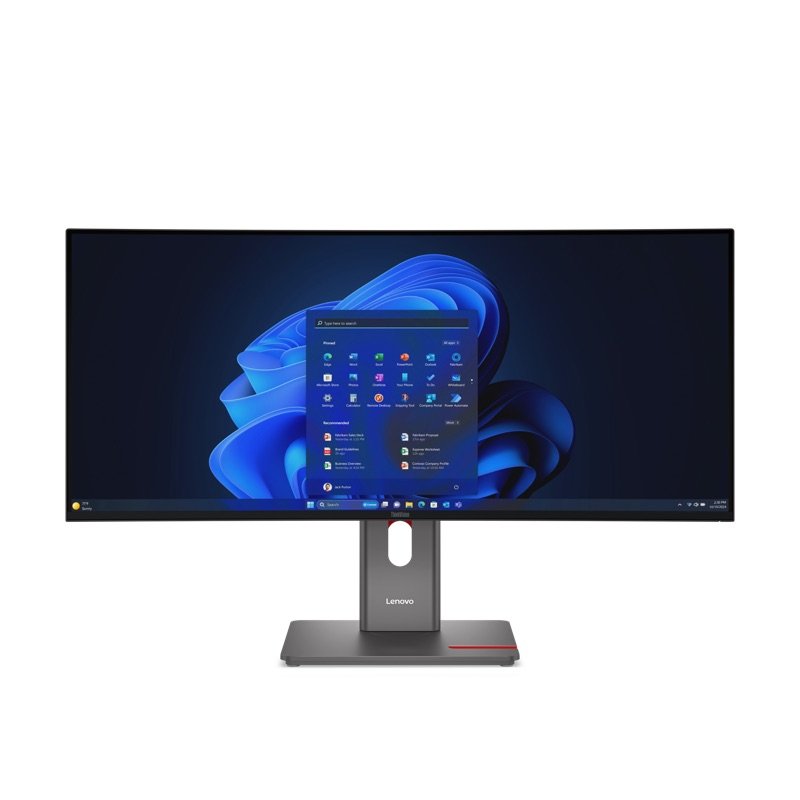
The TS5 Plus standing beside a monitor, with a tablet and headphones on the desk
In use · Photo: CalDigit

Pick #39 · Docks, Hubs & Storage

CalDigit TS5 Plus Thunderbolt 5 Dock: Do you need the Plus, or is the plain TS5 enough?

Good, with a catch

20 ports with 10 Gb Ethernet and a DisplayPort; pay the extra over the TS5 only if you'll use them.

  • 1Tom's Hardware's network check reached the full 10 Gb/s 10
  • 2Ten 10 Gb/s USB ports, split over two USB controllers 117
  • 3On Linux, USB-A ports stayed dead until owners approved the dock 27

We earn a commission if you buy through links on this page. It costs you nothing extra.

Good for

  • A 10 Gb network or a fast NAS
  • M5 Pro or M5 Max MacBook Pros running 3–4 screens
  • Many USB drives and gadgets on one desk

Not for

  • Your network is 2.5 Gb or slower: the TS5 runs cooler
  • You use Linux or a USB4 PC and can't try it first

Quick facts

10 Gb/sEthernet built in (CalDigit)
20 portsincl. a DisplayPort 2.1
4 screenson an M5 Max; 3 on an M5 Pro
40–41 °Ccase under load (Cult of Mac)
All specs that matter
Ports
20: 3 TB5, 5 USB-C, 5 USB-A, DP 2.1, SD, microSD, 10GbEPlus 3 audio jacks. One Thunderbolt port goes to the computer; USB ports carry data, not video. 1
Video
DisplayPort 2.1 + 2 spare Thunderbolt 5 portsNo HDMI: an HDMI screen needs an adapter. 1
Ethernet
10 Gb/s (also runs at 5, 2.5 and 1 Gb/s)Needs Thunderbolt, or USB4 with PCIe. 1
Laptop charging
Up to 140 W, says CalDigitCovers a 16-inch MacBook Pro with a Pro or Max chip. 1
Accessory power
36 W: front USB-C, 2 Thunderbolt 5; 7.5 W the restFast-charges a phone or tablet from the front. 1
Power brick
330 W, separate (24 V, 13.75 A)About 7 × 3.5 in (18 × 9 cm), longer than the dock, says MacRumors 11. 2
Size and weight
6.10 × 1.85 × 5.03 in (155 × 47 × 128 mm), 1.98 lb0.90 kg; bigger than the plain TS5 (5.55 × 1.65 × 4.46 in). 1
Computer needed
macOS 15+, or Windows 11 with Thunderbolt 4+Not Thunderbolt 3 Windows PCs or plain USB-C. 1
Warranty
2 years from CalDigit.1

From the maker

Video: CalDigit on YouTube

Introducing the TS5 and TS5 Plus | CalDigit Thunderbolt 5 DocksPlays in YouTube's player. Nothing loads from YouTube until you tap.

What it does well

10 Gb Ethernet built in, and it reached full speed

Big files to a NAS or across a fast office network can move much faster through the CalDigit TS5 Plus. Its Ethernet port runs at 10 Gb/s, ten times the usual 1 Gb/s 1. The plain TS5 stops at 2.5 Gb/s 120. The port also runs on 5, 2.5 and 1 Gb networks 1.

Tom's Hardware's network speed check (iPerf3) reached the port's full rated speed 10. StorageReview, whose writer owns one, saw the same 18.

Windows needs CalDigit's free network driver first 5.
Fast drives lose little through it, in three outlets' numbers

Drives on its Thunderbolt 5 ports run close to their full speed. CalDigit's top figure for them is 6,200 MB/s 1.

Three outlets measured a fast SSD through the dock:

  • Tom's Hardware: reads a little over 5,300 MB/s, writes 5,520 MB/s, nearly the same as through the plain TS5 10
  • MacRumors: up to 5,154 MB/s reading and 4,647 MB/s writing, slightly below a direct link 11
  • Creative Bloq: reads 6,758 MB/s against 6,956 MB/s direct 12

Creative Bloq's writes fell more, from 5,273 to 4,578 MB/s 12.

Ten fast USB ports on two controllers, and 36 W ports

You get ten fast USB ports, split so that many drives do not crowd one link. All ten run at 10 Gb/s: five USB-C and five USB-A, with one USB-A port on the front 117. They sit on two USB controllers; the second needs a Thunderbolt computer, or USB4 with PCIe 1.

Three ports also charge fast. The front USB-C port and the two spare Thunderbolt 5 ports give 36 W each 1. That is an iPhone 16 Pro Max's full rate, says CalDigit 1. The plain TS5 gives 20 W and 15 W there 20.

Six of the 13 owners say it works well 2324252627.

A DisplayPort, and up to four screens on an M5 Max

This dock gives a monitor its own port, which the plain TS5 does not. It has a DisplayPort 2.1, plus two spare Thunderbolt 5 ports that also take screens 120.

For M5 MacBook Pros, CalDigit lists 1:

  • M5 Pro: three screens
  • M5 Max: four, if one is a Thunderbolt monitor that passes the signal on to the last

Apple gives the same maximums for those chips, at up to 6K 60 Hz or 4K 144 Hz each when all are on 78.

140 W for the laptop, power to spare, and a named safety certificate

It can fast-charge even a big laptop while your other gadgets charge too. Through the port marked Computer, a laptop gets up to 140 W 1. CalDigit names the 16-inch MacBook Pro with a Pro or Max chip as one that needs that much 1.

The 330 W brick covers every port at once; 9to5Mac adds them up to 315.5 W 16. MacRumors saw a 16-inch MacBook Pro fast-charge while an iPhone, iPad Pro, Apple Watch, AirPods and a MacBook Air charged from the dock 11.

On safety, it carries a lab certificate: Global Certification Corp. checked it against EN 62368-1:2020, the safety standard for IT equipment 6. As for recalls, the CPSC lists none for any CalDigit product 9. It has been sold in the US since late April 2025 3.

What owners complain about

From 13 owner comments on 9 sites

5 of 13 owners

Setup trouble on some PCs and on Linux

Linux users and Framework laptop owners should expect some setup work. It is the biggest owner theme, yet none of the five macOS owners reported it 2223252628.

On Linux, USB-A ports stayed dead until owners approved the dock as a Thunderbolt device 27. One Framework 13 would not charge from it, and a Framework 16 would not work with it; an HP Windows laptop did 27. A desktop owner needed BIOS changes before the 10 Gb port came up 30.

This matches CalDigit's own rules. Ethernet and the second USB controller need Thunderbolt, or USB4 with PCIe 12. Laptops with their own charging plugs will not charge from it 12.

TipOn Linux, approve the dock with boltctl 27. Update its Thunderbolt and charging firmware 45. On a USB4 PC, ask its maker about PCIe support 1.

2 of 13 owners, 1 expert

A screen that would not show, or dropped out

A screen may stay dark or blink out through the dock. One owner's Dell ultrawide got no picture over USB-C from two Macs 22. On DisplayPort it dropped out now and then, even after a firmware update 22. The cables worked straight into the Macs, so the dock went back 22.

Another owner's screens blanked for a moment on an M5 Max under very heavy AI work 28. That owner puts it down to memory load 28.

Digital Camera World's monitor stayed dark until it moved its Mac from macOS 14 to 26 15. CalDigit asks for macOS 15 or newer 1. With two owners, this is not yet a pattern.

TipUpdate the Mac to macOS 15 or newer 1 and the dock to firmware 71.1, CalDigit's fix for monitor and USB stability 4.

3 of 10 expert outlets

It runs warm, warmer than the plain TS5

With no fan inside, the metal case carries the heat, so it runs warm 11.

Cult of Mac measured it under load 14:

  • room: 64–68 °F (18–20 °C) 14
  • case: 104–105.8 °F (40–41 °C) 14

Cult of Mac calls that not hot enough to burn, but uncomfortable to touch 14. Tom's Hardware found it warm even with the computer idle, though never too hot to handle 10. MacRumors says the plain TS5 stays cooler 19. Digital Camera World found it cool 15.

CalDigit's safe room range is 50–95 °F (10–35 °C) 2.

TipLay it on the rubber strips from the box, which lift it for airflow 14; keep the room under 95 °F (35 °C) 2.

We earn a commission on these Amazon links. It costs you nothing extra.

Check price on Amazon

Will your computer get everything the Plus offers?

Pick your computer.

Pick your computer.

Choose one to see the answer.

Yes: all of it, 3 or 4 screensM5 Pro: three screens. M5 Max: four, one of them a daisy-chained Thunderbolt monitor 178.
Yes, with 1 or 2 screensBase M1–M3 Macs run one screen through it; base M4 and M5, and M1–M4 Pro or Max, run two 1. Needs macOS 15 or newer 1.
Yes, after one driver installWindows 11, Intel 12th Gen or later, and CalDigit's 10 Gb driver are needed 15. Thunderbolt 5 PCs run up to three screens, Thunderbolt 4 two 1.
Check first; TB3 Windows: noCalDigit rules out Thunderbolt 3 Windows PCs; on USB4, Ethernet needs PCIe support 1. Owners on Framework laptops and Linux hit charging and setup snags 27.

Other options

We earn a commission on these Amazon links. It costs you nothing extra.

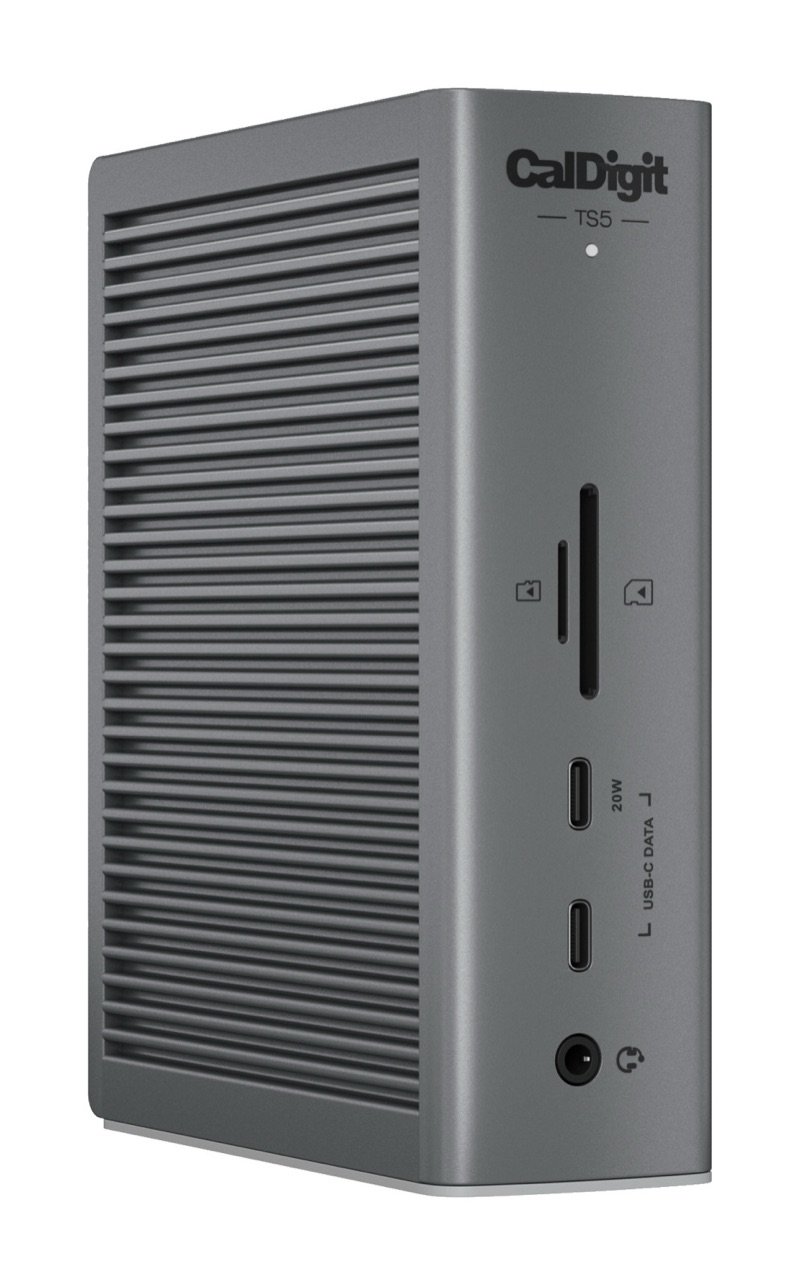
CalDigit TS5 Thunderbolt 5 dock in space gray, standing upright, with its front SD and microSD slots, two USB-C ports and audio jackCheaperCalDigit TS5Same 140 W and screens, a third Thunderbolt port, coolerCheck price on Amazon Two CalDigit TS5 Plus docks in space black on a white plinth, one showing its back ports and one its frontThis oneCalDigit TS5 PlusA Thunderbolt 5 dock with very fast Ethernet and a DisplayPort, for busy desksYou are here DrawingBetteriVANKY FusionDock Ultra26 ports, HDMI, 4 Thunderbolt 5 ports; Mac only, has fansCheck price on Amazon
Ethernet2.5 Gb/s10 Gb/s–
Spare Thunderbolt 5 ports324
Built-in DisplayPortNone2.1–
Measured SSD speedNearly the same (Tom's Hardware)–
Ports–2026
Works with Windows–yesNo
Cooling–fanlessTwo fans

Same 140 W and screens, a third Thunderbolt port, cooler

Ethernet
2.5 Gb/s
Spare Thunderbolt 5 ports
3
Built-in DisplayPort
None
Measured SSD speed
Nearly the same (Tom's Hardware)
Ports
–
Works with Windows
–
Cooling
–
Check price on Amazon
Two CalDigit TS5 Plus docks in space black on a white plinth, one showing its back ports and one its front
This one

CalDigit TS5 Plus

A Thunderbolt 5 dock with very fast Ethernet and a DisplayPort, for busy desks

Ethernet
10 Gb/s
Spare Thunderbolt 5 ports
2
Built-in DisplayPort
2.1
Measured SSD speed
Ports
20
Works with Windows
yes
Cooling
fanless
You are here
Drawing
Better

iVANKY FusionDock Ultra

26 ports, HDMI, 4 Thunderbolt 5 ports; Mac only, has fans

Ethernet
–
Spare Thunderbolt 5 ports
4
Built-in DisplayPort
–
Measured SSD speed
–
Ports
26
Works with Windows
No
Cooling
Two fans
Check price on Amazon

You may also need

Active DisplayPort-to-HDMI adapter

Only for an HDMI screen on the DisplayPort; it must be an active one 1. One Linux owner got only 4K 60 Hz to a TV this way 29.

CalDigit's 10 Gb Ethernet driver (Windows)

A free download; CalDigit says every Windows user must install it for the network port 15.

A network faster than 1 Gb/s

The 10 Gb port only gains on a network that runs that fast, as Creative Bloq notes 12.

Value check

Premium tier

Pay clearly less, at CalDigit's list prices, and the plain TS5 still gives you the same 140 W and the same screens 1. It adds a third Thunderbolt 5 port, and in Tom's Hardware's numbers its drive speeds match 110.

The iVANKY FusionDock Ultra costs more and adds HDMI and more ports 21. But it works only with Apple silicon Macs, takes two Mac ports and has fans 2110.

Prices change. See today's price on Amazon. We earn a commission on it. It costs you nothing extra.

Questions

Is the TS5 Plus worth it over the plain TS5?

Only if you will use what it adds 1:

  • 10 Gb Ethernet instead of 2.5 Gb 1
  • a DisplayPort
  • ten 10 Gb/s USB ports on two controllers 1
  • 36 W charging ports 1

Both charge a laptop at up to 140 W and run the same screens on each Mac 1. The TS5 keeps a third spare Thunderbolt 5 port and is smaller 1. It also runs cooler, says MacRumors 19.

Does the TS5 Plus work on macOS Sonoma?

CalDigit asks for macOS 15 or newer 1. Digital Camera World's monitor, card reader and audio did not work through the dock until it updated its Mac from macOS 14 to macOS 26 15.

Can it charge a phone or camera batteries without the laptop?

Yes. The front USB-A port, all five USB-C ports and two of the rear USB-A ports keep charging with no computer attached 1. TechRadar used it this way for camera batteries and phones 13.

How we made this pick30 sources · 13 owner comments · checked Nov 16, 2026 · we have not used itRead how

We have not used this product ourselves. This brief is built from the maker's specs and manual, expert tests and owner feedback. Sources are listed below.

30sources
13owner comments
Nov 16, 2026checked
See sources
  1. 1CalDigit TS5 Plus Thunderbolt 5 Dock product page (specs, compare table, FAQ)Nov 16, 2026
  2. 2CalDigit TS5 Plus user manual (English PDF)Nov 16, 2026
  3. 3CalDigit: Introducing the TS5 & TS5 Plus (7 Apr 2025, updated 28 Apr 2025)Nov 16, 2026
  4. 4CalDigit: TS5 Plus, TS5 and Element 5 Hub macOS firmware update (modified 29 Sep 2026)Nov 16, 2026
  5. 5CalDigit downloads: TS5 Plus drivers, firmware and certificatesNov 16, 2026
  6. 6Global Certification Corp. Certificate of Compliance, CalDigit TS5 Plus (Report L522701, EN 62368-1:2020)Nov 16, 2026
  7. 7Apple Support: How many displays can be connected to MacBook Pro with M5 Pro chipNov 16, 2026
  8. 8Apple Support: How many displays can be connected to MacBook Pro with M5 Max chipNov 16, 2026
  9. 9CPSC recalls search (saferproducts.gov) for CalDigit, 16 Nov 2026Nov 16, 2026
  10. 10Tom's Hardware: Testing the top Thunderbolt 5 docks (Brandon Hill, 8 May 2026)Nov 16, 2026
  11. 11MacRumors: CalDigit TS5 Plus dock, maximum ports and power (Juli Clover, 1 Aug 2025)Nov 16, 2026
  12. 12Creative Bloq: CalDigit TS5 Plus Thunderbolt 5 dock (Ian Evenden, 12 Jun 2025)Nov 16, 2026
  13. 13TechRadar: CalDigit TS5 Plus docking station (Alastair Jennings, 20 Jul 2025)Nov 16, 2026
  14. 14Cult of Mac: CalDigit TS5 Plus, a Thunderbolt dock without limits (Rajesh Pandey, 17 Dec 2025)Nov 16, 2026
  15. 15Digital Camera World: CalDigit TS5 Plus Thunderbolt 5 dock (Paul Hatton, 10 Jan 2026)Nov 16, 2026
  16. 169to5Mac: CalDigit TS5 Plus, a 20-port Thunderbolt 5 dock (Jeff Benjamin, 7 Jun 2025)Nov 16, 2026
  17. 17Windows Central: CalDigit TS5 Plus for Windows power users (Cale Hunt, 26 Jun 2025)Nov 16, 2026
  18. 18StorageReview: CalDigit TS5 Plus, a single-cable Thunderbolt 5 dock (Vincent Carnevale, 19 Aug 2025)Nov 16, 2026
  19. 19MacRumors: CalDigit TS5 and Element 5 Hub, two Thunderbolt 5 docks (Juli Clover, 5 Jun 2026)Nov 16, 2026
  20. 20CalDigit TS5 Thunderbolt 5 Dock product page (cheaper option)Nov 16, 2026
  21. 21iVANKY FusionDock Ultra product page (better option)Nov 16, 2026
  22. 22MacRumors Forums: comments on the TS5 Plus article, page 1Nov 16, 2026
  23. 23Tom's Hardware: reader comments under its Thunderbolt 5 dock testNov 16, 2026
  24. 24Hacker News comment search: CalDigit TS5 PlusNov 16, 2026
  25. 25MPU Talk: an owner's TS5 Plus desk rebuild (Jul 2025)Nov 16, 2026
  26. 26MPU Talk: Docking station or USB hub? (2025)Nov 16, 2026
  27. 27Framework Community: USB-C/Thunderbolt Dock Megathread (posts 570-684)Nov 16, 2026
  28. 28GitHub: ollama issue 15368, an owner's M5 Max and TS5 Plus setup (Apr 2026)Nov 16, 2026
  29. 29GitHub: linux-aurora issue 132, TS5 Plus on an M2 Max under Linux (Oct 2026)Nov 16, 2026
  30. 30GitHub: an owner's notes on the TS5 Plus with Z890 boards under LinuxNov 16, 2026

Update log

  • Nov 16, 2026 First version of this research brief.
How we research

Do you own it?

Tell other buyers how the CalDigit TS5 Plus works for you.

How long have you owned it? (if you like)

Only your words, and how long you have owned it if you say. No name, no email, no cookie. Nothing shows here until we approve it. How we handle answers.

Did this help?

Related

More picks