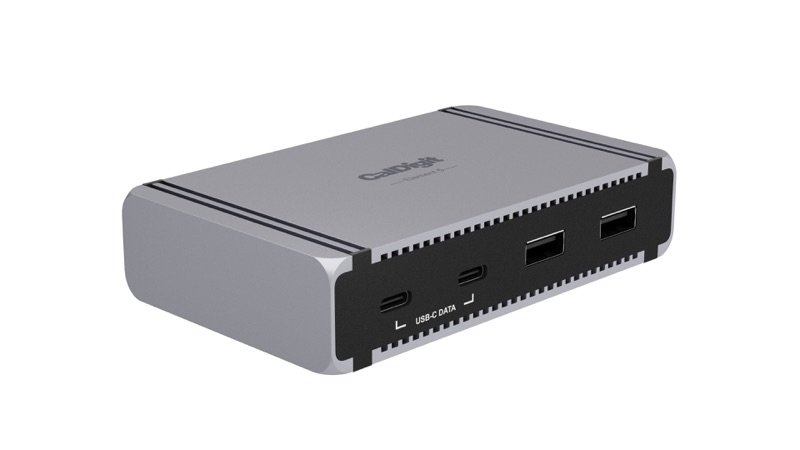
CalDigit Element 5 Hub in space gray, seen from the front right: two USB-C and two USB-A ports
Photo: CalDigit
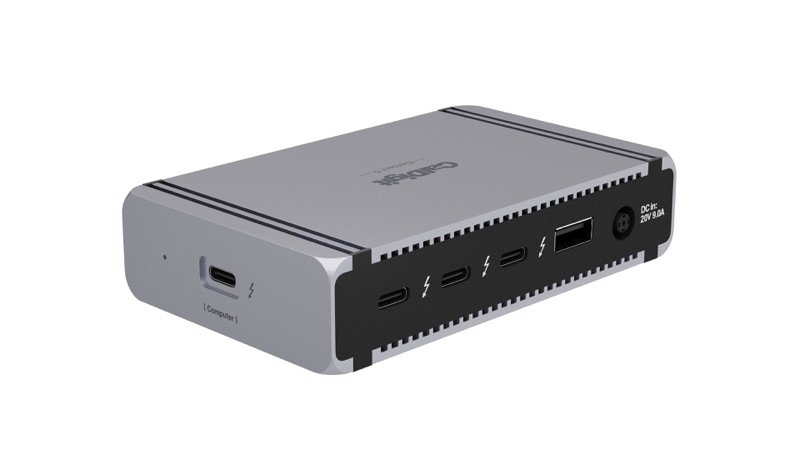
CalDigit Element 5 Hub from the back right, with its Thunderbolt 5 ports and the port for the computer on the end
Photo: CalDigit
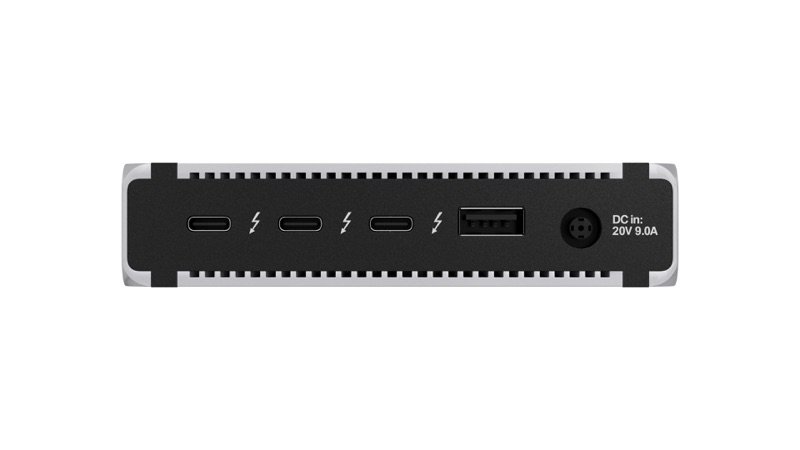
Back of the CalDigit Element 5 Hub: three Thunderbolt 5 ports, a USB-A port and the power input
Photo: CalDigit
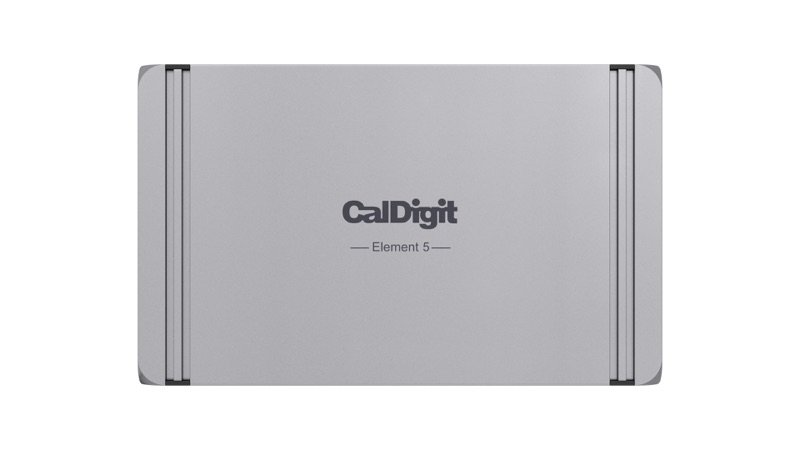
Top of the CalDigit Element 5 Hub, with the CalDigit and Element 5 names
Photo: CalDigit
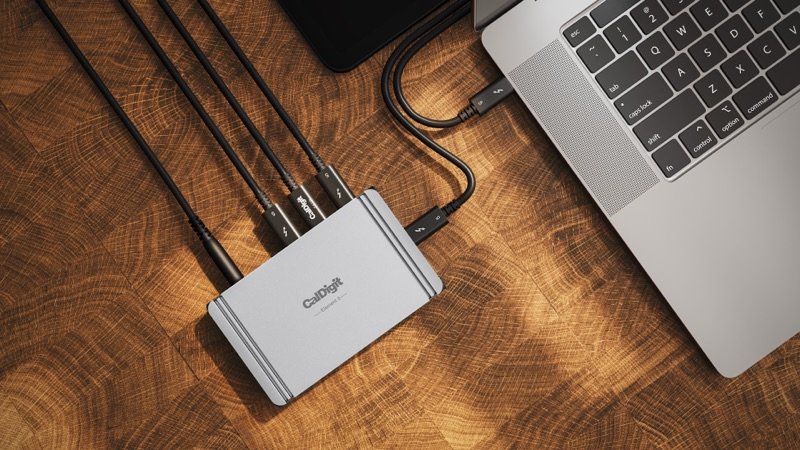
The Element 5 Hub on a wooden desk with cables to a laptop
In use · Photo: CalDigit
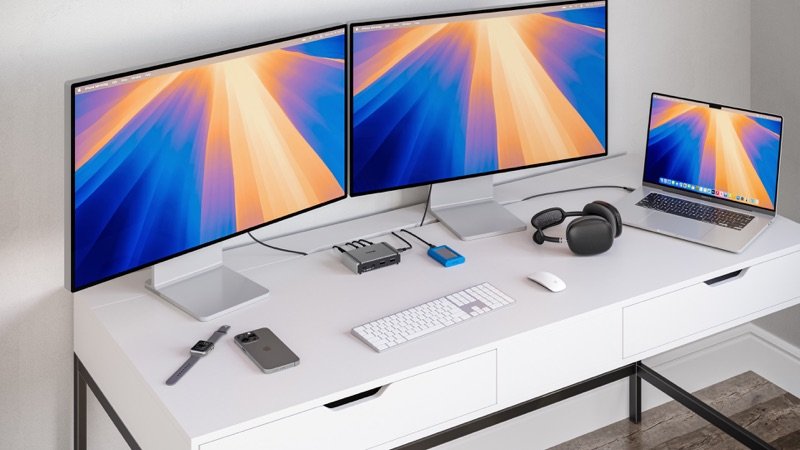
A desk with two monitors and a laptop, the Element 5 Hub on the desk
In use · Photo: CalDigit

Pick #24 · Docks, Hubs & Storage

CalDigit Element 5 Hub (Thunderbolt 5): Hub or TS5 dock, and is 90 W enough for my Mac?

Good, with a catch

Nine fast ports in a phone-size box; but 90 W is too little to fast-charge a MacBook Pro.

  • 1Fast drives keep nearly full speed through it in 9to5Mac's test 8
  • 2It charges a 14 or 16 in MacBook Pro, but not at fast-charge speed 17
  • 3No HDMI, Ethernet or card reader: screens use the Thunderbolt ports 1

We earn a commission if you buy through links on this page. It costs you nothing extra.

Good for

  • More Thunderbolt 5 and USB ports, without a full dock
  • A Mac mini or Mac Studio desk
  • MacBook Airs and laptops that need 90 W or less

Not for

  • You want fast charging on a 14- or 16-inch MacBook Pro
  • You need Ethernet, SD cards or HDMI built in

Quick facts

9 ports4 Thunderbolt 5, 5 USB
90 Wlaptop charging (CalDigit)
0.44 lb0.20 kg; 4.5 × 2.75 × 1 in
5,144.5 MB/sSSD read via hub (9to5Mac)
All specs that matter
Ports
9: 4 Thunderbolt 5, 3 USB-A, 2 USB-COne Thunderbolt port runs to the computer; the USB ports carry data and power, not video. 1
Video ports
None built inScreens use the spare Thunderbolt 5 ports; through an HDMI adapter, M1–M4 Macs top out at 4K 60 Hz. 1
Laptop charging
Up to 90 W (CalDigit's figure)Below the 96 W Apple lists for fast charging a 14-inch MacBook Pro 7. 1
Link to the computer
Thunderbolt 5, 80 Gb/s (120 Gb/s Boost)Full speed needs a Thunderbolt 5 or USB4 v2 computer; Thunderbolt 4 ones get reduced functions. 2
Power supply
External 180 W brickThe hub does not work without it 1; CalDigit says to use only the one in the box. 2
Footprint and weight
4.48 × 2.75 × 1.0 in, 0.44 lb (0.20 kg)114 × 70 × 25.5 mm; about a third of the TS5's weight. 1
Cable in the box
Thunderbolt 5, 0.8 m (2.6 ft)Short; any longer cable should be full-speed 80 Gb/s Thunderbolt 5, says CalDigit. 2
Warranty
2 years from CalDigit.1

From the maker

Video: CalDigit on YouTube

Introducing the CalDigit Element 5 Thunderbolt 5 HubPlays in YouTube's player. Nothing loads from YouTube until you tap.

What it does well

Nine ports in a box smaller than a phone

One Thunderbolt cable becomes eight more ports on the CalDigit Element 5 Hub 1. Three are spare Thunderbolt 5 ports at 80 Gb/s 1. The other five are USB ports at 10 Gb/s: three USB-A and two USB-C 1. Count the port to your computer and it has nine. Macworld had seen no Thunderbolt hub with more ports 11.

It measures 4.48 × 2.75 × 1.0 in (114 × 70 × 25.5 mm) and weighs 0.44 lb (0.20 kg) 1. MacRumors found it smaller than an iPhone 12. The computer cable plugs into one end, so the hub can sit on either side of a laptop 211.
Fast drives keep nearly full speed through it, measured

A fast SSD loses almost no read speed through the hub, and only some write speed.

9to5Mac ran Blackmagic's speed check on an M4 Pro Mac with a Thunderbolt 5 SSD 8:

  • reads: 5,144.5 MB/s through the hub, 5,158.5 MB/s plugged straight into the Mac 8
  • writes: 5,236.6 MB/s straight in, 4,640.6 MB/s through the hub 8
  • through CalDigit's older Thunderbolt 4 hub, reads of only 2,809.3 MB/s 8

Migovi measured about 6,100 MB/s on a Windows desktop, with or without the hub in between 9. These speeds need a Thunderbolt 5 or USB4 v2 computer; older ones get reduced functions 2.

90 W that holds steady as you plug things in

Plug in more gadgets and your laptop's power holds steady, CalDigit says. Its 180 W brick keeps 90 W flowing to the laptop, however many devices you add 1.

Each spare Thunderbolt port gives 15 W and each USB port 7.5 W, and they keep charging gadgets with no computer attached 1. Windows Central checked these ports with an inline meter and found CalDigit's numbers true 10. The 90 W laptop figure is CalDigit's own 1.

As many screens as the bigger TS5

Choosing the hub over CalDigit's TS5 dock costs you no screens. MacRumors points this out 12, and CalDigit's chart gives both one row: from one screen on base M1–M3 Macs up to four on an M5 Max 4.

Monitors with USB-C plug straight into a spare Thunderbolt 5 port; others need an adapter 1.

A lab safety certificate and steady expert praise

It has held up well in long use. TechRadar ran it for about 120 days with macOS, Windows, ChromeOS and iPadOS without trouble 13. Macworld names it its top Thunderbolt 5 hub 11. Two of three owners call it reliable; the third, on a Linux laptop, is mostly happy 151617.

Global Certification Corp., a test lab in Taiwan, certified the Element 5 Hub under EN 62368-1:2020 6. That standard covers the safety of IT and audio-video equipment 6. No CalDigit product has a recall notice from US safety regulators (the CPSC) 20.

It has been on sale since January 2025 3. CalDigit's firmware page, updated in September 2026, lists version 71.71 for it 5.

Known problems

From expert tests.

6 of 8 expert outlets

No video, network or card ports

Plan on adapters if you need a screen port, wired network or SD cards. The hub has no HDMI, DisplayPort, Ethernet, SD reader or audio jack 1. That is a design choice, not a fault.

Six of the eight expert outlets point this out 1091112814. Windows Central notes that monitors without USB-C need a dongle 10. Migovi feels it does not suit Thunderbolt newcomers 9.

TipPut USB-C to HDMI or DisplayPort adapters on the spare Thunderbolt ports 1, and add a USB-C Ethernet adapter or card reader, as Macworld suggests 11.

2 of 8 expert outlets

Several big screens can slow your fastest drive

With big screens and a fast SSD on the hub at once, the other ports can slow down. Windows Central saw this with a Thunderbolt 5 SSD and a couple of high-resolution monitors 10. Ordinary USB-C drives with two screens were fine 10.

Everything on the hub shares one Thunderbolt link to the computer 8. When Bandwidth Boost sends up to 120 Gb/s to monitors, up to 40 Gb/s is left for the rest 2.

TipPlug the fastest drive straight into another port on the computer, or run fewer high-refresh screens through the hub. Both follow from how the hub shares its link 28.

2 of 8 expert outlets

Plastic port panels pick up scratches

The plastic port panels scuff, but only their looks suffer. The body is aluminium, but the two long faces that hold the ports are plastic 9. Migovi calls them easy to scratch 9.

Windows Central says they get scratched with regular use, as on the older Element Hub it used for years 10. Neither outlet reported a fault.

TipNo fix for the panels. The rubber feet strips in the box keep the case from scratching, or being scratched by, your desk 110.

We earn a commission on these Amazon links. It costs you nothing extra.

Check price on Amazon

Will 90 W keep my Mac charging at full speed?

Pick your Mac.

Pick your Mac.

Choose one to see the answer.

Yes, 90 W is enoughApple fast-charges an Air from a 70 W adapter or an 85 W display 7. The hub's steady 90 W is more, and CalDigit lists Airs as fast-charged 1.
Charges, but not at fast-charge speedApple lists fast charge for it only from a 96 W or 140 W adapter or a 94 W display 7. At 90 W it charges, more slowly 1.
Charges, but below its 140 W speedFast charge needs Apple's 140 W adapter 7. CalDigit suggests the laptop's own charger for heavy work 1; MacRumors' 16-inch stayed charged 12.
Yes: no charging neededThe hub sends no power to these Macs; it only adds ports 1. 9to5Mac used it with an M4 Pro Mac mini, and a drive behind it linked at 80 Gb/s 8.

Other options

We earn a commission on these Amazon links. It costs you nothing extra.

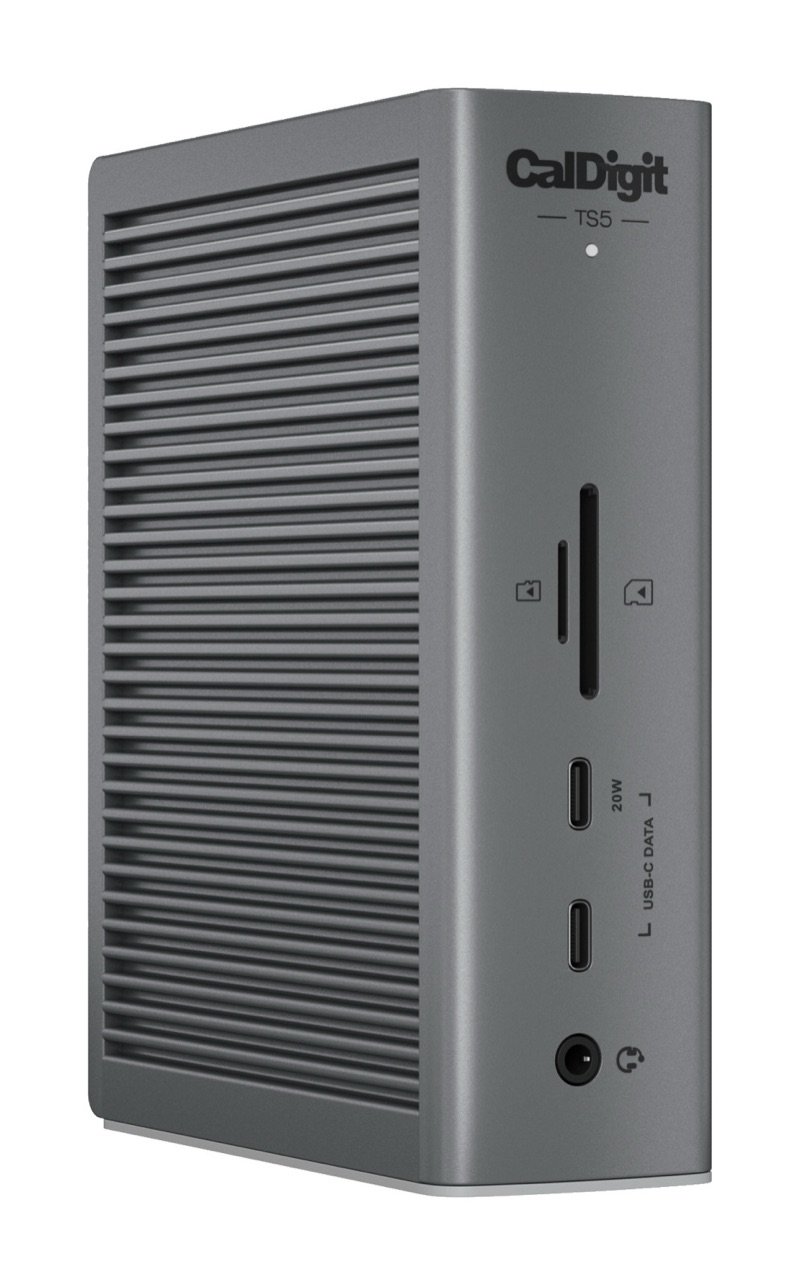
DrawingCheaperOWC Thunderbolt 5 HubCheaper, 140 W charging, but just one USB-A portCheck price on Amazon CalDigit Element 5 Hub in space gray, seen from the front right: two USB-C and two USB-A portsThis oneCalDigit Element 5 HubAdds fast Thunderbolt 5 and USB ports to a small desk, without a full dockYou are here CalDigit TS5 Thunderbolt 5 dock in space gray, standing upright, with its front SD and microSD slots, two USB-C ports and audio jackBetterCalDigit TS5A full dock: 140 W, Ethernet, SD cards and audioCheck price on Amazon
Laptop charging140 W90 W140 W
Spare Thunderbolt 5333
Other USB ports1 USB-A3 USB-A, 2 USB-C3 USB-C, 2 USB-A
Ethernet, SD, audioNoneNoneYes
Drawing
Cheaper

OWC Thunderbolt 5 Hub

Cheaper, 140 W charging, but just one USB-A port

Laptop charging
140 W
Spare Thunderbolt 5
3
Other USB ports
1 USB-A
Ethernet, SD, audio
None
Check price on Amazon
CalDigit Element 5 Hub in space gray, seen from the front right: two USB-C and two USB-A ports
This one

CalDigit Element 5 Hub

Adds fast Thunderbolt 5 and USB ports to a small desk, without a full dock

Laptop charging
90 W
Spare Thunderbolt 5
3
Other USB ports
3 USB-A, 2 USB-C
Ethernet, SD, audio
None
You are here

A full dock: 140 W, Ethernet, SD cards and audio

Laptop charging
140 W
Spare Thunderbolt 5
3
Other USB ports
3 USB-C, 2 USB-A
Ethernet, SD, audio
Yes
Check price on Amazon

You may also need

USB-C to HDMI or DisplayPort adapter

Only for screens without USB-C. M1–M4 Macs give HDMI at most 4K 60 Hz; CalDigit suggests DisplayPort for faster screens 1.

USB-C Ethernet adapter or card reader

Only if you need wired network or SD cards: the hub has neither 1. Macworld suggests USB-C adapters for both 11.

Value check

Premium tier

The OWC Thunderbolt 5 Hub costs noticeably less and charges at 140 W 1814. But beside its three Thunderbolt 5 ports, it has just one USB-A port 1814.

CalDigit's TS5 costs clearly more. It adds 140 W charging, Ethernet, card readers and audio 19.

Prices change. See today's price on Amazon. We earn a commission on it. It costs you nothing extra.

Questions

Should I get the Element 5 Hub or the CalDigit TS5?

Get the hub if you only need more ports: it has the same three spare Thunderbolt 5 ports as the TS5 and runs the same number of screens 1419. Get the TS5 for 140 W charging, Ethernet, SD readers or audio jacks, in a box about three times as heavy 191.

Does the Element 5 Hub work with a Mac mini?

Yes. It sends no power to a Mac mini or iMac but adds its ports 1. 9to5Mac used it with M4 Pro Mac mini and MacBook Pro models, which worked as expected 8. One owner says it seems to stop their M4 Pro Mac mini from sleeping properly; that is a single report, not a known fault 15.

How many monitors can it run from my Mac?

Base M1–M3 Macs get one (M3 Airs: two with the lid shut). Base M4 and M5 Macs and M1–M4 Pro and Max chips get two. M5 Pro: three; M5 Max: four 4. Two 4K screens at 240 Hz need an M4 Max or M5 Max 4. DisplayLink, the common trick for extra screens, is not supported 11.

Does it work with a Thunderbolt 4 laptop or a Windows PC?

Yes, with reduced functions. That covers Thunderbolt 4 Macs and PCs, Thunderbolt 3 Intel Macs and USB4 computers; the one exception is a Windows PC with Thunderbolt 3 12.

Windows Central puts a Thunderbolt 4 laptop's limit at two 6K 60 Hz screens through it, and Windows machines with Thunderbolt 5 reach three 101. Laptops that charge only through their own plug will not charge from it 2.

How we made this pick20 sources · 3 owner comments · checked Nov 16, 2026 · we have not used itRead how

We have not used this product ourselves. This brief is built from the maker's specs and manual and from expert tests. Few owner reports were open for us to read, so this page does not say how common a problem is among owners. Sources are listed below.

20sources
3owner comments
Nov 16, 2026checked
See sources
  1. 1CalDigit Element 5 Hub (E5) product page: specs, compare table, FAQNov 16, 2026
  2. 2CalDigit Element 5 Hub user manual (English PDF)Nov 16, 2026
  3. 3CalDigit: Introducing the Element 5 Hub (E5), 31 Jan 2025Nov 16, 2026
  4. 4CalDigit: MacBook Multiple Monitor Support with CalDigit Thunderbolt Docks (modified 3 Mar 2026)Nov 16, 2026
  5. 5CalDigit: TS5 Plus, TS5 and Element 5 Hub macOS firmware update (modified 29 Sep 2026)Nov 16, 2026
  6. 6Global Certification Corp. Certificate of Compliance, CalDigit Element 5 Hub (Report L510906, EN 62368-1:2020)Nov 16, 2026
  7. 7Apple Support: Fast charge your MacBook Air or MacBook Pro (5 Nov 2026)Nov 16, 2026
  8. 89to5Mac: CalDigit Element 5 Hub brings multi-port Thunderbolt 5 to Mac users (Jeff Benjamin, 27 May 2025)Nov 16, 2026
  9. 9Migovi: CalDigit Element 5, less is more (10 Aug 2025)Nov 16, 2026
  10. 10Windows Central: CalDigit Element 5 Hub, triple 4K 144Hz displays from something this small (Cale Hunt, 11 May 2025)Nov 16, 2026
  11. 11Macworld: CalDigit Thunderbolt 5 Element 5 Hub (Simon Jary, 14 Apr 2025)Nov 16, 2026
  12. 12MacRumors: CalDigit TS5 and Element 5 Hub, two Thunderbolt 5 docks (Juli Clover, 5 Jun 2026)Nov 16, 2026
  13. 13TechRadar: CalDigit Element 5 Hub, Thunderbolt 5 speeds but not for everyone (Collin Probst, 5 Jul 2025)Nov 16, 2026
  14. 14Adam Talks Tech: the Thunderbolt 5 docks and hubs to buy (9 Oct 2026)Nov 16, 2026
  15. 15MacRumors: top comments under the TS5 and Element 5 Hub article (owner comment, Jun 2026)Nov 16, 2026
  16. 16Hacker News comment search (Algolia): CalDigit Element 5Nov 16, 2026
  17. 17Framework Community: USB-C/Thunderbolt Dock Megathread, Element 5 owner posts (Jun-Jul 2025)Nov 16, 2026
  18. 18OWC Thunderbolt 5 Hub product page (cheaper option)Nov 16, 2026
  19. 19CalDigit TS5 Thunderbolt 5 Dock product page (better option)Nov 16, 2026
  20. 20CPSC recalls search (saferproducts.gov) for CalDigit, 16 Nov 2026Nov 16, 2026

Update log

  • Nov 16, 2026 Rewritten to be easier to read, with the same facts and sources; added a side-by-side table of the two alternatives.
  • Nov 16, 2026 First version of this research brief.
How we research

Do you own it?

Tell other buyers how the CalDigit Element 5 Hub works for you.

How long have you owned it? (if you like)

Only your words, and how long you have owned it if you say. No name, no email, no cookie. Nothing shows here until we approve it. How we handle answers.

Did this help?

Related

More picks