
Guide · Video Calls & Audio

Video Call Kit for Work From Home (2026)

A camera, a desk mic and headphones for clear calls from home

A good home video call puts a mic close to your mouth, light in front of your face and the camera at eye level 12. The kit below covers the gear: one webcam, a desk mic and headphones.

5 picksChecked Nov 16, 2026

OBSBOT Meet 2 webcam in space grey, from the frontElgato Wave Neo USB microphone from the front, on its desk standBose QuietComfort Ultra Headphones (2nd Gen) in black, from the front
Photos: OBSBOT, Elgato, Bose

The picks side by side

PickTypeKey specMicConnects byBest for
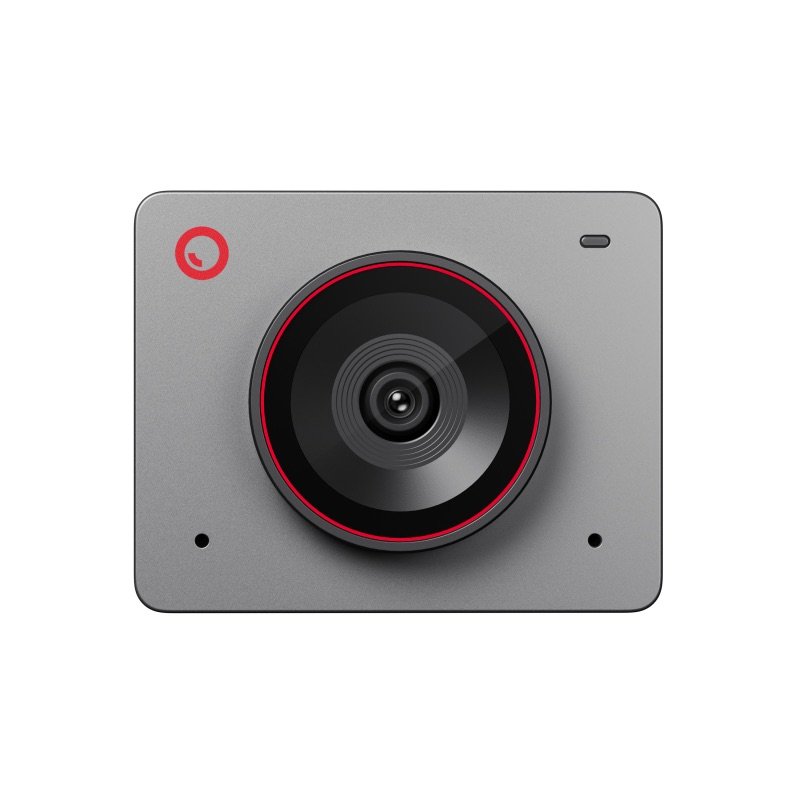
OBSBOT Meet 2 webcam in space grey, from the frontCamera for most peopleOBSBOT Meet 2Photo: OBSBOT
Webcam, autofocus 4K30, 1/2 in sensor 2 mics, called average USB-C (USB 2.0 data) Seated desk calls from a tiny camera
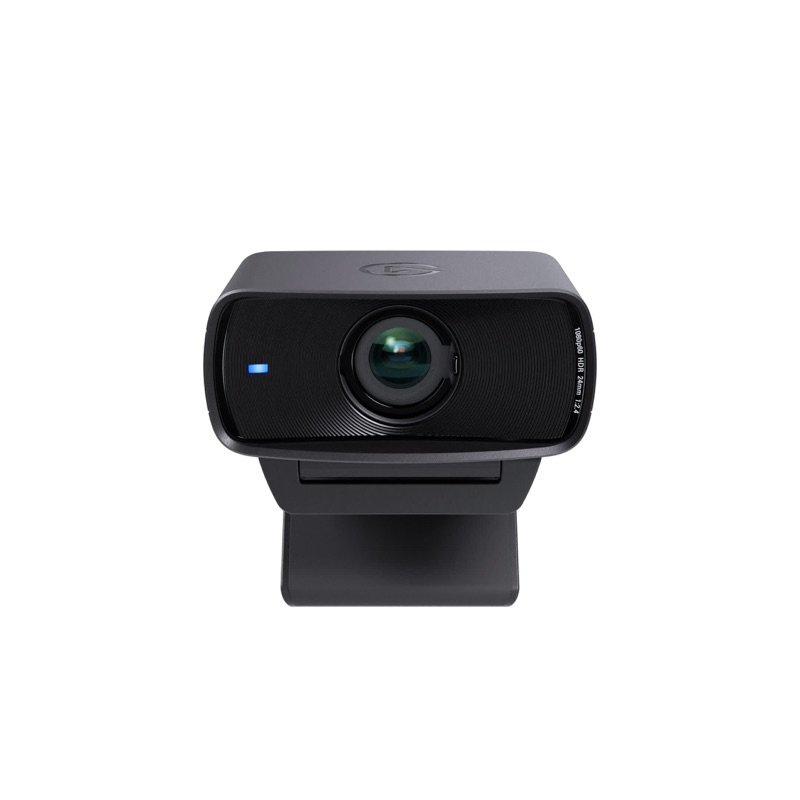
Elgato Facecam MK.2 webcam in black, from the front, with its privacy shutter openCamera if you own a micElgato Facecam MK.2Photo: Elgato
Webcam, fixed focus 1080p60, saved settings None: bring your own USB 3.0 for full 1080p60 Desk calls when you own a mic or headset
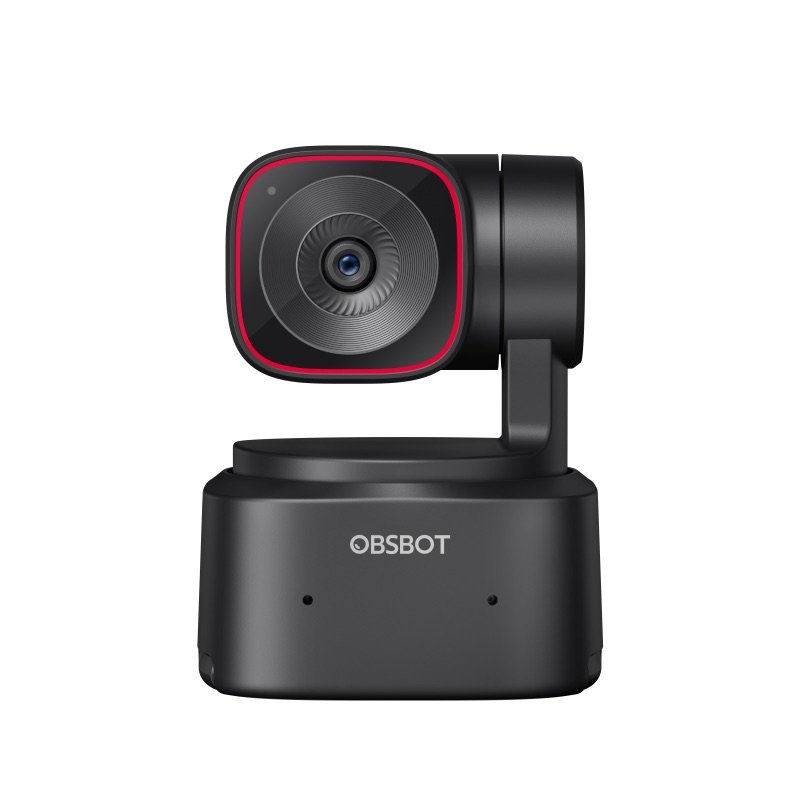
OBSBOT Tiny 2 Lite webcam in black, from the front, on its turning baseCamera if you moveOBSBOT Tiny 2 LitePhoto: OBSBOT
Webcam on a motor Pans ±140°, 4K30 2 mics, mixed views USB-C, port or powered dock Teaching or presenting on your feet
Elgato Wave Neo USB microphone from the front, on its desk standThe desk micElgato Wave Neo USB MicrophonePhoto: Elgato
USB desk mic Condenser, 4–8 in away Tap mute: white or red USB-C to USB-A cable Your voice on daily calls, 4–8 in away
Noise-cancelling headphones 37 h battery (RTINGS lab) 4 mics, off when wired Bluetooth, 2 devices at once Quiet focus and Bluetooth calls in a loud home

For the webcam, most people need the OBSBOT Meet 2, a tiny 4K camera with a large 1/2 in sensor and its own mics 34. If you already own a mic, take the Facecam MK.2 instead. If you move around on camera, take the Tiny 2 Lite. Then add the Elgato Wave Neo, a mic at its best 4–8 in (10–20 cm) from your mouth 5. Headphones keep the call's sound out of your mic 6. The Bose QC Ultra (2nd Gen) also quiets a loud home, but its mic works only over Bluetooth 7.

How we chose

These are research-based picks: we have not used these products.

What decided each part:

  • webcams: the picture in ordinary home light, the mount, the ports and apps
  • the mic: how close it sits, and how much of the room it hears
  • headphones: whether they stop echo, and how their mic connects

Call-app limits come from Microsoft and Google 4344, and call advice from Shure and Logitech 62.

Left out:

  • Elgato's Facecam 4K: its 4K60 goes past the 1080p most meeting apps send, and its privacy cover is a separate cap 5318
  • OBSBOT's newer Meet Flip and Tiny 3 Lite: known only from launch pages and specs 54555657
  • Jabra Evolve3 85: a call headset with a better mic in RTINGS's test, but weaker noise cancelling 5859
  • 1Mic distance, and how much room it hears
  • 2Picture in ordinary home light
  • 3Fits your computer, ports and call apps
  • 4Mounts at eye level; privacy cover
  • 5What expert write-ups and lab tests found
OBSBOT Meet 2 webcam in space grey, from the front
1Camera for most people

OBSBOT Meet 2

Sharp, small and simple: the webcam to start with if you take calls at a desk. Its specs:

  • 4K at 30 fps, or 1080p at 60 fps 34
  • a 1/2 in sensor, larger than most webcam sensors 34
  • autofocus from 10 cm (3.9 in) 34

TrustedReviews found the default picture natural, with accurate color, and the focus lightning quick with products held up to the lens 4. SlashGear called it the sharpest webcam in its price range it had used 8. In dim rooms the big sensor helps, though Tom's Guide raised ISO (the camera's light sensitivity) in the app first 9.

It weighs 1.43 oz (40.5 g) 3. It needs no app, and OBSBOT names Zoom, Microsoft Teams and Google Meet 10. AI framing crops inside a fixed 79.4° view, so nothing turns 3.

CatchFive of 11 expert sources found its two mics average or muffled, so add a mic for long calls 91112413. The magnetic clip can slip off a laptop lid when the cable tugs; the tripod thread is on the camera 141110.

Elgato Facecam MK.2 webcam in black, from the front, with its privacy shutter open
2Camera if you own a mic

Elgato Facecam MK.2

Take this one if you already own a mic or headset, and want a picture that stays the way you set it.

Set exposure, white balance and framing in Elgato's app, and the camera keeps them in its own memory, even on another computer 15. Tom's Guide found its saved look carried over to a Chromebook, where the app does not run 16.

The focus is fixed and sharp from 30 to 120 cm (11.8 to 47.2 in), so it never hunts when you lean back 17. Over USB 3.0 it sends uncompressed 1080p at 60 fps 15. A shutter slides over the lens, so there is no cap to lose 15.

Elgato's own meetings guide calls it its most versatile webcam for calls 18.

CatchNo mic at all, by design 15. Tom's Hardware and TrustedReviews found it noisy in low light, so plan on a light at face level 192018. Its sensor is 1/2.5 in, smaller than the Meet 2's 1/2 in 153. Elgato's newest app, Studio 2.0, needs Windows 11 21.

OBSBOT Tiny 2 Lite webcam in black, from the front, on its turning base
3Camera if you move

OBSBOT Tiny 2 Lite

The only camera here that turns to keep you in shot, so the picture keeps its full size instead of being cropped 23. Its two-axis motor:

  • pans 140° each way 22
  • tilts from 30° down to 70° up 22
  • moves at up to 120° a second 22

PC Gamer walked around a whole room, and the head kept up smoothly 24. Saved presets suit a standing desk: The Gadgeteer kept one angle for sitting and one for standing 2526. If you sit still on calls, PC Gamer calls the motor wasted 24.

Like the Meet 2, it has a 1/2 in sensor 22. It records 4K at 30 fps and focuses from 10 cm (3.9 in) 22.

CatchGestures can fire by accident: an open palm toggles tracking 27, and XDA got zoomed in mid-meeting 28. GamesRadar saw it lose the writer twice 29. On Apple-chip Macs, MakeUseOf's virtual camera failed and Soltura's 4K stuttered 2330.

Elgato Wave Neo USB microphone from the front, on its desk stand
4The desk mic

Elgato Wave Neo USB Microphone

The sound upgrade. A mic close to your mouth hears more of you and less of the room than a laptop's built-in mic 61. GamesRadar found this one clean, and a big step up from a MacBook's built-in mic 31. Tom's Hardware heard a warm, clear voice out of the box 32.

It is a cardioid (front-facing) condenser mic, 11.1 in (282 mm) tall on its riser 5. Elgato asks for 4–8 in (10–20 cm) between it and your mouth 5.

Voice Focus, Elgato's AI filter for noise and echo, is free in its Wave Link app and runs on your own computer 33. A tap on the front mutes it: the light shows white when you are live, and red when you are muted 34.

CatchThree of eight expert write-ups saw the big touch mute trip by itself when a cable or a stray hand touched it 323536. Four found the stand loose 32353136. Gain is set in Wave Link, which lists Windows 11 or macOS 15 3137.

Bose QuietComfort Ultra Headphones (2nd Gen) in black, from the front
5The headphones

Bose QuietComfort Ultra Headphones (2nd Gen)

Headphones keep the call's sound out of your mic, so nobody hears an echo 6. These also shut out a loud home. RTINGS measured superb noise isolation and 37 hours of battery, and calls them great for office work 7. It also found them light, well padded and gentle in their grip 38.

They stay linked to a laptop and a phone at once, and calls ring through from both 39. Bose puts four call mics on the ear cups, two on each 39. RTINGS measured fairly natural speech 7, and Tom's Guide's callers understood the writer from a train and a busy street 40. They weigh 0.58 lb (264 g) 41.

CatchPlug in a cable and the mic switches off, so calls work only over Bluetooth 738. RTINGS found background noise lowered, not removed, and Bose's guide lists no mute control 739. Bose's QuietComfort Headphones (2nd Gen) carry your voice over USB-C 42.

What to look for

1

Fix the sound before the picture

If people ask you to repeat yourself, a better webcam will not help. A mic a few inches from your mouth will. Even Microsoft Teams puts sound first: when bandwidth runs short, it keeps audio quality ahead of video 43.

A laptop's built-in mic is omnidirectional: it hears the whole room, so you can sound far away and tinny 160. Shure's fix is a mic closer to your mouth: a USB desk mic you can pull in, or a headset whose mic sits near your mouth by design 16.

Webcam mics share the problem. Elgato left the mic out of the Facecam MK.2 because a webcam sits too far from your mouth 15. Five of 11 expert sources found the Meet 2's built-in pair average or muffled 91112413.

2

Light your face from the front

Put the main light in front of you, and keep a bright window out of the frame behind you 2. With a bright background, most cameras darken the whole picture, and you turn into a silhouette 2.

Elgato goes further: no webcam, 4K included, fully makes up for a poorly lit desk, and a small light at face level does more than a bigger sensor 18.

The picks show it. Two expert write-ups found the Facecam MK.2 noisy in low light 1920. Lit only by a laptop screen, the XDA writer's face almost vanished on the Tiny 2 Lite 28. The Meet 2's larger sensor helps in dim rooms, but Tom's Guide still raised ISO in the app 39.

Google Meet can brighten a dark picture for you, though Google warns it may slow your computer 44.

3

Call apps send 1080p at most, so 4K is for framing

A 4K webcam's extra pixels mostly help it crop in to frame you, as the Meet 2 does inside its fixed 79.4° view, and zooming in costs sharpness 34. Elgato sums it up: most meeting apps cap at 1080p 18.

Microsoft Teams sends video at up to 1080p and 30 frames a second when the network allows, and HD in under 1.5 Mbps 43. So a 60 fps camera does not help there either: Teams sends up to 30 43.

Google Meet sends 1080p only when all of this is true 44:

  • a computer with a 1080p camera and enough processing power
  • a browser other than Firefox or Safari
  • an edition it lists, such as Business Standard or Google One with 2 TB or more 44

It is off until you switch it on 61. In group calls it is sent only when someone pins you 62.

4

Put the camera at eye level

Put the lens at eye level, not looking up from below: that is Logitech's camera tip 2. A laptop on a desk puts its camera lower than that. A webcam on top of a monitor, or a raised laptop, brings the lens up to your eyes.

Check the mount before you buy:

  • Meet 2: clips on by magnet; the 1/4-20 tripod thread is on the camera 10
  • Facecam MK.2: the clip sits low and tilts the camera forward up to 90° 19; a 1/4 in thread is underneath 15
  • Tiny 2 Lite: hooks over a monitor; the base cannot tilt once mounted, the head can 28

A webcam sits on the top edge of the screen, so our desk height tool shows where that edge should be for your height.

5

Check the port, the cable and the app's system list

All three webcams work in call apps with no extra software 151027. The ports and cables are where they differ.

  • The Facecam MK.2 needs a USB 3.0 port for uncompressed 1080p at 60 fps 15. On USB 2.0 it sends compressed video, and Elgato says to plug it in directly, not through a hub 1517.
  • OBSBOT asks for the cable in the box, and a port on the computer or a dock with its own power 1027.
  • The Wave Neo's cable ends in USB-A, with no adapter in the box 5.

The apps that add the extras ask more of your computer. Elgato's Studio 2.0 needs Windows 11 21. Wave Link 3.0, home of the Wave Neo's gain and Voice Focus, lists Windows 11 or macOS 15 37. Read the app's list as well as the device's.

6

Headphones stop echo; check how their mic connects

An echo on a call usually means someone's speakers are playing the call into their own mic. Shure's fix is headphones, or muting when you are not talking 61.

Headphones bring their own catch. On Windows, classic Bluetooth plays full stereo only while the headset's mic is off 63. Once that mic is in use, sound drops to mono at lower quality, unless the PC and the headset both support the newer LE Audio 63.

Some headphones also turn the mic off on a cable. RTINGS found that on the Bose QC Ultra (2nd Gen), so its calls go over Bluetooth 7. If you pair headphones with a desk mic, pick the desk mic as the microphone in your call app.

Questions

Do I need a webcam if my laptop already has one?

Not always. A MacBook Air (M5), for one, has a 12 MP Center Stage camera that records 1080p 64. Google Meet sends at most 1080p 44.

A separate webcam earns its place when the laptop sits low or off to the side, because a camera on a monitor can sit at eye level 2. On a Mac with macOS 13 or later, an iPhone XR or newer can also be the webcam, wired or wireless, through Apple's Continuity Camera 65.

Is a 4K webcam worth it for Teams or Google Meet calls?

Mostly not for the picture people see. Teams sends up to 1080p at 30 frames a second 43. Google Meet sends 1080p only from some paid accounts on a capable computer 44.

4K lets a camera such as the Meet 2 crop in to frame you 3. But Elgato, which sells a 4K webcam, says a small light at face level does more than a sensor upgrade 18.

Headset or desk mic: which is better for work calls?

Both beat a laptop mic, Shure says: a headset's mic sits close to your mouth by design, and a USB desk mic can be pulled closer 1.

A desk mic leaves your head free and works with any headphones. The Wave Neo's headphone jack plays your computer's sound with no delay, but not your own voice 5. A headset keeps it all in one device, but a classic Bluetooth headset drops to mono sound while its mic is on 63.

Why do I hear an echo of my own voice on calls?

Because someone else on the call is using speakers: your voice plays out of them, back into their mic and returns to you, Shure explains 6. Ask them to mute or wear headphones. If others hear themselves, your own speakers are the cause: wear headphones and mute when you are not speaking 61.

How far should a USB mic be from my mouth?

Close. Elgato's product page puts the Wave Neo at 4–8 in (10–20 cm), and its manual at 3–5 in (8–12 cm) 534. Speak into the front, just above the mute light, not into the top 5.

Too far or too close, and it shows. GamesRadar heard the quality drop at about 12 in (30 cm) 31. Tom's Hardware heard pops closer than about 6 in (15 cm) 32.

Do these webcams work with a Mac?

Yes, for plain calls all three work with no app 151027. The Meet 2 lists macOS 11 or later, and for 4K OBSBOT suggests a 2018 MacBook or newer 3. Elgato's newest camera app wants macOS 15 or 26, depending on the page 2167.

On Apple-chip Macs, the Tiny 2 Lite is the one to think about. MakeUseOf could not get its virtual camera working, and Dave Soltura saw 4K stutter on an M2 MacBook Air 2330. RedShark, though, ran Zoom calls on an M1 iMac for over a month without a fault 66.

How we made this guide

We have not used these products ourselves. This guide is built from the maker's specs and manual, expert tests and owner feedback. Sources are listed below.

67sources
296owner comments
Nov 16, 2026checked
See sources
  1. 1Shure: Best practices for virtual meetings (21 Mar 2021)Nov 16, 2026
  2. 2Logitech: Top 10 tips to look your best on video (PDF infographic, 2021)Nov 16, 2026
  3. 3OBSBOT Meet 2 Tech SpecsNov 16, 2026
  4. 4TrustedReviews: Obsbot Meet 2 (Luke Baker, 24 Jan 2025)Nov 16, 2026
  5. 5Elgato US shop: Wave Neo (10MAI9901)Nov 16, 2026
  6. 6Shure: Poor meeting audio explained and how to fix it (26 Mar 2021)Nov 16, 2026
  7. 7RTINGS: Bose QuietComfort Ultra Headphones (2nd Gen)Nov 16, 2026
  8. 8SlashGear: Obsbot Meet 2 (Nadeem Sarwar, 4 Nov 2024)Nov 16, 2026
  9. 9Tom's Guide: Obsbot Meet 2 (Erin Bashford, 4 Oct 2024)Nov 16, 2026
  10. 10OBSBOT Meet 2 User Manual v1.1 (PDF)Nov 16, 2026
  11. 11PC Gamer: Obsbot Meet 2 (James Bentley, 14 Jan 2025)Nov 16, 2026
  12. 12Digital Camera World: Obsbot Meet 2 (Adam Juniper, 24 Mar 2025)Nov 16, 2026
  13. 13Dave Soltura: OBSBOT Meet 2 vs Insta360 Link 2C (26 Dec 2025)Nov 16, 2026
  14. 14PCWorld: Obsbot Meet 2 (Mark Hachman, 27 Feb 2026)Nov 16, 2026
  15. 15Elgato US shop: Facecam MK.2 (10WAC9901)Nov 16, 2026
  16. 16Tom's Guide: Elgato Facecam MK.2 (Jason England, 28 Mar 2024)Nov 16, 2026
  17. 17Elgato Facecam MK.2 Quick Start Guide (PDF)Nov 16, 2026
  18. 18Elgato Explorer: Best Elgato webcams for meetings (11 Jun 2026)Nov 16, 2026
  19. 19Tom's Hardware: Elgato Facecam MK.2 (5 Apr 2024)Nov 16, 2026
  20. 20TrustedReviews: Elgato Facecam MK.2 (Reece Bithrey, 28 Mar 2024)Nov 16, 2026
  21. 21Elgato Explorer: Where did Camera Hub go? Meet Elgato Studio (Nov 2026)Nov 16, 2026
  22. 22OBSBOT Tiny 2 Lite Tech SpecsNov 16, 2026
  23. 23MakeUseOf: OBSBOT Tiny 2 Lite (Andy Cormier, 23 Aug 2024)Nov 16, 2026
  24. 24PC Gamer: Obsbot Tiny 2 Lite (James Bentley, 20 Jan 2025)Nov 16, 2026
  25. 25The Gadgeteer: Obsbot Tiny 2 Lite webcam (Alex Birch, 22 Jul 2024)Nov 16, 2026
  26. 26OBSBOT Tiny 2 Lite product pageNov 16, 2026
  27. 27OBSBOT Tiny 2 Lite User Manual v1.1 (PDF)Nov 16, 2026
  28. 28XDA: Obsbot Tiny 2 Lite (Joao Carrasqueira, 26 Jun 2024)Nov 16, 2026
  29. 29GamesRadar+: OBSBOT Tiny 2 Lite 4K (Fraser Porter, 26 Jun 2024)Nov 16, 2026
  30. 30Dave Soltura: Insta360 Link 2 vs Obsbot Tiny 2 Lite (29 Jan 2026; weighed both)Nov 16, 2026
  31. 31GamesRadar+: Elgato Wave Neo (Alex Berry, 18 May 2026)Nov 16, 2026
  32. 32Tom's Hardware: Elgato Wave Neo (Sarah Jacobsson Purewal, 9 Mar 2025)Nov 16, 2026
  33. 33Elgato Explorer: Voice Focus, AI noise removalNov 16, 2026
  34. 34Elgato: Wave Neo user manualNov 16, 2026
  35. 35PC Gamer: Elgato Wave Neo microphone (Hope Corrigan, 28 Aug 2024)Nov 16, 2026
  36. 36Sound and Go: Elgato Wave Neo USB microphone (Johann, 25 Sep 2024)Nov 16, 2026
  37. 37Elgato: Wave Link app (system requirements)Nov 16, 2026
  38. 38RTINGS: QC Ultra Headphones (2nd Gen) vs QuietComfort Headphones (2nd Gen)Nov 16, 2026
  39. 39Bose QuietComfort Ultra Headphones (2nd Gen) owner's guide (PDF)Nov 16, 2026
  40. 40Tom's Guide: Bose QC Ultra Headphones 2nd Gen (Tammy Rogers, 9 Dec 2025)Nov 16, 2026
  41. 41Bose US shop: QuietComfort Ultra Headphones (2nd Gen)Nov 16, 2026
  42. 42Bose press release: QuietComfort Headphones (2nd Gen) (6 Aug 2026)Nov 16, 2026
  43. 43Microsoft Learn: Prepare your organization's network for Teams (ms.date 2026-10-28, updated 2026-11-12)Nov 16, 2026
  44. 44Google Meet Help 9302964: Improve your video and audio experienceNov 16, 2026
  45. 45WebcamTests.com owner post #192280: OBSBOT Meet 2 (3 Nov 2025)Nov 16, 2026
  46. 46GitHub obs-studio issue #12570: OBSBOT Meet 2 under OBS Flatpak (owner post, Sep-Oct 2025)Nov 16, 2026
  47. 47elgato.com owner posts in the Facecam MK.2 page dataNov 16, 2026
  48. 48WebcamTests.com owner post #179814: OBSBOT Tiny 2 Lite (23 Apr 2025)Nov 16, 2026
  49. 49OBS Forums thread 186595: OBSBot remote and OBS Studio (owner post, Jun 2025)Nov 16, 2026
  50. 50GitHub cameractrls issue #81: Tiny 2 Lite on Linux (owner post, May 2025)Nov 16, 2026
  51. 51elgato.com owner posts in the Wave Neo page dataNov 16, 2026
  52. 52Bose.com owner posts, QC Ultra Headphones (2nd Gen), pages 1-10 (275 read)Nov 16, 2026
  53. 53Elgato US shop: Facecam 4K (10WAF9901)Nov 16, 2026
  54. 54OBSBOT Meet Flip Tech SpecsNov 16, 2026
  55. 55OBSBOT news: Meet Flip launch (29 Jul 2026)Nov 16, 2026
  56. 56OBSBOT Tiny 3 Series Tech SpecsNov 16, 2026
  57. 57Digital Camera World: Obsbot Tiny 3 and Tiny 3 Lite launch (Adam Juniper, 28 Jan 2026)Nov 16, 2026
  58. 58Jabra Evolve3 85 product pageNov 16, 2026
  59. 59RTINGS: Jabra Evolve3 85Nov 16, 2026
  60. 60Shure: How to enhance the audio experience when working from home (30 Nov 2021)Nov 16, 2026
  61. 61Google Workspace Updates: Full HD in Google Meet video calls (25 Apr 2023)Nov 16, 2026
  62. 62Google Workspace Updates: Full HD resolution for group meetings in Google Meet (10 Oct 2023)Nov 16, 2026
  63. 63Microsoft Tech Community, Windows OS Platform Blog: Cutting the wire without cutting the audio quality (26 Aug 2025)Nov 16, 2026
  64. 64Apple: MacBook Air (M5) technical specificationsNov 16, 2026
  65. 65Apple Support 102546: Continuity Camera, use iPhone as a webcam for Mac (6 May 2026)Nov 16, 2026
  66. 66RedShark News: Obsbot Tiny 2 Lite and the speed of progress (Andy Stout, 26 Jun 2024)Nov 16, 2026
  67. 67Corsair newsroom: Elgato Studio 2.0 (3 Nov 2026)Nov 16, 2026

Update log

  • Nov 16, 2026 Now a video call kit: each pick has its role. Easier to read, same facts and sources.
  • Nov 16, 2026 First version of this guide.
How we research

Did this help?